
Cloud based network guide: Architecture and benefits
Learn what a cloud based network is, how its architecture works, and how to secure and manage multi-site WiFi with fewer on-site devices.
Published 19 November 2026
A guest asks for the WiFi password at one of your venues. You hand it over. Somewhere in a back office, an ageing router does its best with whatever firewall rules were set in 2019, and nobody in the company can list those rules from memory.
That scene repeats at three sites or twelve, and the friction compounds: a separate admin login for every box, a policy that exists in one place but not another, and a fixed amount of hardware that sits idle in winter and groans in summer. A cloud based network is how most operators fix this. It's also where the useful questions begin, because moving control into the cloud changes what keeps working when part of it stops.
Table of Contents
- What a Cloud Based Network Is and How It Differs
- How the Layers of a Cloud Based Network Fit Together
- Benefits, Costs and Where the Shift Is Happening
- Securing Traffic at the DNS Layer
- What Still Works When a Cloud Based Network Fails
- Choose a Setup and Pilot One Site
What a cloud based network is and how it Differs
Picture a café group with three sites. Each one runs its own router, its own firewall and its own admin login, and each was configured on a different afternoon by whoever was free. The rule that blocks adult content exists at two of them. Nobody copied it to the third, and nobody can say when.
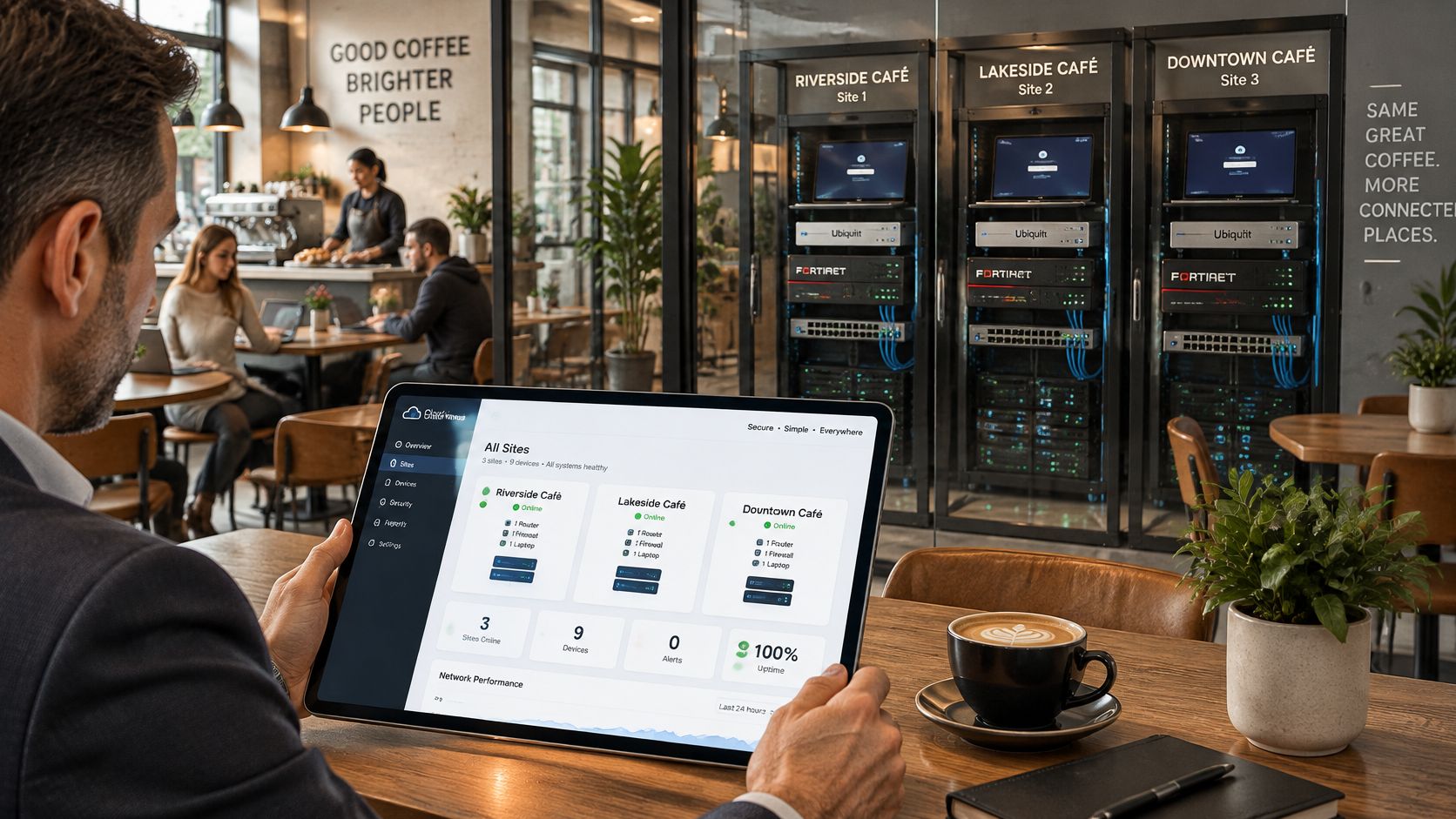
A cloud based network moves the thinking off the premises. Policy, monitoring, reporting and configuration live on a platform the provider operates. What stays on site gets much simpler: access points, a switch, and a lightweight connector that talks to the platform. You log in once, see every venue, and change a rule for all of them at the same time.
The U.S. National Institute of Standards and Technology published the definition most of the industry still works from in 2011, describing cloud computing as on-demand access to a shared pool of configurable resources that can be provisioned and released with minimal management effort (NIST). Its five characteristics translate neatly into venue terms. Resource pooling explains why you share infrastructure with other customers instead of owning it. Rapid elasticity explains why a seaside site can carry more capacity in August without a hardware order. Measured service explains the dashboard and the monthly report.
If you're deciding how much to hand over and how much to keep in house, the CEFCore managed cloud services guide walks through what a managed model covers in practice.
The differences that matter to a multi-site operator come down to a handful of practical questions.
| Aspect | Traditional network | Cloud based network |
|---|---|---|
| Where policy lives | On-site hardware at each location | Central cloud platform, applied per site |
| Adding a new site | Buy, ship and configure hardware on site | Onboard the site and apply existing policies |
| Management | Local admin login per device | One dashboard across all sites |
| Capacity scaling | Hardware upgrade or replacement | Provider adds capacity on demand |
| Failure dependency | Local equipment and the local link | Internet path plus the provider control plane |
Practical rule: If a change at one site has to be repeated by hand at every other site, you're running a traditional network with a modern login page.
How the layers of a cloud based network Fit together
Think of a three-storey building. The top floor is the management office: this is the cloud control plane, where policies, user groups and reports are set. Staff work up there, but guests never walk through it. The control plane decides what should happen. It doesn't carry guest traffic itself.
The middle floor is the corridor, the data plane. Traffic moves here, through access points, switches and local breakouts at each venue. This is also where you decide which devices can see each other, and network segmentation is the practice that keeps guest phones away from payment terminals and terminals away from back-office systems.
The bottom floor is the local access layer: the door where each device comes in.
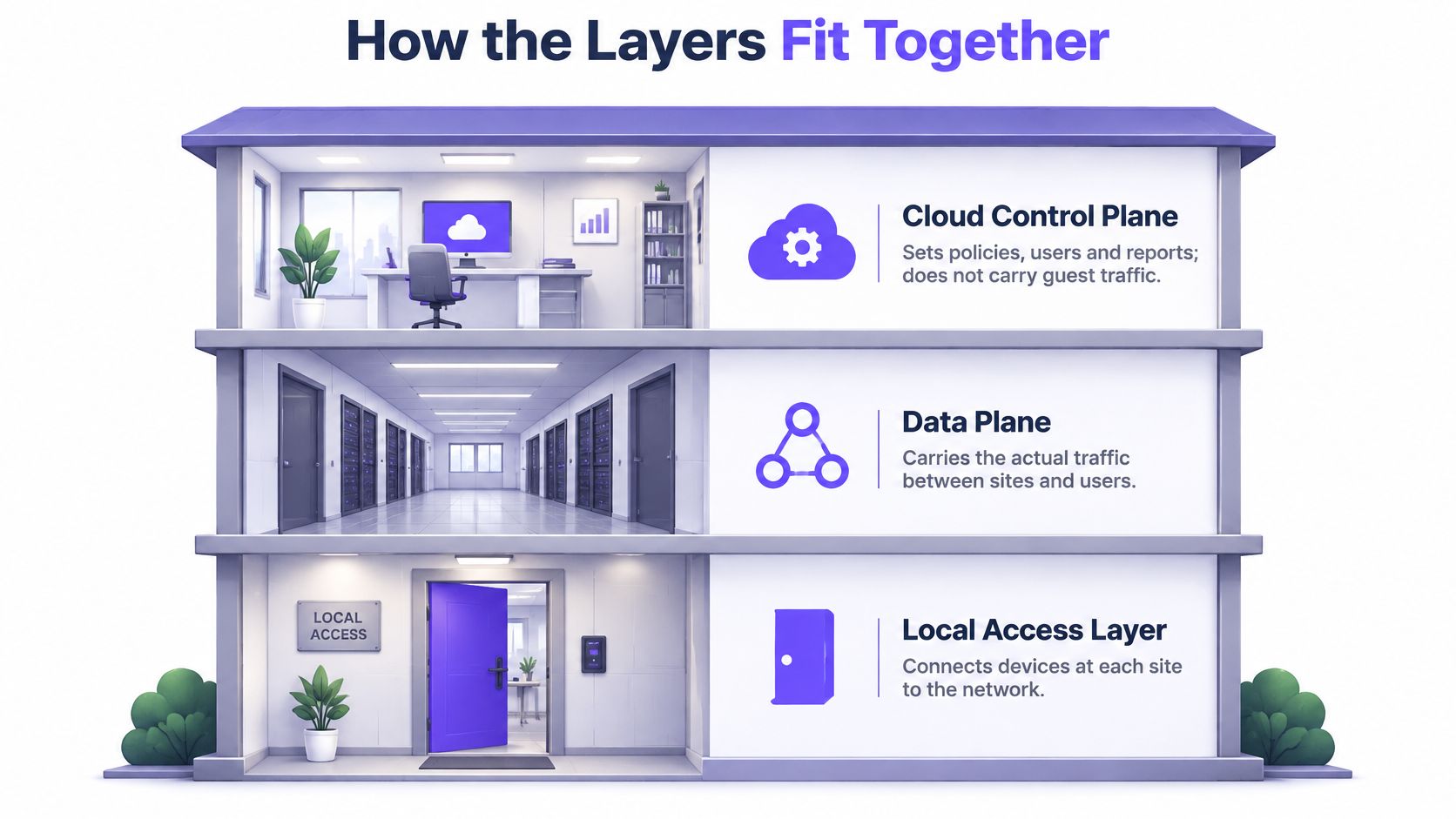
Between the office and the corridor sits the checkpoint every connection passes first: the DNS layer. Nothing reaches the corridor without a name being resolved.
One guest connection, step by step
- The device joins the SSID and the local access point accepts it. This happens on site, not in the cloud.
- The device receives an IP address from DHCP. The address comes first, before any browsing.
- The device asks for a name, and that lookup goes to the cloud resolver rather than to whatever the router has hardcoded.
- The resolver answers allow or block in milliseconds, based on the policy set for that SSID.
- Only then does the connection open, whether that's a web page, an app or a background sync.
So the three layers form a hierarchy. Policy is decided at the top, enforcement happens at the DNS checkpoint, and forwarding happens in the corridor. The same architecture appears well outside WiFi, which is why IoT connectivity for vending machines leans on a cloud control layer with local behaviour that survives a dropped link.
A fault in the management layer and a fault in the forwarding layer are not the same event. Lose the office and you can't change anything, but the corridor keeps carrying traffic. Lose the corridor and no dashboard in the world helps the guest standing in front of you.
Benefits, costs and where the shift is Happening
The shift shows up in the spending first. Gartner forecast worldwide end-user spending on public-cloud services at $675.4 billion in 2024, up from $561 billion in 2023, a 20.4% rise, with infrastructure as a service, the category closest to virtualised network capacity, projected to grow 25.6% to $180.0 billion (Gartner).
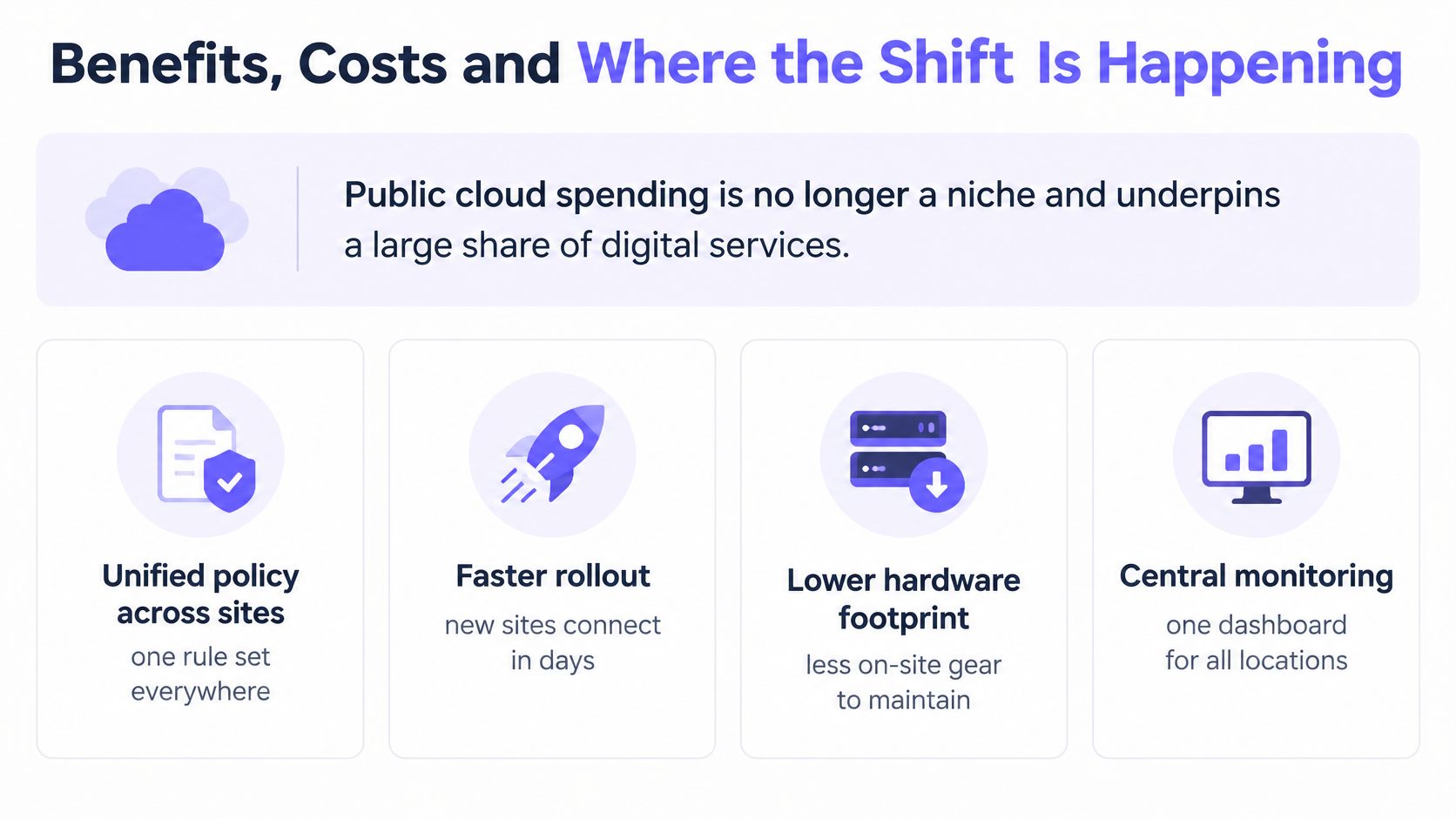
Adoption is broad rather than confined to large firms. Eurostat found that 52.7% of EU enterprises used paid cloud services in 2025, a 7.4 percentage point increase from 2023 (Eurostat). Ireland's Central Statistics Office recorded that 42.6% of Irish enterprises bought cloud-based security software in 2025 (Central Statistics Office). Spending is concentrating as well: 40% of enterprises surveyed by Flexera spent more than $12 million a year on public cloud, up from 36% a year earlier (Flexera).
If you'd rather watch a walkthrough than read the rest, this covers the model in a few minutes.
For a multi-site operator, each benefit arrives with a matching cost.
- Faster onboarding, offset by recurring fees. A new venue joins in days rather than after a purchase order and a site visit, but a subscription replaces capital hardware spend, and that cost never fully stops.
- One policy set everywhere, offset by training. Central rules mean a safeguarding change lands at every site in minutes, and they also mean your team has to learn a new console and trust it.
- Central logs for audits, offset by link dependence. Reports pull from one place, but traffic still travels over each venue's own internet connection, and no platform can fix a bad line.
Say a hotel group with twelve properties moves from local controllers to central management. Onboarding a new property becomes an entry in the platform plus a policy applied from an existing template, and routine admin drops from a tour of twelve logins to one review queue.
| Measure | Figure | Comparison | Source |
|---|---|---|---|
| Worldwide public-cloud end-user spending 2024 | $675.4 billion | $561 billion in 2023, up 20.4% | Gartner |
| IaaS spending 2024 | $180.0 billion | $143.3 billion in 2023, up 25.6% | Gartner |
| PaaS spending 2024 | $172.4 billion | up 20.6% | Gartner |
| SaaS spending 2024 | $247.2 billion | up 20.0% | Gartner |
| Public-cloud end-user spending 2025 | $723.4 billion | later forecast after the 2024 figure | Gartner |
| EU enterprises using paid cloud services 2025 | 52.7% | up 7.4 percentage points from 2023 | Eurostat |
| Irish enterprises buying cloud-based security software 2025 | 42.6% | Ireland only | Central Statistics Office |
| Enterprises spending over $12 million a year on public cloud | 40% | 36% in the prior year | Flexera 2025 |
The benefits are largest where sites are numerous, similar and run by a small team. Twelve near-identical hotel networks reward central management. One unusual building with bespoke kit may not.
Securing traffic at the DNS Layer
DNS is the earliest practical place to refuse something. A domain can be rejected during name resolution, before the device has a destination address and before a web, TLS or command-and-control session begins. The device already holds an IP address by then. It just doesn't hold the one it wanted.
A cloud DNS layer does three jobs, and it's worth naming them separately because vendors blur them together.
- Category filtering. Adult content, gambling, malware hosting, whatever the policy names, applied per SSID so a staff network and a children's reading room don't share a rule set.
- Threat blocking. Phishing domains, malware delivery hosts and command-and-control callbacks, stopped at the lookup rather than after the payload lands.
- Ad and tracker stripping. Fewer third-party requests means lighter pages and less data consumed on a guest's phone.
What has to be protected for this to work
Secure DNS has three separate requirements, often sold as one: integrity, confidentiality and availability. DNSSEC covers integrity by validating that a signed response hasn't been tampered with. Confidentiality is easier to miss, because even a correct answer can leak the question when lookups travel in plain text. Availability needs its own plan, so operators still run dispersed resolvers, fault tolerance and more than one recursive resolver in the configuration.
That gives a short checklist for any guest or public network:
- Route all client DNS to resolvers you control, rather than letting devices pick their own.
- Prevent bypass where the hardware allows it, by blocking outbound DNS to other servers.
- Validate DNSSEC responses so a spoofed answer gets rejected.
- Protect query transport where privacy rules apply, so lookups aren't readable in transit.
- Retain logs long enough to answer what a device tried to reach, and when.
Each item is a failure mode to test before an incident does it for you. Point a device at an outside resolver and check whether the bypass rule catches it. Then ask what happens when the resolvers go quiet: failing open keeps guests online but drops every policy, and failing closed keeps policy but turns a resolver fault into an outage. Purple Shield fails closed and runs across multiple data centres, so a fault in one does not take the service down.
Read the log before you trust the filter. A block page proves nothing on its own. The lookup record proves what was refused, for which network, at what time.
DNS filtering sits alongside endpoint protection, firewalls and application controls, and the case for DNS security as a control layer rests on it being one layer among several rather than a substitute for them.
What still works when a cloud based network fails
A venue can lose its cloud dashboard and still pass traffic. It can also keep the dashboard while losing the DNS path that applies filtering. These failures look similar from a distance, but affect different parts of the network. Design for each one separately.
An industry survey found that 60% of IT professionals had experienced a cloud-networking outage in the previous 12 months. Reported causes included cloud-provider failures, human error, third-party integrations, cyberattacks and misconfiguration (Aviatrix 2025 industry survey).
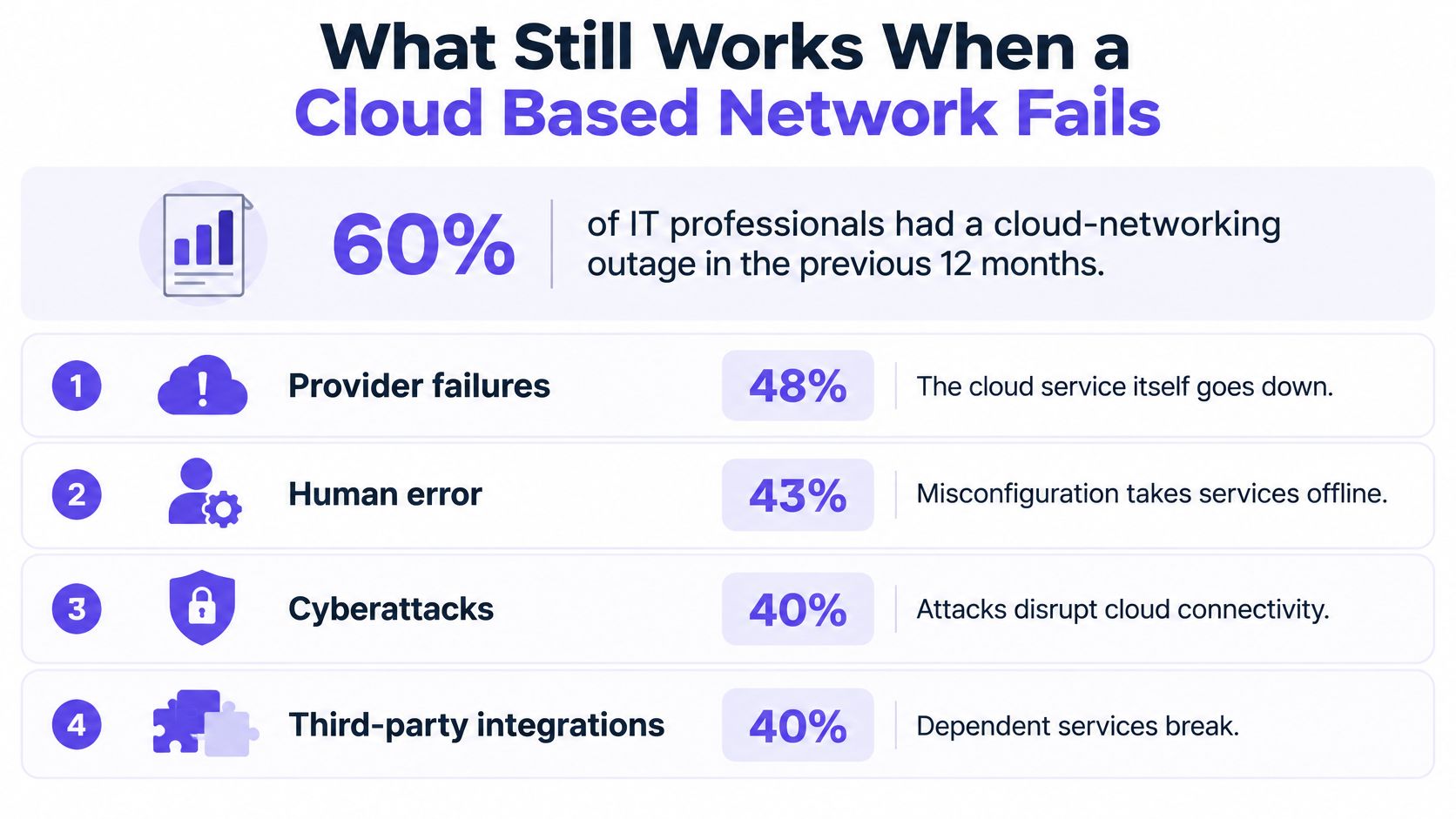
A provider's uptime figure describes its platform, not whether your venue can keep applying policy when that platform is unreachable. The dashboard is the control room; the equipment at the venue still has to carry traffic and enforce the rules it already received.
An SLA describes what the provider promises. It does not tell you what your access points will do when the control plane is unreachable.
Two outages that look the same and aren't
If the management plane fails, you may be unable to change policy, view fresh reports or onboard a site. Existing traffic and enforcement may continue because the rules were already sent to the network edge.
If the enforcement layer, usually DNS or its resolver path, fails, users notice straight away. Some sites may stop resolving; alternatively, everything may resolve because filtering has been bypassed.
That is the fail-open versus fail-closed choice. Fail open restores connectivity through ordinary recursive resolution if the cloud service is unavailable, but protective controls no longer apply. Fail closed keeps policy in place, but a DNS failure can also block legitimate services such as card payments or booking systems unless the network has tested fallback arrangements. Neither behaviour suits every venue. The important point is to know which one your network uses and what users will experience (guide to fail-open versus fail-closed filtering).
Design the fallback before you need it
Configure more than one resolver and monitor whether they are healthy. Identify the services that must remain available, and test a fallback path for them. If guests lose internet access, make the captive portal explain the outage rather than leaving them with a spinner.
Cloud management does not remove the on-site equipment. Access points, switches and the venue's internet link remain part of the service, and a failed link can still disconnect the venue. Reporting also depends on logs, a retention window and a format staff can interpret.
| Failure | What keeps working | Policy behaviour | Test before go-live |
|---|---|---|---|
| Cloud management plane outage | Existing traffic and enforcement, if rules are already in place | Usually unchanged | Cut management access and confirm traffic still flows |
| DNS resolver outage | Local cache and secondary resolvers, if configured | Fail open or fail closed, according to configuration | Block the primary resolver and confirm the secondary answers |
| Venue internet link down | Local services only | Not applicable | Unplug the WAN link and confirm the fallback message appears |
| Carrier or upstream provider fault | Traffic on an alternative path, if one exists | Unchanged if a second path carries it | Simulate upstream loss and check the failover route |
| Identity provider outage | Open or pre-shared SSIDs | Authenticated access may stop | Test the login fallback for staff and guests |
Three steps to prove it
- Run each test on one site. Do it during trading hours, so you can observe what guests experience as well as what the network reports.
- Record the result. Note what kept working, whether policy failed open or closed, the date and who ran the test.
- Repeat after policy changes. A new rule set can change how fallback behaves.
Subscription costs and dependence on the internet link affect what you can deploy, but they do not answer what happens during an outage. If you can test only one site, start with the site that has the most guests or the strictest duty of care.
Choose a Setup and pilot one site
Before comparing products, decide what your network is for. The order matters more than the tool.
- List every site and every group that uses it. Guests, staff, students, residents, paid tiers. Write the list down; most operators discover two groups they'd forgotten.
- Give each group its own SSID or VLAN from day one. A staff network sharing a rule set with a guest network is a safeguarding incident waiting for a date. Onboarding should give each customer network its own policy, for guests, staff, students, residents and paid tiers separately.
- Mark the failure tests that matter to you. Management-plane loss, DNS failover, an unplugged WAN, upstream loss and an identity-provider outage. If a test doesn't apply, say so explicitly rather than omitting it.
- Pilot on a single network and write down the result before any wider rollout. One site, one week, one page of findings.
Purple Shield fits after that work, not instead of it. One DNS layer filters content, stops threats and strips ads across every device on every network, with a policy per SSID, VLAN and venue and a single dashboard. You can run it free for 30 days on one network, or pilot a single SSID planned with our team, and only then receive a custom quote.
So pick one site this week. Record its user groups, fill in the failure table for that site alone, and book the pilot once you know what your network is supposed to do when something breaks.
Purple Shield is protective DNS and content filtering built for venue, guest and public WiFi, running standalone on any WiFi network or alongside Purple Access, with a separate policy for every SSID, VLAN and venue and reporting that shows exactly what was blocked. It runs across multiple data centres and fails closed, so a resolver problem doesn't turn your safeguarding off. Start a 30-day free run on one network at Purple Shield and put the failure tests to work before you sign anything.