
ExplainerProtective DNS
NCSC Protective DNS and the public sector: what it is and what venues can learn
You will be able to decide whether NCSC Protective DNS is open to you, how resolver-level blocking protects every device on a network, and where it stops. If you run a hotel, airport, retail or public-facing property, you can use the NCSC model as a checklist for choosing and deploying a commercial service such as...
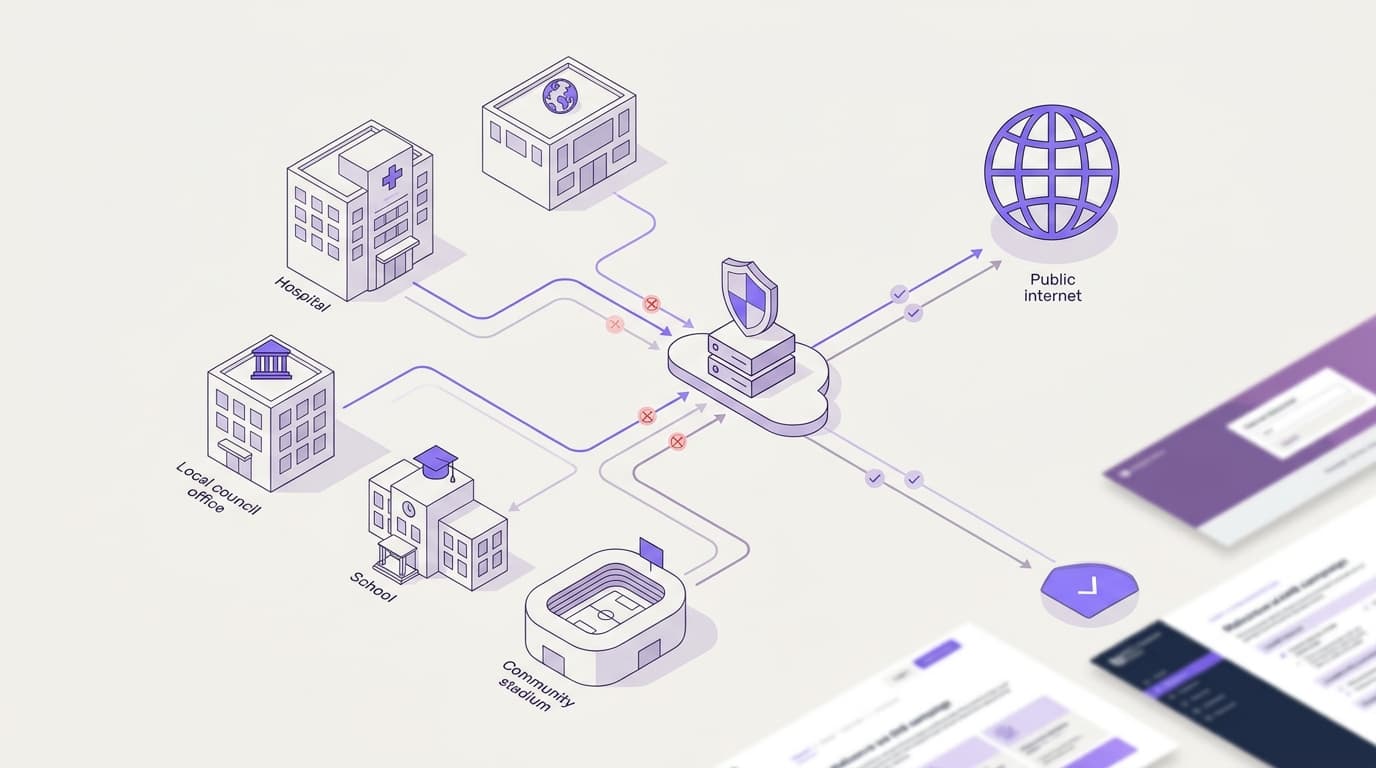
NCSC Protective DNS (PDNS) blocks lookups for malicious domains at the DNS layer defined in RFC 1035. Eligible public sector bodies use it for central cyber defense, while private venues get equivalent resolver-level control using commercial services like Purple Shield, which runs on the Purple platform: 80,000+ venues in 90 countries and a 99.999% uptime SLA.
What is NCSC PDNS, and who is it for?
The NCSC launched PDNS in 2017 as part of its Active Cyber Defense program. Central government funds it, so eligible organizations do not pay to use it. Eligibility covers bodies such as government departments, local authorities and parts of public health organizations. Check the current eligibility rules on the NCSC PDNS page before you plan around it.
Protective DNS is also a general category, not only the NCSC's service. A recursive resolver is the server that turns a name like example.com into an IP address on behalf of a device. A protective DNS service is a recursive resolver that refuses to resolve domains on a threat list. The US agencies CISA and NSA used the same term in their 2021 guidance, Selecting a Protective DNS Service.
Placement is the point. The block happens at the resolver, before any connection opens. No malicious page loads, no payload downloads and no command-and-control channel forms. Every device that uses the resolver is covered, including unmanaged guest cell phones, smart TVs and building sensors that cannot run security software.
How does protective DNS work, step by step?
DNS itself is defined in RFC 1034 and RFC 1035. Protective DNS changes nothing in the protocol. It changes what the resolver decides to answer.
- A device on your network looks up a domain, for example when a guest taps a link in an email.
- Your local resolver or firewall forwards the query to the protective DNS service, because you configured it to.
- The protective resolver checks the domain against its threat intelligence.
- If the domain is known to be malicious, the resolver returns a block response instead of the real address.
- If the domain is not on any list, the resolver looks it up normally and returns the answer.
- The service logs the query, so analysts can spot infected devices that keep calling home.
A block response takes one of three common forms. NXDOMAIN tells the device the domain does not exist. A sinkhole address points the device to a controlled server instead of the attacker's. A block page explains to the person why the site did not load.
A device query passes through a local forwarder to a protective resolver, which either blocks a known malicious domain or resolves a clean one, and logs every query.
Connections
- Staff or guest device to Local resolver or firewall (DNS query (RFC 1035))
- Local resolver or firewall to Protective DNS resolver (forwarded query)
- Protective DNS resolver to Known malicious domain (match on threat list)
- Protective DNS resolver to Clean domain (no match)
- Protective DNS resolver to Query log (every query logged)
Two inputs decide how good the service is. The first is the threat intelligence: how many sources feed the block list and how quickly new domains reach it. Our guide to DNS threat intelligence feeds covers where those lists come from. The second is the logging. The NCSC uses PDNS query data to detect compromised systems and alert the organization concerned. A commercial service should give you the same visibility, which our guide to DNS filtering logs and reporting explains.
Many resolvers apply block lists through Response Policy Zones (RPZ), a format that lets a resolver override answers for listed domains. RPZ is a widely used convention, not an IETF standard.
Which DNS security terms do people confuse?
Several DNS terms sound alike but solve different problems. Mixing them up leads to gaps in a security design, or to buying the same control twice.
| Term | What it does | What it does not do | Defined by |
|---|---|---|---|
| Protective DNS | Refuses to resolve domains linked to threats | Inspect page content or encrypted traffic | NCSC, CISA and NSA guidance (a category, not an RFC) |
| NCSC PDNS | Protective DNS run by the NCSC for eligible bodies | Serve private venues or filter content categories | NCSC |
| DNS content filtering | Blocks categories such as adult or gambling sites as well as threats | Prove safeguarding compliance on its own | Vendor policy |
| Passive DNS (pDNS) | Keeps a historical record of domain-to-IP answers for analysts | Block anything in real time | Threat intelligence practice |
| DNSSEC | Signs DNS records so resolvers can verify they are authentic | Judge whether a domain is malicious | RFC 4033 |
| DNS over HTTPS or TLS | Encrypts the query between device and resolver | Decide what is safe to resolve | RFC 8484 and RFC 7858 |
| Response Policy Zones | Lets a resolver override answers for listed domains | Supply threat intelligence itself | Industry convention, not an IETF standard |
Where people get it wrong
- Treating PDNS as content filtering. NCSC PDNS targets malicious domains. It is not built to block content categories. Schools still need filtering that meets federal and state educational filtering and security standards.
- Assuming suppliers are covered. A local government agency's PDNS eligibility does not extend to the contractor running its community center WiFi.
- Reading "pDNS" in a threat report as protective DNS. In threat intelligence, pDNS usually means passive DNS, a lookup history.
- Thinking DNSSEC blocks threats. DNSSEC (RFC 4033) proves a record is authentic. An attacker's own domain can be perfectly signed.
- Thinking encrypted DNS is protective. Encryption hides the query from eavesdroppers. It says nothing about whether the destination is safe.
Where do venues meet protective DNS in practice?
You meet protective DNS in three places: on public sector networks, on your own guest and staff WiFi, and in the security questionnaires your clients send you.
Public buildings with public WiFi
Libraries, government offices, hospitals and stations all run WiFi for visitors. Each site has to decide which resolver its guest network uses. A public sector body may also choose a commercial service for networks where it wants content category filtering or a separate policy per network. St George's Healthcare NHS Trust runs Purple Shield and blocks around 241,000 threats a week.
Hotels, airports and multi-site estates
Private venues sit outside PDNS eligibility but face the same threats. A hotel guest network carries hundreds of unmanaged devices. An airport network carries passengers, retail tenants and operational systems on separate VLANs. A VLAN (virtual LAN) is a logical network segment that shares physical switches and access points with others. Multi-site operators run Shield to apply DNS-layer protection across their estates without adding hardware.
Supplier due diligence
If you supply the public sector, expect questions about how you block malicious domains on your own networks. You cannot answer "we use PDNS", because you are not eligible. A commercial protective DNS service with exportable logs gives you a clear, auditable answer.
What are the limits of protective DNS?
Protective DNS is one layer, not a complete defense. It sees domain names and nothing else. The layered model below shows where it sits and what the layers around it must catch.
Five stacked layers from device to endpoint protection, with protective DNS in the middle blocking lookups before connections open.
Connections
- Device and browser to Network and VLAN (device joins network)
- Network and VLAN to Protective DNS (all lookups forwarded)
- Protective DNS to Proxy or secure web gateway (allowed traffic continues)
- Proxy or secure web gateway to Endpoint protection (residual risk on device)
Encrypted DNS on the device
Browsers and operating systems can send DNS over HTTPS (RFC 8484) or DNS over TLS (RFC 7858) straight to a public resolver. That traffic skips your protective resolver entirely. On managed devices, set the policy centrally. On guest networks, block outbound DNS to anything except your chosen resolver, and block known public encrypted DNS endpoints at the firewall.
Hard-coded resolvers and direct IP
Some apps and IoT devices ignore the resolver that DHCP assigns. Malware can also connect straight to an IP address with no lookup at all. Firewall rules that force port 53 traffic to your resolver close the first gap. Endpoint protection and network monitoring close the second.
No view of content
A DNS service sees example.com, not the page path or the file downloaded. If a trusted domain hosts a malicious file, DNS cannot tell. Use a proxy or secure web gateway on networks where you need full URL inspection.
New domains and false positives
A domain registered this morning may not be on any list yet. Speed of intelligence matters, which is why feed quality is the main buying criterion. The reverse risk is a false positive that blocks a legitimate booking site. You need a fast allow-list process and logs that show exactly what was blocked.
Compliance is not automatic
Protective DNS supports frameworks such as SOC 2 Type II and ISO 27001 controls, but it does not certify you. DNS logs can also include personal data under CCPA/CPRA, so set retention periods and access rules before you switch logging on.
How does a commercial service compare, and where does Purple fit?
If you are not eligible for PDNS, or you need controls it does not offer, you choose a commercial service. Cisco Umbrella and Cloudflare Gateway are two well-known options. Purple Shield is built for venues that run guest and staff WiFi across many sites. The table compares scope and design, not price.
| Criterion | NCSC PDNS | Cisco Umbrella | Cloudflare Gateway | Purple Shield |
|---|---|---|---|---|
| Who can use it | Eligible UK public sector bodies | Any organization | Any organization | Any organization, standalone or on Purple Access |
| Threat blocking at the DNS layer | Yes | Yes | Yes | Yes |
| Content category filtering | Not its purpose | Yes | Yes | Yes |
| Where it sits | Public sector networks | Part of Cisco's wider security portfolio | Part of Cloudflare's Zero Trust platform | Guest and staff WiFi, with a policy per network and VLAN |
| Commercial model | Centrally funded | Commercial license | Commercial plan | Tailored quote, 30-day free trial |
What to copy from the NCSC model
The NCSC design gives you a checklist for any commercial choice:
- Block at the resolver, so every device is covered without an agent.
- Feed it fresh intelligence from multiple sources.
- Use the logs, so blocked lookups become alerts about infected devices.
- Make it free to adopt technically, by changing a forwarder or DHCP setting rather than buying hardware.
What Shield adds for venues
Shield applies protective DNS and content filtering to every network you run. You can buy it standalone or on Purple Access. You set a policy per network and VLAN, so the guest network, staff network and point-of-sale VLAN each get the controls they need.
Because Shield works at the DNS layer, you point your resolver or DHCP settings at it. There is no new hardware. Purple Access already runs on Cisco Meraki, HPE Aruba, Ruckus, Juniper Mist, Ubiquiti UniFi, Cambium, Extreme and Fortinet.
Shield flags new threats up to 10 days earlier than standard blocklists. Blocking ads and trackers means up to 62% fewer DNS queries and up to 44% less data used on a filtered network. Shield fails closed, so an outage never sends traffic out unfiltered. It runs across multiple data centers. The Purple platform carries 500 million logins a year at a 99.999% uptime SLA.
- ~241,000threats blocked a weekSt George's Healthcare NHS Trust
- 500 millionlogins a yearPurple platform
- 99.999%platform uptime SLAPurple platform
- 80,000+venues in 90 countriesPurple data
See how Shield works for the technical detail. For the wider picture, read the Protective DNS overview and our enterprise WiFi security guide.
Where the concept bites in a real deployment
The test comes on a busy guest network. One infected cell phone tries to reach a command-and-control domain, and the resolver either answers or refuses. Everything else in this guide is about making sure that one lookup goes through your protective resolver, against fresh intelligence, with a log you can act on. Next, read how the DNS layer defends against ransomware and what a lookup block can and cannot stop.
Key terms
- Protective DNS
- A recursive DNS resolver that refuses to resolve domains on a threat list. It is a service category described in NCSC guidance and in the 2021 CISA and NSA guidance Selecting a Protective DNS Service, not an RFC. The DNS protocol itself, defined in RFC 1034 and RFC 1035, is unchanged. IT teams meet it when choosing which resolver guest and staff networks forward to. It blocks malware, phishing and ransomware lookups before any connection opens.
- NCSC PDNS
- The National Cyber Security Centre's protective DNS service, launched in 2017 under the Active Cyber Defence program. It is centrally funded and open only to eligible UK public sector bodies, such as central government departments, devolved administrations, local authorities and parts of the NHS. Public sector teams use it on their own networks. Private venues and contractors are not eligible, so they need a commercial service that copies its design.
- Recursive resolver
- The DNS server that resolves a name such as example.com into an IP address on behalf of a device, following the resolution process set out in RFC 1034 and RFC 1035. It is the control point for protective DNS. Whichever resolver DHCP hands out and the firewall enforces decides which lookups are answered.
- NXDOMAIN
- The DNS name error response defined in RFC 1035, telling the device that the requested domain does not exist. One of three common block responses a protective resolver returns for a known malicious domain, alongside a sinkhole address or a block page.
- Sinkhole
- A block response that returns the address of a controlled server instead of the attacker's real address, so the device connects somewhere harmless. Useful where analysts want to see which devices keep trying to reach a malicious domain, pointing to likely infections.
- Response Policy Zones (RPZ)
- A widely used format that lets a recursive resolver override answers for listed domains. RPZ is an industry convention, not an IETF standard, and it does not supply threat intelligence itself. Many resolvers apply block lists through RPZ. Teams evaluating a service should still ask where the listed domains come from and how quickly they update.
- Passive DNS (pDNS)
- A historical record of domain-to-IP answers kept for threat intelligence analysis. It blocks nothing in real time. The abbreviation PDNS can mean protective DNS or passive DNS. In threat reports, pDNS usually means passive DNS, so check which one a vendor means.
- DNSSEC
- DNS Security Extensions, introduced in RFC 4033, which sign DNS records so resolvers can verify they are authentic and unaltered. DNSSEC proves authenticity, not safety. An attacker's own domain can be perfectly signed, so DNSSEC does not replace protective DNS.
- DNS over HTTPS (DoH)
- Encryption of DNS queries between device and resolver inside HTTPS, specified in RFC 8484. It hides the query from eavesdroppers but makes no judgment about whether a destination is safe. Browsers and operating systems can send DoH straight to a public resolver, bypassing your protective resolver unless you set device policy or block known endpoints.
- DNS over TLS (DoT)
- Encryption of DNS queries between device and resolver over TLS, specified in RFC 7858. Like DoH, it protects privacy, not destination safety. A second bypass route on guest networks. Firewall rules should allow DNS only to your chosen resolver.
- VLAN
- A virtual LAN: a logical network segment that shares physical switches and access points with other segments, standardized in IEEE 802.1Q. Airports and hotels separate guest, staff, tenant and point-of-sale traffic on VLANs. Shield applies a separate DNS policy to each network and VLAN.
- DNS content filtering
- Vendor-defined policy that blocks content categories, such as adult or gambling sites, as well as threat domains. It is not defined by an RFC. NCSC PDNS is not built for category filtering. Schools still need filtering that meets the Department for Education filtering and monitoring standards.
- Fail closed
- A failure mode in which, if the filtering service cannot be reached, traffic is not sent out unfiltered. Shield fails closed and runs across multiple data centers, so an outage does not turn into a security gap on guest or staff WiFi.
Worked examples
A hotel group has bought a protective DNS service for its guest WiFi, but some guest devices use encrypted DNS and hard-coded resolvers. How do you stop that traffic bypassing protection?
Treat the resolver as useless unless every lookup reaches it. On the guest network, firewall rules force all port 53 traffic to the chosen protective resolver and block outbound DNS to anything else. Known public DNS over HTTPS (RFC 8484) and DNS over TLS (RFC 7858) endpoints are blocked at the firewall too. On managed staff devices, encrypted DNS policy is set centrally. Direct-IP malware traffic, which needs no lookup, is left to endpoint protection and network monitoring. The reason is simple: a guest network that allows outbound DNS to any resolver is not protected, whatever service you buy.
An organization running Cisco Umbrella or Cloudflare Gateway wants to move to Purple Shield without leaving any network unprotected during the switch. What is the sequence?
Migration is mainly a settings change, not a hardware project. First, recreate the existing block and allow policies in Shield. Next, point one network or VLAN at Shield while the rest stay on the current service. During the 30-day free trial, compare blocked threats and query volumes in the logs against the incumbent. Then move the remaining networks in stages. Throughout, keep the firewall rules that force DNS to the chosen resolver, so no lookup slips out mid-migration. This approach gives you real figures from your own properties before you commit, and Shield works on existing Cisco Meraki, HPE Aruba, Ruckus, Juniper Mist, Ubiquiti UniFi, Cambium, Extreme and Fortinet hardware.
Frequently asked questions
Can a private venue or public sector supplier use NCSC PDNS?
No. NCSC PDNS is limited to eligible UK public sector bodies, and private companies, including suppliers to government, cannot join. If you run a hotel, airport, venue or contracted public service, you need a commercial protective DNS service. Choose one that copies the NCSC model: resolver-level blocking, fresh threat intelligence and usable logs. Shield gives you this on any network, standalone or on Purple Access.
How much does Purple Shield cost?
Purple prices Shield through a tailored quote based on your networks and sites. We do not publish list prices. You can run a 30-day free trial first, pointing one network at Shield to compare blocked threats and query volumes against your current setup. That gives you real figures from your own estate before you commit.
Will Shield work with the WiFi hardware we already own?
Yes. Shield works at the DNS layer, so you change resolver or DHCP settings rather than replacing access points. Purple Access runs on Cisco Meraki, HPE Aruba, Ruckus, Juniper Mist, Ubiquiti UniFi, Cambium, Extreme and Fortinet. Shield applies a separate policy to each network and VLAN on that estate.
How do we migrate from Cisco Umbrella or Cloudflare Gateway?
Migration is mainly a settings change. Recreate your block and allow policies in Shield, then point one network or VLAN at Shield while the rest stay on your current service. Compare logs during the 30-day trial, then move the remaining networks in stages. Keep firewall rules that force DNS to your chosen resolver throughout, so nothing slips through mid-migration.
If we already use NCSC PDNS, why add Shield?
Shield adds content category filtering and a separate policy for each network and VLAN. NCSC PDNS is not designed to provide these. That matters on public-facing guest WiFi in libraries, hospitals and city council buildings. St George's Healthcare NHS Trust runs Shield and blocks around 241,000 threats a week. Check the NCSC's guidance on combining resolvers before you change any forwarding.
Does protective DNS make us compliant with CCPA/CPRA or SOC 2 Type II?
No single control makes you compliant, but protective DNS supports both. It contributes to malware protection and gives you logs as audit evidence. Those DNS logs can contain personal data under the CCPA/CPRA, so set retention and access rules first. Purple holds ISO 27001 and Cyber Essentials certification and is GDPR compliant, which helps your supplier assessment.
Does DNS filtering slow down the network?
No. A blocked lookup ends before any connection opens, so blocked content never loads. Blocking ads and trackers means up to 62% fewer DNS queries and up to 44% less data used on a filtered network. Shield runs across multiple data centers to keep lookups fast and available.
What happens to traffic if Shield becomes unreachable?
Shield fails closed. If the service cannot be reached, traffic is not sent out unfiltered, so an outage never becomes a security gap. Shield runs across multiple data centers to make that scenario rare. The wider Purple platform carries 500 million logins a year at a 99.999% uptime SLA.
Sources
- NCSC Protective DNS (PDNS) service information
- RFC 1034: Domain names - concepts and facilities
- RFC 1035: Domain names - implementation and specification
- RFC 4033: DNS Security Introduction and Requirements
- RFC 8484: DNS Queries over HTTPS (DoH)
- RFC 7858: Specification for DNS over Transport Layer Security (TLS)