
What Is DNS Filtering and How Does It Work?
What is DNS filtering? Learn how it blocks harmful domains, improves public WiFi safety, and protects unmanaged devices before connections begin.
Published 20 October 2026
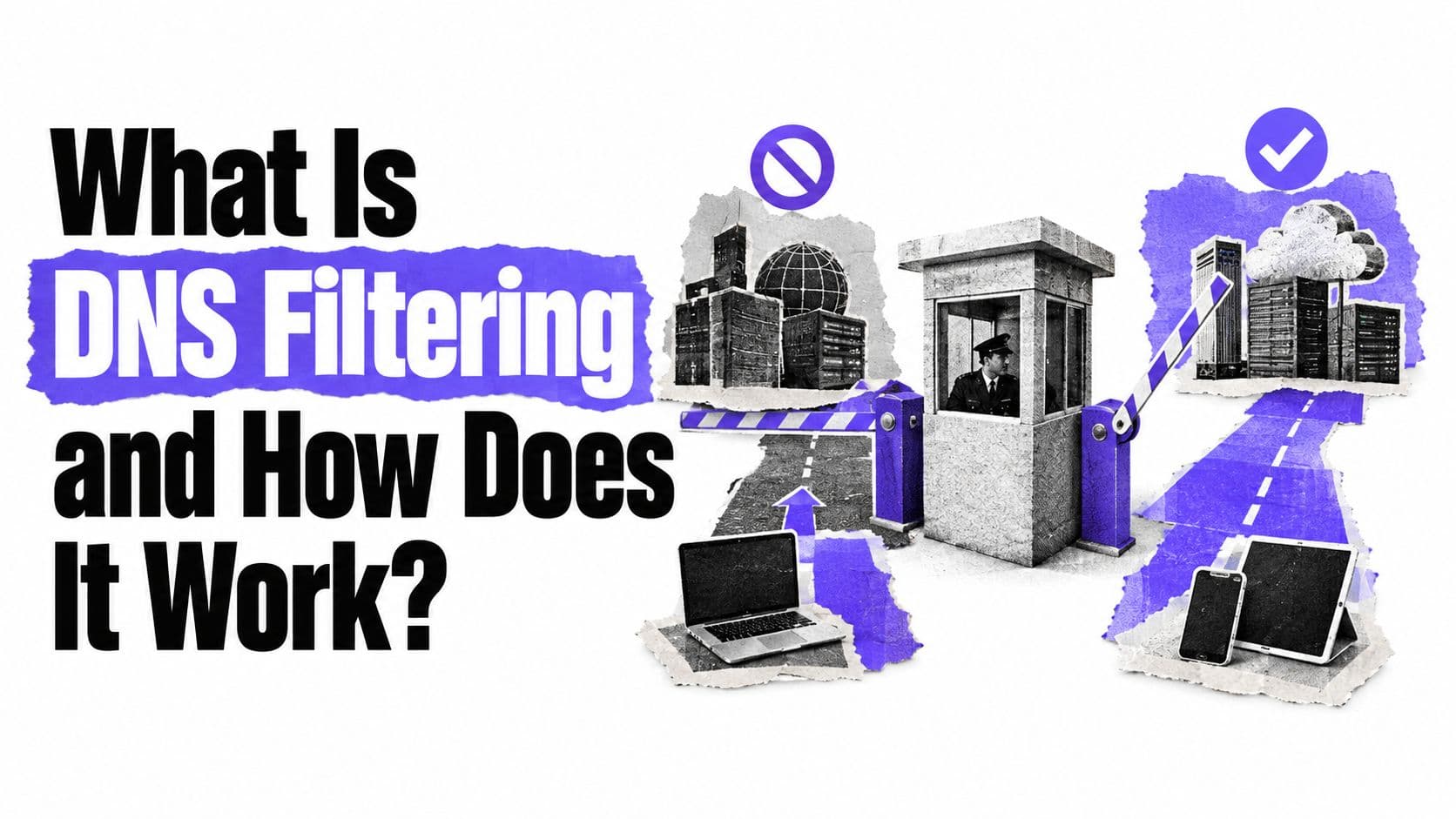
DNS filtering checks each domain-name request before a device connects, then allows, blocks, or redirects it based on content, threat, or network policy.
You're reading this on a phone connected to café WiFi. At the next table, a laptop loads a work dashboard, a child watches videos on a tablet, and someone's smartwatch syncs in the background. The café operator manages none of these devices. Yet every one of them must answer the same question before connecting anywhere: where does this domain live? Each lookup passes through the network's resolver, and that shared checkpoint is exactly where a gate can sit. DNS filtering places that gate in the path of every lookup, checking destinations before connections begin for any device on the network, with no software to install and no settings to change on the visitor's side.
Table of Contents
- Why DNS Filtering Matters on Shared Networks
- How DNS Filtering Works
- How DNS Filtering Differs from Other Security Controls
- Benefits and Measurable Network Outcomes
- Guest and Public WiFi Use Cases
- Bypass Risks and False Positives
- How to Evaluate DNS Filtering for Your Network
Why DNS Filtering Matters on Shared Networks
At a hotel, visitors bring their own phones, laptops, tablets, and sometimes streaming devices. One person needs access to work tools, another is browsing from a family tablet, and a guest's phone may be infected with malware that tries to contact a dangerous domain. A network team can't assume it can install software or change settings on every device. That's the shared-network challenge, and it's also where BYOD security becomes an operational concern.

DNS filtering places a network-level gate in the path of domain lookups. Rather than inspecting only one browser or one managed laptop, it can apply a policy to devices that use the network's DNS resolver. The filter evaluates a requested destination before the device can start connecting to it, allowing the network operator to block categories or known threats centrally.
That model can help hotels, schools, hospitals, airports, libraries, offices, and other public venues manage shared access. A school may set different rules for staff and pupils. A hotel may provide a guest network while protecting staff systems under a separate policy. In each case, the operator can apply rules at the network level without turning DNS filtering into a device-management tool.
Mental model: The filter checks the destination name at the network gate. It doesn't automatically see everything a visitor does after reaching an allowed site.
That distinction matters. DNS filtering can support safeguarding, threat defense, and reporting across unmanaged devices, but it can't guarantee that every page or every app on a device is safe. It's a layer of network policy, not a complete replacement for endpoint security or other controls.
How DNS Filtering Works
Your device needs an address to reach an internet service, but people usually enter names such as example.com rather than numerical network addresses. The Domain Name System, or DNS, translates a human-readable name into the information needed to find the destination. That translation begins when an app or browser asks a resolver to look up a name.
A recursive resolver handles the request on the device's behalf. With DNS filtering in place, the resolver checks the requested hostname against policies, categories, reputation data, or lists of known harmful domains before returning a normal answer. For a helpful DNS configuration overview, it's useful to distinguish that resolver decision from what a browser does after it receives an answer.
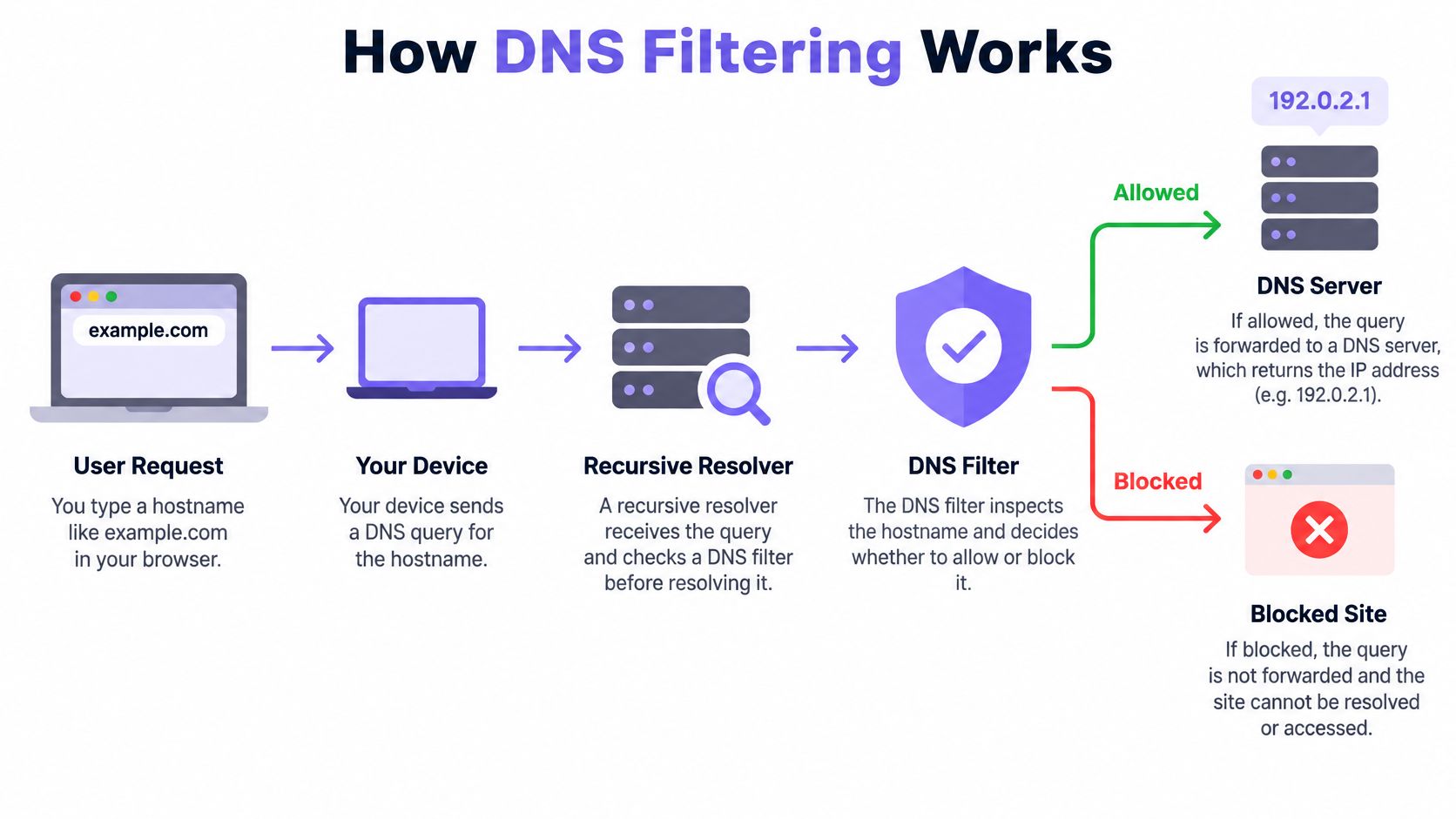
The request's journey
Think of DNS as an airport gate. A traveler gives the gate agent a destination name, and the agent checks whether that trip is permitted before directing the traveler onward. In this analogy, the device is the traveler, the hostname is the destination, and the resolver is the gate where a policy decision happens.
For example, when a browser requests example.com, the device sends a DNS query to its configured resolver. The filter can then:
- Allow the request and return the information needed to proceed.
- Block the request by refusing to resolve it.
- Redirect the request to a controlled destination, such as a block page.
- Return a non-routable response so the device doesn't receive a usable destination address.
If the resolver allows the lookup, the device can continue toward the site. If it blocks the lookup, the browser usually can't reach the requested destination through that name. The decision happens before application traffic to that hostname begins, which is why the control can cover different devices that use the managed resolver.
What the filter can and can't see
DNS filtering evaluates domain names, not the complete contents of each page. It can block a domain associated with phishing or malware, but it doesn't automatically inspect every image, message, or action within an allowed website. A harmful page hosted on a legitimate domain can therefore require other security controls.
DNSSEC is also different from filtering. It helps authenticate DNS information and verify that data hasn't been altered; it doesn't decide whether a domain should be permitted under an organization's content policy. NIST describes filtering as name resolution filtering and identifies cloud-based secure recursive DNS, on-premises Response Policy Zones, or a combination as possible implementation approaches (NIST guidance on DNS security).
How DNS Filtering Differs from Other Security Controls
DNS filtering acts at the hostname-resolution stage. That timing gives it a useful role on shared networks, but it doesn't make it interchangeable with endpoint software, firewalls, Safe Search, or DNSSEC. Each control sees a different part of the activity.
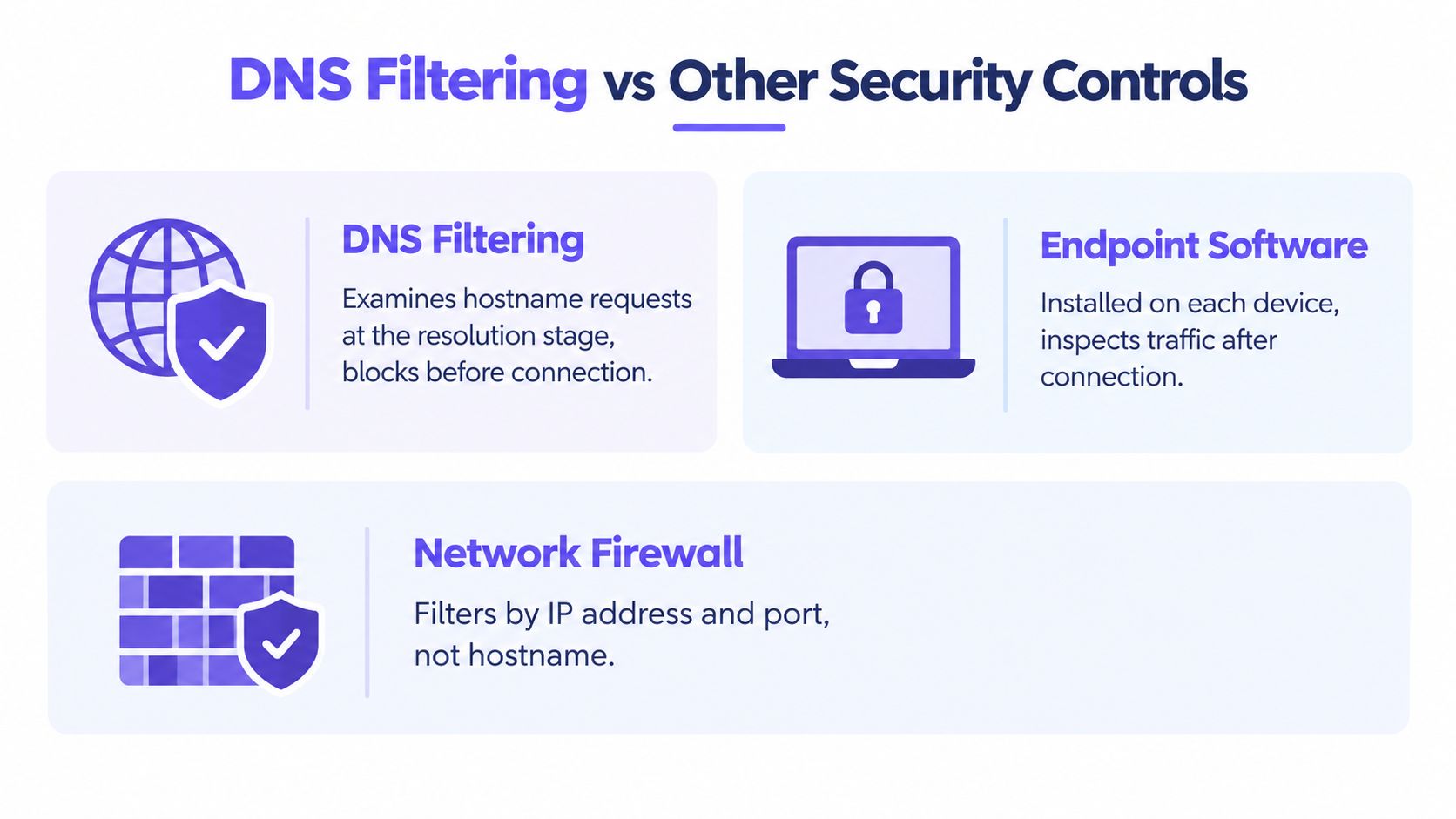
| Control | Where it acts | What it helps with | What it doesn't guarantee |
|---|---|---|---|
| DNS filtering | During a hostname lookup | Blocking named destinations before a connection starts | Inspection of every page or app activity |
| Endpoint software | On an installed or managed device | Device-level monitoring and protection | Coverage on unmanaged visitor devices |
| Network firewall | On network traffic and connections | Enforcing network rules and controlling traffic flows | The same hostname-level policy in every configuration |
| Safe Search | Within supported search services | Limiting some search results | Filtering every website or app |
| DNSSEC | During DNS data validation | Authenticating DNS responses | Applying an organization's content rules |
Different controls cover different gaps
Endpoint software can monitor a managed computer more closely than DNS filtering can. But a hotel or airport can't assume visitors will install an agent on a personal phone. DNS filtering can apply centrally to devices using the network's resolver, helping cover that gap without requiring software on each device.
A firewall and DNS filtering also answer different questions. A firewall controls network traffic and connections, while a DNS filter evaluates the name a device asks to resolve. They can complement one another, but DNS filtering doesn't replace a firewall's broader network role. For a related overview of how web traffic controls fit together, see this guide to a secure web gateway.
Safe Search is narrower still. It can influence results on supported search services, but it doesn't determine whether every destination across the network is allowed. DNSSEC helps verify DNS data authenticity, but it doesn't make an administrative choice to block a domain.
Practical rule: Treat DNS filtering as a central policy layer for destinations, then use endpoint, firewall, and application controls for risks that domain checks can't see.
Benefits and Measurable Network Outcomes
On a shared network, the clearest benefit is placement: DNS filtering acts like a gate that checks the requested name before the connection begins. If a phone on public WiFi asks for a domain tied to phishing, malware, or command-and-control activity, the resolver can refuse the lookup before any page loads, as long as that device uses the managed resolver. The same mechanism can apply category rules for destinations such as adult content or gambling, giving operators one consistent checkpoint for many unmanaged devices.
That central position also changes day-to-day control. Network teams can assign policies by group or network, review blocked queries, and show visitors a plain block message instead of a silent failure. If advertising or tracking domains are blocked, some pages may make fewer requests and transfer fewer resources, although the effect depends on the sites people visit.
What the reported evidence means
The university evaluation introduced earlier described how respondents rated an RPZ-based system, but perception is not a measured block rate. Treat it as evidence that users noticed a difference, not proof that every harmful domain was caught.
A separate cloud DNS-sinkhole study reported a 53% reduction in total requests, 48% fewer transferred resources, and 57% faster load time after advertising domains were blocked (RFC 8198 and DNS-sinkhole research reference). Those numbers describe that workload. A conference venue with video-heavy pages may see a different pattern than a quiet office.
For a live venue, verify the gate with a small drill. Before opening, test known-good services from the guest network, then deliberately request a test blocked domain and confirm the block page appears. After deployment, compare resolver latency, availability, cache hits, repeated blocked requests, false-positive reports, and signs of bypass such as hardcoded DNS or VPN use.
Guest and Public WiFi Use Cases
A hotel's networks don't all serve the same people. Guests need a usable internet connection, staff may need different access for work, and a paid tier may have its own policy. A DNS filter can apply different rules to those groups when the network design separates them, rather than assuming that one policy suits everyone.
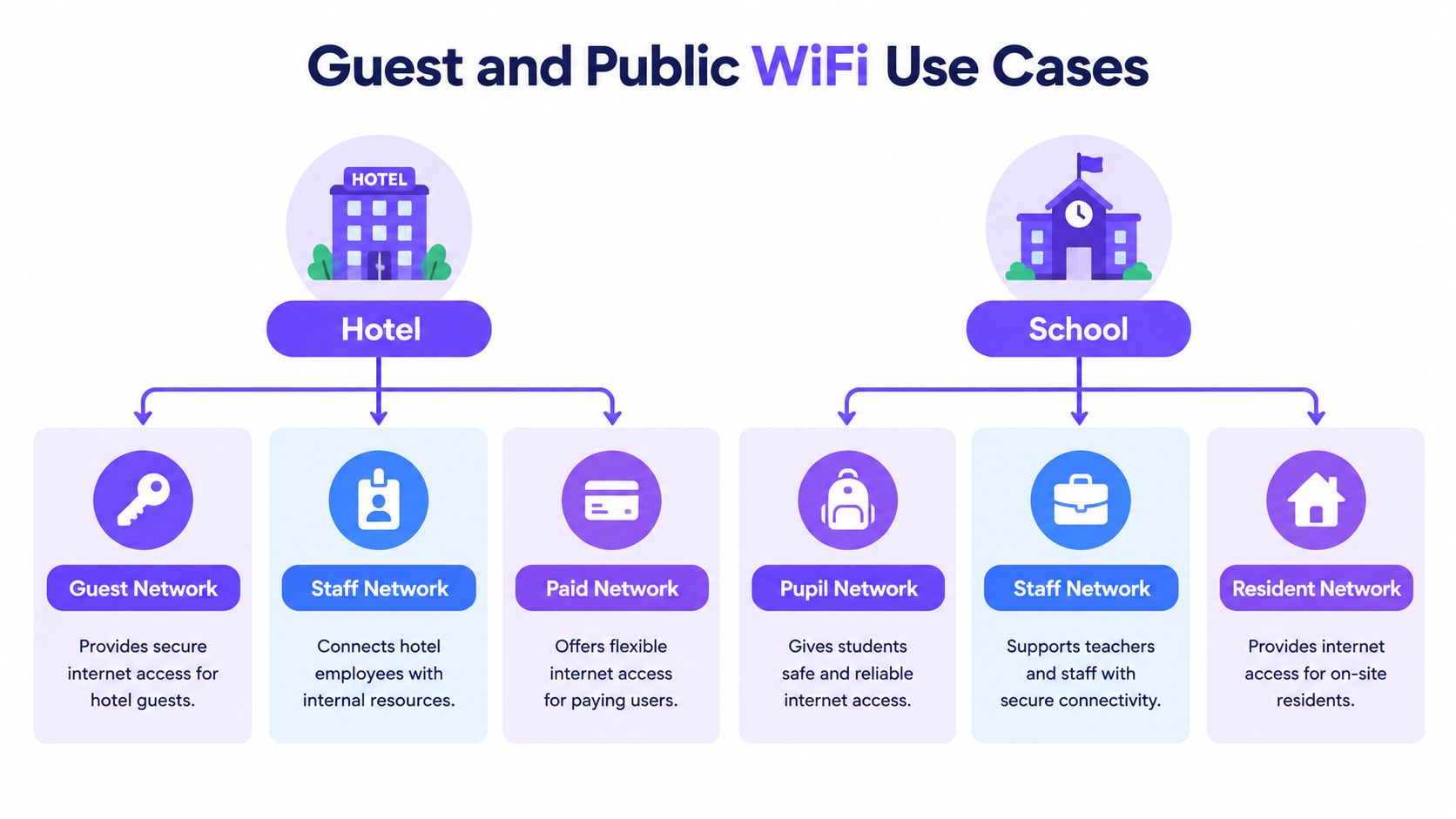
Schools and student residences face a related challenge. Pupils, staff, and residents may use the same building network but need distinct policies. In healthcare, operators can use network-level filtering as one protective layer while recognizing that domain checks don't replace controls for clinical systems or inspect every part of an online service.
| Environment | Policy need | DNS filtering's role |
|---|---|---|
| Hotel | Distinguish guest, staff, and paid networks | Apply different category and threat rules by network |
| School or residence | Set appropriate rules for pupils, staff, and residents | Support safeguarding and policy visibility across personal devices |
| Hospital | Add a layer for guest and public WiFi | Block selected destinations while keeping clinical security controls in place |
| Airport or library | Manage public access across shared devices | Apply consistent network policies and review reporting |
| Multi-site organization | Keep policies manageable across venues | Centralize rules and compare activity across network groups |
Making policies fit the venue
Operators can set rules around network identity, such as an SSID or VLAN, and adjust them by venue or schedule. They may choose category controls, threat blocking, Safe Search enforcement, allowlists or blocklists, reporting, and a branded block page. These features help staff explain a restriction and review whether the rule is working, but they don't reveal a user's full intent or every action inside an allowed service.
Purple Shield is one example of a protective DNS service designed for guest and public WiFi. It offers category controls, Safe Search, threat defense, DNS-layer ad and tracker blocking, reporting, and policies that can be set by SSID, VLAN, venue, or schedule. Its cloud delivery model is designed to work without installing client agents, while the operator still needs a wider security strategy for bypasses and threats DNS filtering can't inspect.
Bypass Risks and False Positives
On a shared network, the gate model has a weak point: it can check only the destination requests that reach the resolver. A hotel laptop, a student phone, and a visitor tablet arrive unmanaged, so one may use the venue DNS while another sends lookups to a public resolver or an app follows its own path. The rule still exists, yet the traffic never reaches the checkpoint.
A VPN or proxy can carry the whole session away from the local resolver. Encrypted DNS is narrower: DoH and DoT protect the lookup itself, while HTTPS protects web traffic between browser and site. That difference matters because normal HTTPS browsing does not prove the DNS query used encrypted DNS. NLnet Labs warns DoH can bypass local DNS security policy and be hard to detect in mixed environments (NLnet Labs presentation on DoH).
Coverage and accuracy need review
The evidence should be read as a warning about coverage, not as a universal scorecard. A 2026 educational-network study reported 98.53% accuracy under normal test conditions, falling to 50% when VPN or DoH bypasses were introduced, with precision, recall, and F1-score reported as 0% in that bypass case and separate samples showing block rates of 85% and 96% and false-positive rates of 12% and 8% (educational-network DNS filtering study).
Those figures point to two failures that feel different to users. A miss lets a forbidden destination through. A false positive blocks a harmless one and creates support tickets, workarounds, and pressure to loosen the policy.
A block is only useful if the policy is trusted. Give users a clear explanation, provide a route to request review, and keep records of exceptions and policy decisions.
Clear categories, plain block pages, temporary exceptions, audit records, and a review path help teams correct mistakes without abandoning the gate. More blocking is not automatically better when it interrupts study, care, news, or business work; measure catches and complaints together.
How to Evaluate DNS Filtering for Your Network
Start by listing the networks and groups that need different rules. A hotel, school, or public venue may need separate policies for guests, staff, pupils, residents, or paid access. Decide whether a service must work with an existing firewall and without hardware appliances or endpoint agents.
Then ask how the policy will be enforced. Which controls are needed for categories, Safe Search, threats, advertising, schedules, reporting, and branded block pages? How will the network address external resolvers, VPNs, and encrypted DNS? Ask how the service behaves if a resolver or data center is unavailable, and whether the chosen failure behavior matches the venue's security and availability needs.
Review the evidence a provider can supply, including blocked requests, false-positive review, resolver availability, and policy coverage. If threat intelligence is part of the proposal, understand how its lists are sourced and maintained with guidance on DNS threat intelligence feeds. The right choice should match operational requirements, not rely on blanket claims that one control can solve every online-safety problem.
Purple Shield provides protective DNS and content filtering for guest and public WiFi, with network-specific policies, threat blocking, reporting, and no client agents. Visit Purple Shield to see how its DNS-layer controls could fit alongside your existing network security.