
WiFi guest network security Best Practices
A practical WiFi guest network security guide: SSID and VLAN isolation, WPA3, DNS filtering, schedules and the tests that prove it.
Published 30 October 2026

In 2025, 56% of North American hospitality IT and security leaders identified guest WiFi as one of the most vulnerable guest-facing technologies, according to VikingCloud's hospitality cyber report. The useful question isn't whether your lobby WiFi has a password. It's what a visitor's device can reach after joining.
Table of Contents
- Why the Guest Password Is Not Enough
- Controls That Contain a Guest Network
- How to Separate Guests from the LAN
- Pick WPA2 or WPA3 for Mixed Devices
- DNS Filtering and Schedules by SSID
- Captive Portal Privacy
- When Isolation Tests Still Fail
- Put Guest WiFi Policy Into Practice
Why the Guest Password Is Not Enough
Say a hotel lobby has conference delegates on older laptops, families on current phones and visitor equipment nobody in IT manages. They're sharing the air with an organisation running payment terminals, office systems and building controls. In a hospital, the private resources might include clinical systems; on a campus, student records and departmental storage.
WPA encrypts the wireless link between a device and the access point. It doesn't filter adult content, block phishing domains, establish that a phone is trustworthy or automatically prevent access to printers and management interfaces. Those jobs need separate controls.
The hospitality finding highlights why the password can't be the whole security design.
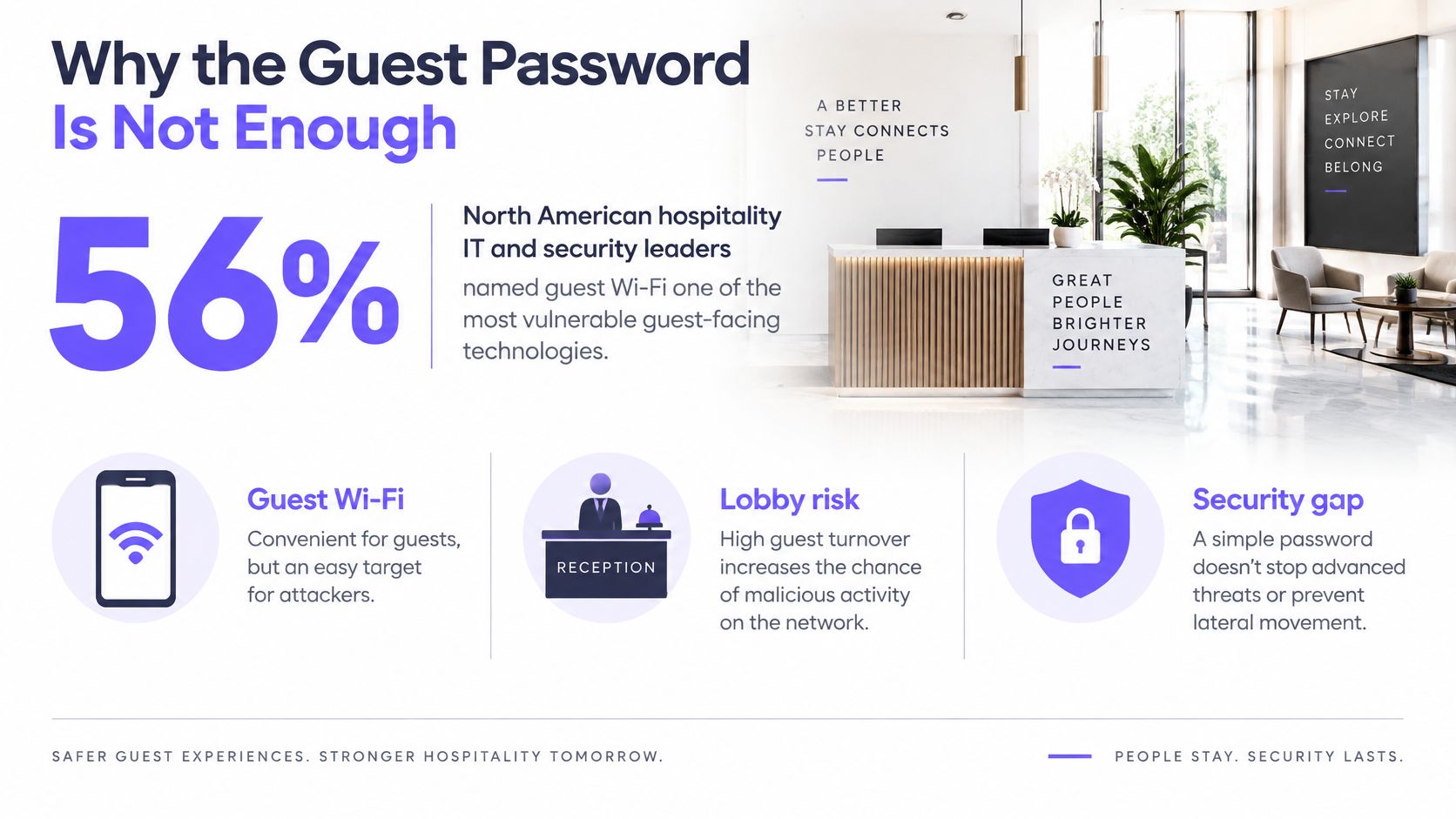
For pubs, hotels, campuses, student housing, hospitals, libraries, airports and multi-site offices, WiFi guest network security means layered containment. An access policy should answer three questions:
- Private resources: Can visitors reach anything reserved for staff, residents or operations?
- Other guests: Can an unmanaged device discover or contact its neighbours?
- Internet destinations: Will the network refuse known dangerous destinations before the intended connection begins?
A working internet connection answers none of those questions. Neither does a successful captive-portal login.
Controls That Contain a Guest Network
Guest WiFi controls and how to prove them
| Control | What it stops | Pass test from a guest device |
|---|---|---|
| Dedicated guest SSID on its own VLAN | Reaching staff LAN, tills or clinical systems | Known internal subnets have no reachable services |
| Layer 2 client isolation | Guest-to-guest discovery, sharing and attacks | A second guest phone can't be discovered or contacted |
| Default deny to management and LAN | Access to router, controller, printers, storage and internal DNS | Prohibited services don't answer |
| Allow only DHCP, DNS and web | Unnecessary inbound and outbound services | Unapproved connections are refused |
| WPA3-Personal, transition only if required | Offline password guessing on capable clients | The guest connection's association record shows WPA3 where supported |
| Unique guest passphrase | A leaked guest secret opening staff WiFi | The guest secret doesn't authenticate to privileged SSIDs |
| Protective DNS | Phishing, malware and command-and-control lookups | A resolver's safe threat-test name returns no usable destination |
| IPv6 rules matching IPv4 | Bypass of IPv4 access-control lists | The same prohibited paths remain inaccessible over IPv6 |
| Time-of-day policy | Unnecessarily permissive access during thin staffing | Scheduled restrictions actually apply during evening and weekend tests |
The matrix is an audit list, not a list of controller settings to tick. Start from a guest phone, record its connection details and test the services you intend to protect. Use an authorised test laptop when the phone can't perform a particular check.
Researchers conducting an off-path TCP-hijacking study successfully hijacked connections on 69 of 80 real-world WiFi networks, representing 86% of the tested networks. That controlled finding supports defence in depth; it doesn't describe the probability of compromise at your venue.
Read the results carefully
A timeout alone isn't conclusive. The target might be switched off, or its host firewall might block your probe while the network still permits access. Confirm that the target service works from an authorised network, then test that same service from the guest connection.
Likewise, a phone disappearing from discovery doesn't prove client isolation. Test direct communication between known guest devices, including devices connected through neighbouring access points. Discovery suppression and traffic blocking aren't interchangeable.
A web-only policy also needs exceptions for the actual access workflow. Permit DHCP to the intended infrastructure, DNS to the approved resolver and portal dependencies required before authentication. Don't turn a narrow exception into unrestricted access to the gateway's management services.
Separate isolation from usability
The common miss is a second SSID name sitting on the same bridge or routed into trusted networks. A new name changes what guests select, not what packets the infrastructure forwards.
Pass condition: Every prohibited path produces zero successful connections, and the evidence identifies what was tested.
Keep denied-flow logs alongside the client-side results. Record successful internet access separately, because availability matters, but it isn't proof of containment. Encryption, filtering and schedules each need their own checks.
How to Separate Guests from the LAN
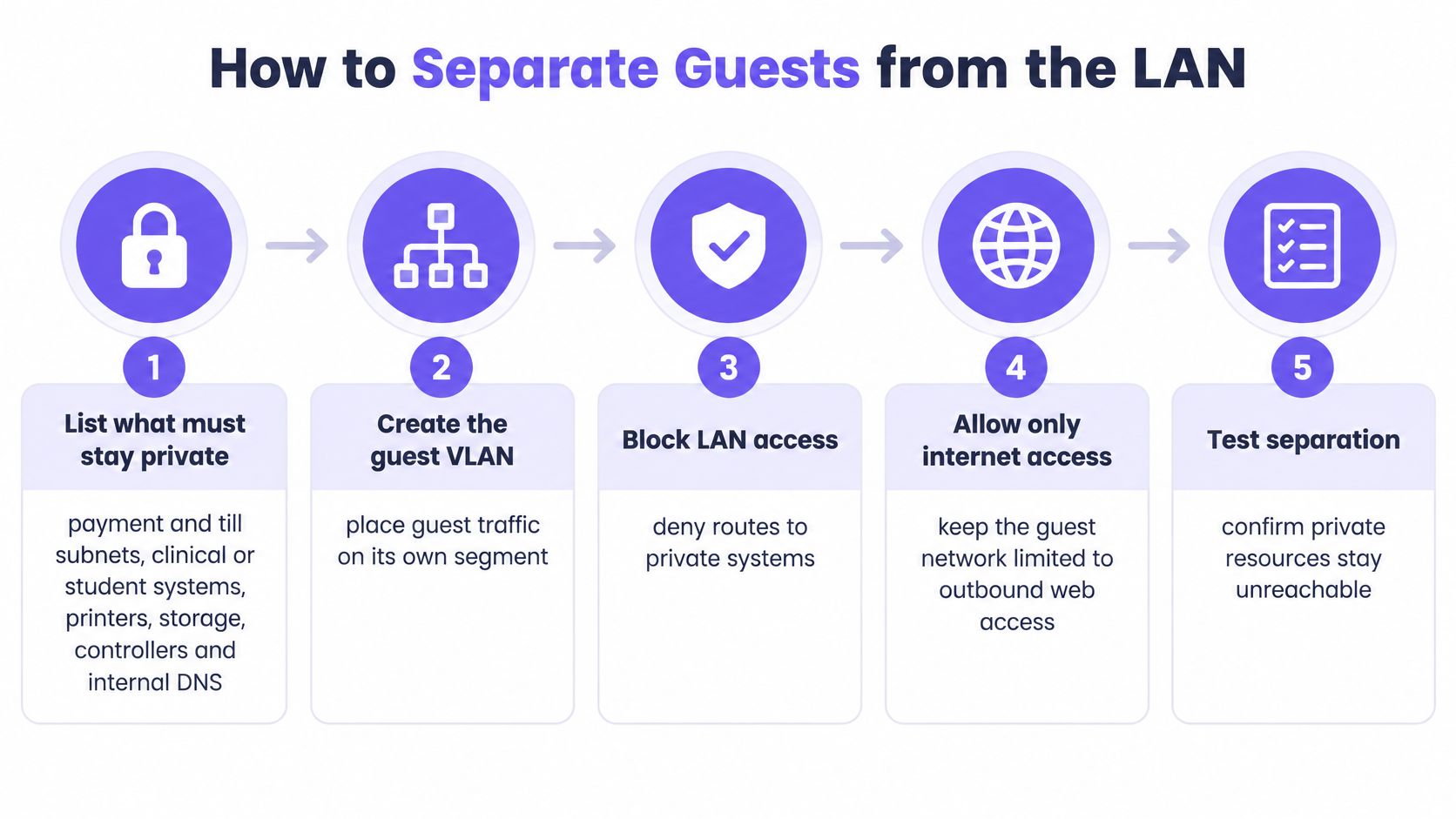
Build the boundary before adding content rules. CISA's enterprise wireless guidance recommends separating guest traffic from the main network and monitoring communications across different trust levels.
Build the boundary in order
- Inventory private systems and record their subnets and service owners, because payment terminals, clinical systems, printers, storage, controllers and internal DNS become your prohibited-target list.
- Create a recognisable guest SSID with a unique guest passphrase so reception staff don't distribute a privileged credential.
- Map the SSID to a dedicated VLAN and DHCP scope, then deny routing into trusted segments, because VLAN tagging alone doesn't control inter-VLAN access.
- Enable peer-to-peer blocking on every broadcasting access point and its controller profile so neighbouring APs don't become an alternate guest-to-guest path.
- On the firewall, deny guest access to LAN and management destinations before permitting required internet services, keeping gateway administration separate from DHCP and DNS functions.
- Apply equivalent IPv6 boundaries, including appropriate same-link protections, so dual-stack clients can't use an unfiltered path; retain the essential IPv6 control traffic needed for legitimate operation.
- Advertise only the chosen filtering resolver to guests so private namespace information isn't exposed through corporate DNS.
- From a guest phone and authorised test laptop, attempt the listed services and communication with another guest device so you verify behaviour rather than configuration intent.
- Retain denied-flow evidence and test notes so firmware, firewall and VLAN changes can be checked against a known baseline.
The network segmentation guide is useful when deciding where wireless profiles, switch trunks and firewall boundaries must agree. Check the complete path, not just the access point's VLAN field.
Use the following sequence as a deployment checkpoint.
Sign off from the guest side
Test before portal authentication, after authentication and while roaming between APs. Portal enforcement can change forwarding behaviour, so checking only an authenticated device leaves part of the access workflow untested.
For IPv6 link-local destinations, use a client on the same wireless segment; those addresses aren't reached through ordinary inter-VLAN routing. If your phone lacks suitable tools, use the test laptop rather than assuming the IPv4 result covers it.
Close the change only when every prohibited destination and peer path remains unreachable on both IP versions. Keep positive checks for permitted services alongside those negative results.
Pick WPA2 or WPA3 for Mixed Devices
Choose between WPA3-only access and a fenced compatibility SSID before changing the production wireless profile. A population of managed, current devices is different from a conference audience carrying whatever laptop their employer issued.
The compatibility decision belongs to the devices arriving at the venue.
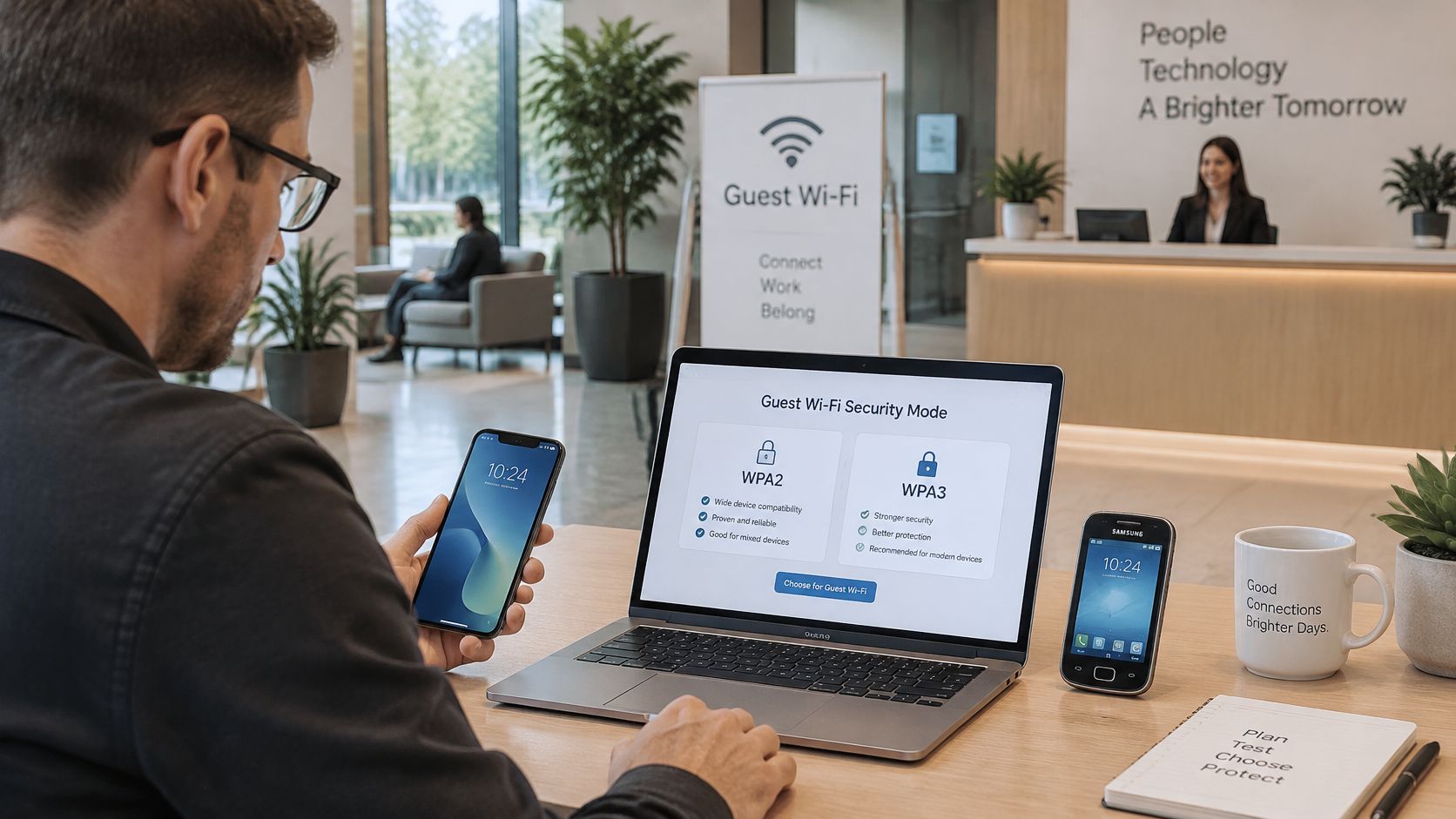
The Wi-Fi Alliance's security guidance states that WPA3 requires Protected Management Frames, disallows outdated legacy protocols and gives WPA3-Personal stronger resistance to password-guessing attacks. Transition mode retains connectivity for clients without WPA3 support, but it retains the weaker compatibility path too.
WPA mode by guest population
| Mode | Best fit | Main risk |
|---|---|---|
| WPA3-only on main guest SSID | New phones and laptops that all support WPA3 | Older clients cannot connect |
| WPA3 transition on isolated compatibility SSID | Mixed venues with some legacy devices | Weaker fallback path remains |
| WPA3-Enterprise 192-bit | High-sensitivity managed fleets | Excludes most public guest devices |
Make compatibility an explicit exception
Inventory negotiated security modes, not just device brands. An operating-system version, wireless adapter or driver can change what an otherwise familiar laptop supports.
Pilot WPA3-only on a test guest SSID and examine association failures before expanding it. Where legacy access is necessary, put transition mode on a separately isolated compatibility SSID with its own password. Never reuse the staff secret, and don't reuse the main guest secret across different security modes.
Require PMF on WPA3 connections. On a transition profile, follow the platform's compatibility requirements and verify what each client negotiates rather than assuming every association receives the same protection.
For a visual companion to the wireless-security decision, use the video below.
Measure negotiation rather than connection counts
Say a hotel regularly hosts conferences with older laptops. Keep their compatibility path fenced away from both trusted networks and the main guest population, and give reception a clear explanation of which SSID to offer.
A new student residence with a verified population of compatible phones and laptops can use WPA3-only. That decision should follow observed capability, not the age of the building.
A connected client isn't necessarily a WPA3 client. Check the negotiated mode.
Track association failures, unexpected use of compatibility access and attempts to join protected SSIDs. Document the share of guest connections negotiating WPA3, keep guest credentials wholly separate from privileged networks and retire legacy access when its remaining use no longer justifies the exception.
DNS Filtering and Schedules by SSID
Send guest DNS requests to a filtering resolver, then ensure clients use it. DNS controls work without installing software on visitors' devices, but a DHCP setting alone doesn't prevent alternative resolvers or encrypted DNS bypasses.
Guest DNS and schedule policy by venue
| Venue | DNS policy | Schedule |
|---|---|---|
| Pub, hotel or attraction | Family-safe categories with enforced Safe Search | Review after events and bank holidays |
| Hospital waiting room | Phishing, malware and command-and-control blocking | Same rules daily, retested after changes |
| Student housing | Threat blocking plus category filtering | Stricter evening and weekend profile |
| Free lobby WiFi | Tightest profile, no agent required | Daily schedule with weekend review |
| Staff or paid network | Separate resolver policy, never automatically the guest list | Set by business and service requirements |
These are starting policies, not reasons to interrupt a resident's essential access after reception closes. Tighten appropriate categories or restrict unused services rather than assuming the entire network should switch off.
Test policy and onboarding together
Use the WiFi content filtering guide to distinguish category restrictions from threat blocking. Keep staff policy separate, and use the resolver's harmless test facility rather than visiting a live malicious destination.
The University of Münster's captive-portal study examined 55 German public WiFi hotspots in 2025 and found continuing high-risk behaviour and apparent GDPR violations. Filtering decisions and the access workflow therefore need a shared privacy review.
Use this checklist when applying the policy.
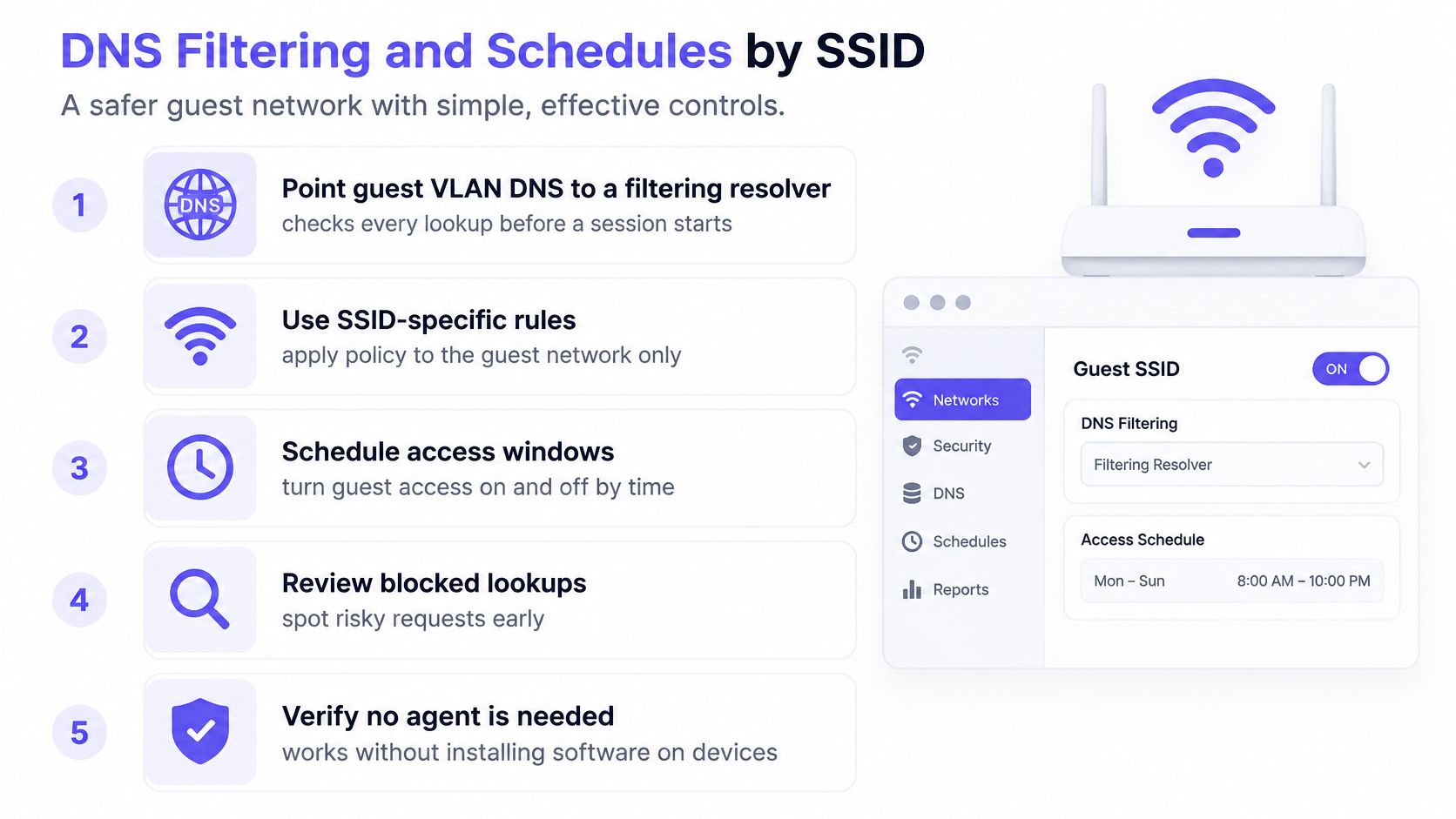
Explain blocked categories through a clear policy page. Don't intercept HTTPS in a way that creates certificate warnings merely to display a branded denial page. DNS blocking may produce a browser error rather than a readable page, so provide an accessible help route.
Review schedules after events and bank holidays. Ad and tracker blocking can also reduce unnecessary downloads, but it isn't a substitute for threat controls.
Captive Portal Privacy
Start with the fields on the form. If ordinary internet access doesn't require an email address, date of birth or room number, don't collect one merely because the portal template offers the field.
Every identifier creates another record to protect, restrict and eventually delete. An email field also doesn't establish that the person connecting owns that address unless you add verification, which introduces more friction and processing.
Treat the portal as an application
Serve the portal and its form submissions over HTTPS with a valid certificate. Check the destination of submitted information, third-party scripts, administrative access and exports, not just whether the landing page displays your logo.
- Purpose: Give each required field a documented operational reason.
- Choice: Separate optional marketing consent from the access decision.
- Retention: Set deletion rules for identity records, sessions and device observations according to their actual purpose.
- Access: Restrict who can view or export guest information, including across venues.
A terms checkbox doesn't make excessive collection necessary. Nor should a guest have to agree to promotional messages to reach the internet.
Reduce the phishing opportunity
Publish the official SSID and portal identity through signage guests can trust. A convincing logo is easy to copy, so don't teach visitors to ignore certificate warnings or enter their organisational password into a venue login page.
Privacy check: Could you deliver the same access service while collecting less information?
Give guests brief, useful guidance: verify unexpected login pages, use multi-factor authentication where available and don't bypass browser certificate warnings. Explain what the network records in plain language.
A successful login means the access workflow completed. It doesn't certify that the visitor's device, destination or surrounding wireless environment is safe.
When Isolation Tests Still Fail
A guest SSID can still expose a back-office printer. If a visitor's phone reaches it, the forwarding boundary has failed. A different network name or a completed portal login does not prevent that traffic.
Guest isolation failures and fixes
| Symptom | Usual cause | Fix |
|---|---|---|
| Guest reaches a printer or till subnet | SSID bridged or VLAN routed to the LAN | Remove unintended bridging or permitted routing, then retest IPv4 and IPv6 |
| Guests discover each other | Client isolation missing on some APs | Enable it on every AP and the SSID profile |
| IPv4 blocked, IPv6 works | ACLs written for IPv4 only | Apply equivalent IPv6 denies and retest |
| Internal names resolve | Corporate DNS handed out by DHCP | Serve only the filtering resolver |
| Staff WiFi opens with the lobby password | One passphrase reused | Use unique secrets per SSID, then rotate |
| New phones stay on WPA2 | Transition mode on the main guest SSID | Use WPA3-only on the main SSID, with legacy access separately fenced |
| Portal asks for more than a session needs | Signup form treated as marketing | Collect only what access requires and shorten retention |
Follow the packet path
If a printer remains reachable, trace the SSID-to-VLAN mapping, switch port profile and firewall rule order. A broad allow rule above the guest deny can let traffic through even when the VLAN tag is correct.
Test peer isolation with guests on the same AP and on different APs. A local block may stop devices associated with one access point while leaving an upstream switching path open. A successful test on one AP is not enough.
A name lookup alone does not prove access to an internal service. Cached answers and publicly published records can mislead; check which resolver responded, then test whether the destination service accepts a connection.
Check bypasses and operational drift
If DNS policy appears inconsistent, distinguish resolver failure from client bypass. DNS over HTTPS can explain why browser-level DNS behaves differently from the resolver advertised by the network.
For organisations using wireless security as a managed service, define who responds to alerts and who can contain a rogue access point. Managed monitoring does not replace local isolation tests.
Keep probe and association logs only as long as their operational purpose requires, and restrict who can access them. These records can reveal movement around a venue even when application traffic is encrypted, particularly across hotels, hospitals or campuses.
After firmware updates, AP replacements or site rollouts, compare deployed settings with the approved profile and repeat the client tests. Retain the results with the change record.
Isolation passes only when prohibited connections return no result on both IPv4 and IPv6. A dashboard showing associated clients proves connectivity, not isolation.
Put Guest WiFi Policy Into Practice
A five-day change sequence gives wireless, firewall and portal owners clear tasks and a documented acceptance point.
A practical change sequence
- Day one: From a guest device, check access to LAN services, management interfaces, printers and other guests over IPv4 and IPv6. Record any prohibited path that responds.
- Day two: Correct VLAN, bridging and client-isolation gaps. Separate reused credentials and update reception instructions.
- Day three: Pilot the chosen WPA configuration, then isolate any access retained for compatibility.
- Day four: Apply protective DNS and its schedule. Remove unjustified portal fields and test the remaining sign-in flow.
- Day five: Repeat the acceptance tests. Save client results and denied-flow logs as the sign-off record.
After acceptance, prepare QR-based joining details using a guest WiFi setup guide from RecensioAI. Treat any joining credential shown in the QR code as public guest information, not a staff secret.
Add the DNS layer without replacing the boundary
If the firewall cannot apply the required DNS policies, a cloud protective DNS service on the guest VLAN can add filtering. Purple Shield runs standalone or alongside existing WiFi, covers guest and BYOD devices without agents, and supports separate policies per SSID and VLAN for guest, staff, resident and paid networks.
Retest after DNS, firmware or VLAN changes. A blocked test lookup does not prove that private systems are unreachable. The acceptance test passes only when prohibited destinations return no result over both IP versions, and the relevant services remain unreachable.
Keep captive-portal data to what the access workflow needs. Fewer collected fields mean less personal information to handle and retain.
Purple Shield provides protective DNS, family-safe content controls and threat blocking for guest and public WiFi without agents on visitors' devices. Purple Shield offers per-network policies and reporting alongside tested VLAN, firewall and client-isolation boundaries.