
Student Accommodation WiFi That Works for Residents
Build reliable student accommodation WiFi with practical guidance on segmentation, filtering, safeguarding, reporting, testing and day-to-day operations.
Published 22 October 2026
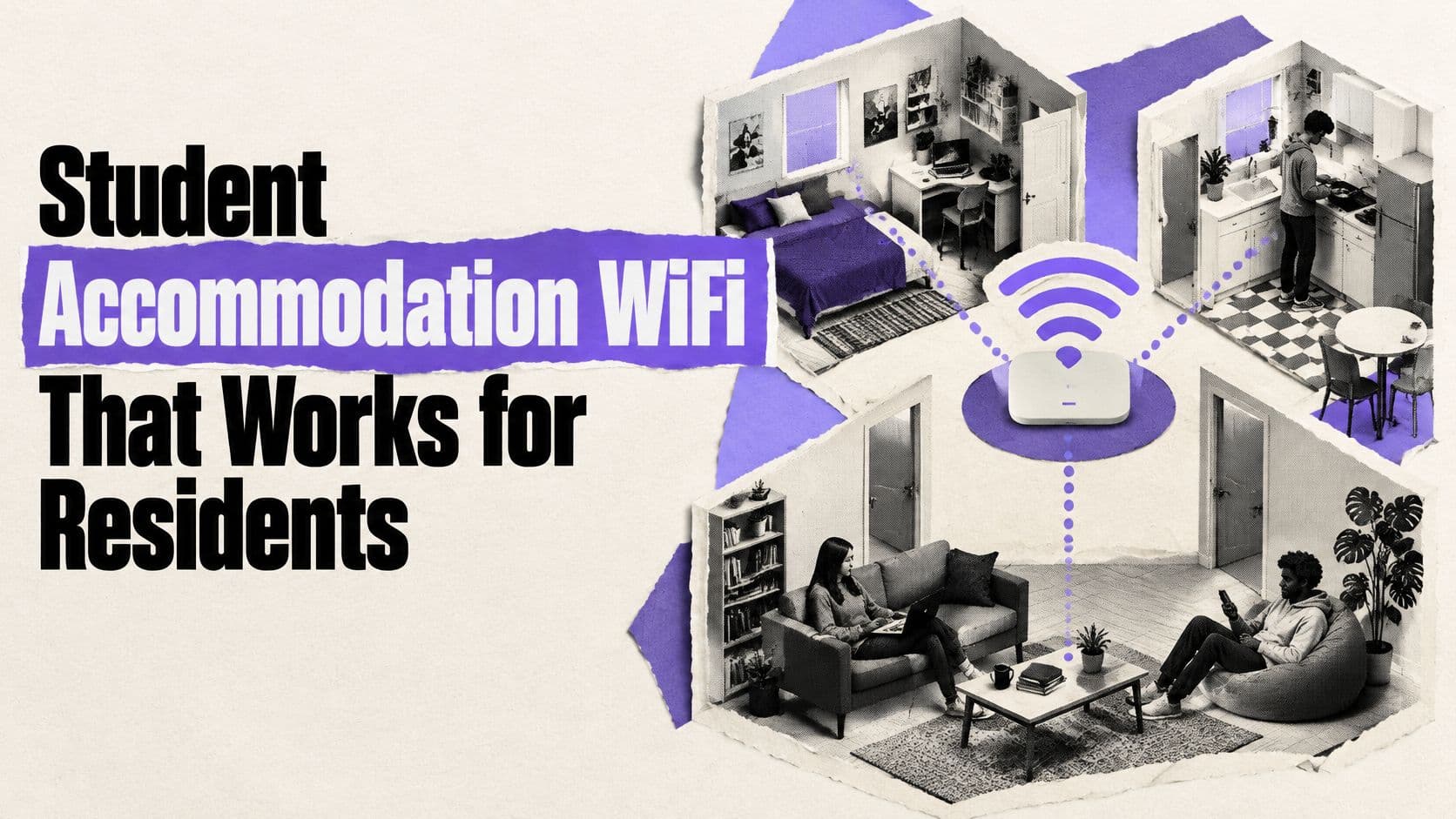
A resident is trying to join a seminar from their bedroom while a housemate streams in the lounge and another connects a games console. The Wi-Fi works in the reception area, but that doesn't help when the signal drops behind a bedroom wall or a legitimate study site is blocked without explanation. For accommodation operators, the job is to provide a dependable residential service, apply safeguarding rules proportionately, and show what the network is doing without turning routine support into browsing surveillance.
Table of Contents
- Why Residential WiFi Needs Its Own Standard
- Measure the Resident Experience Before Changing It
- Design Capacity Around Peak Residential Demand
- Segment Networks by Access and Risk
- Apply Safeguarding Policies Without Losing Resident Trust
- Turn Reports Into Actionable Operations
- Build a Launch and Troubleshooting Routine
Why Residential WiFi Needs Its Own Standard
A residence isn't a classroom with beds in it. Bedrooms, shared kitchens, lounges, basements and outdoor areas each bring different signal obstacles and patterns of use. Residents move between them with laptops, phones, consoles, smart TVs and other personal devices, often while staff need enough network visibility to identify faults and respond to concerns.
Historical student feedback highlights why accommodation needs its own design and service standard. In EDUCAUSE's 2017 student technology research, 51% of students rated Wi-Fi in dormitories and student housing as good or excellent, compared with 76% in libraries, 68% in classrooms and 61% in general indoor public spaces. Meanwhile, 32% described dormitory Wi-Fi as fair or poor, compared with 30% for network performance overall. The 25-percentage-point gap between positive library and housing ratings shows how a campus-wide impression can conceal a weaker residential experience. (EDUCAUSE's student technology research)
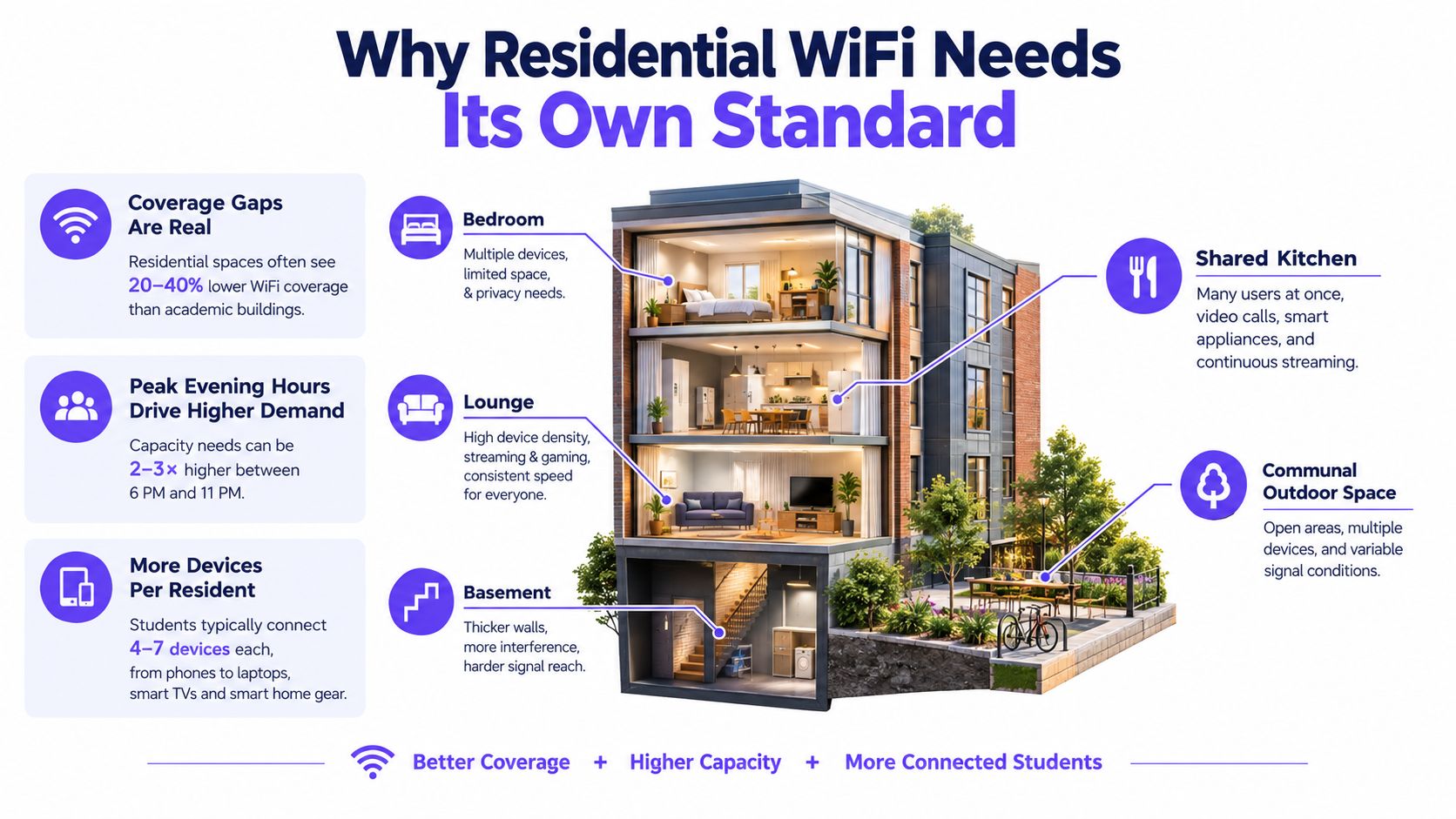
That's a historical baseline, not a current performance guarantee. Its practical lesson still holds: a network that looks satisfactory in academic buildings can let residents down where they live, study and use personal devices. An operator should therefore define residential targets, test occupied rooms and provide a clear support route rather than rely on a campus-wide average or a speed claim.
Operator's standard: Treat connectivity as part of the living and study service. Set expectations for where it must work, how it will be tested, who responds to faults and when performance will be reviewed.
The difference between campus and home use is useful context for planning. A comparison of fibre Wi-Fi for remote work can help clarify why a strong internet connection alone doesn't guarantee reliable Wi-Fi throughout a building. In accommodation, the network must also cope with varied room layouts, roaming residents and shared airtime.
Measure the Resident Experience Before Changing It
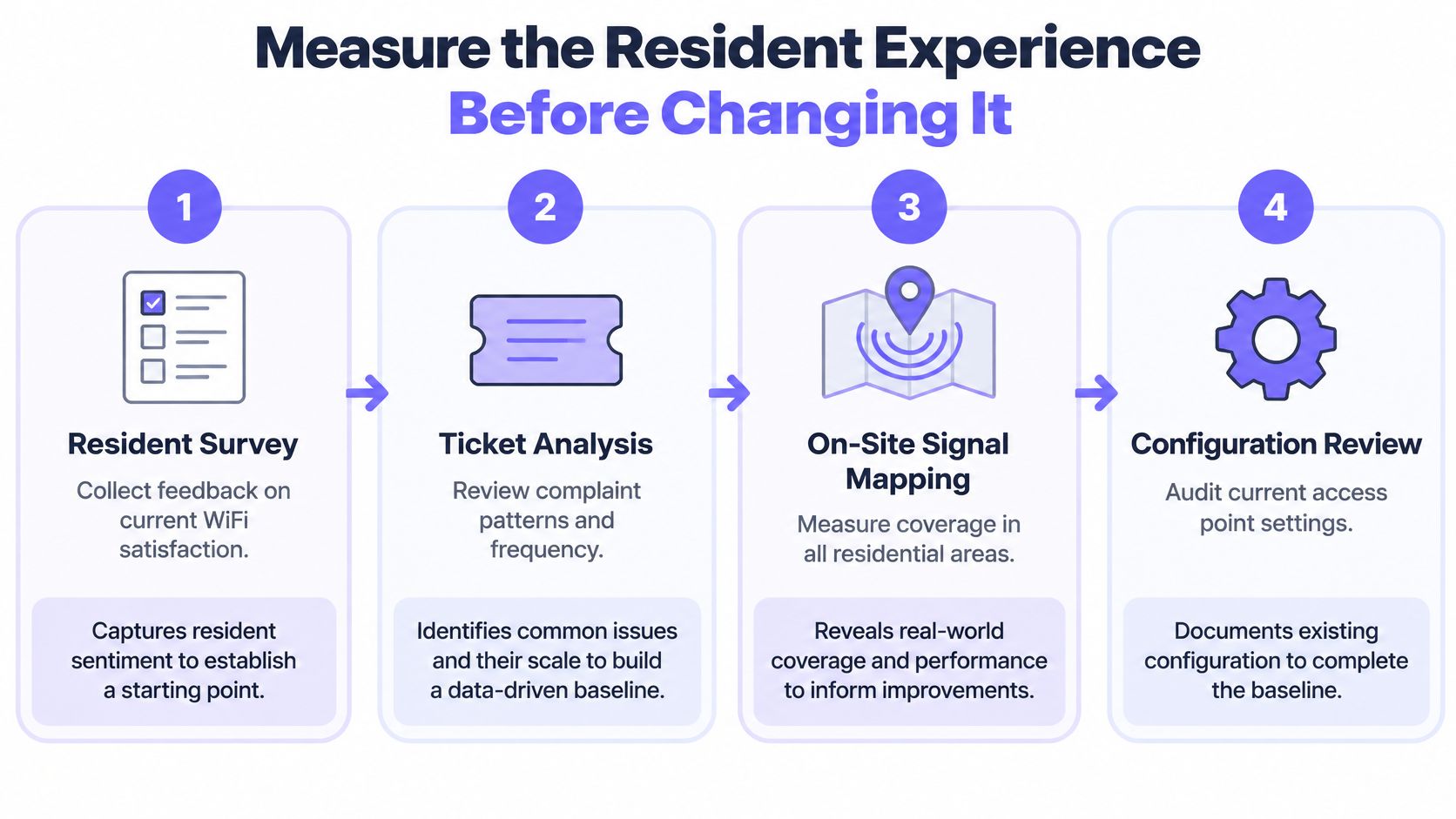
Start with evidence, not an access-point order or a new filtering rule. A useful baseline joins resident feedback and support tickets to on-site measurements and a configuration review. That helps separate a bedroom dead zone from congestion, authentication trouble, a DNS issue or a policy that blocks a legitimate service.
Student surveys make reliability worth measuring even where a university manages the Wi-Fi. In a University at Buffalo survey, 52% of 1,839 respondents in 2022 reported significant problems with eduroam, while 37% of 4,139 respondents in 2023 did. The same report cites national student concerns from those periods, but the institutions and survey years differ, so these figures aren't a single universal benchmark. They do show why operators should track local experience rather than assume that managed infrastructure is problem-free. (University at Buffalo's student Wi-Fi survey report)
Build a baseline from more than speed tests
Ask residents where problems occur, what they were doing and whether the fault affects one device or several. Compare those responses with ticket patterns, then map signal and inspect access-point settings in bedrooms, corridors, shared spaces, basements and representative outdoor areas. Test both frequency bands using more than one client device, because a single handset can disguise a device-specific problem.
A dormitory assessment described in a study combined Ekahau Site Survey, an external USB adapter, an access-point configuration audit, resident feedback and wired-versus-wireless throughput tests. It found heavy use of 2.4 GHz alongside 40 MHz channels on more than half of access points, a combination that can worsen co-channel interference in a dense environment. Its reported averages were approximately 50 Mbit/s wired and 40–50 Mbit/s over Wi-Fi. Those results describe that study, not a target for every property. (Dormitory Wi-Fi assessment)
Don't accept a mean download speed as proof of a good resident experience. Measure latency, packet loss, roaming and concurrent-device behaviour too, and include personal and IoT devices where residents are expected to use them.
Close the assessment by assigning the likely fault to a category: coverage, capacity, channel reuse, uplink, policy or support. That makes the next intervention specific, and gives you a baseline to compare against after the change.
Design Capacity Around Peak Residential Demand
An access point's headline throughput doesn't tell you what a resident can use when several devices share airtime. Design acceptance around a defined room- or client-level expectation, then check whether the service meets it under realistic residential conditions. Test during busy periods rather than in an empty building, and include the rooms and communal areas residents use.
A campus Wi-Fi 6 deployment reference sets a target of at least 20–30 Mbit/s per dormitory room, while also treating room, basement and outdoor coverage and secure support for personal and IoT devices as separate requirements. That's a reference point, not a universal specification; operators still need to match targets to their service model and verify them on site. The same material describes a Stanford assessment with 65 samples: mean download speed was 100.43 Mbit/s, while the median was 69.11 Mbit/s, and 80% of sampled locations exceeded the 25 Mbit/s FCC broadband benchmark. The gap between mean and median illustrates why an average can mask weaker locations. (Campus Wi-Fi 6 deployment and measurement reference)
Test in a sequence that reflects resident use
- Set the expectation. State the minimum service you'll accept per room or client, and define how you'll judge results across locations during representative peak demand.
- Check the configuration. Review band use, channel width, channel reuse and access-point power. Don't assume that adding hardware is the answer if existing settings are causing avoidable interference.
- Measure occupied spaces. Test bedrooms, corridors, lounges, basements and outdoor areas. Include both 2.4 GHz and 5 GHz behaviour and devices residents use.
- Create load. Run simultaneous multi-client tests, verify roaming between access points and check uplink performance. A lone laptop speed test won't reveal how several devices compete.
| Check | Test condition | Problem it reveals |
|---|---|---|
| Room coverage | Test in occupied bedrooms and communal areas | Weak signal or a location-specific gap |
| Concurrent clients | Run multiple devices at the same time | Airtime contention or overloaded access points |
| Roaming | Move between access-point areas during active use | Dropped sessions or sticky clients |
| Uplink and quality | Record upload, latency and packet loss with throughput | Backhaul constraints or unstable service |
For installations that need hands-on assessment or remediation, hiring home network technicians can provide context on the kind of site-level support a building may require. The acceptance decision should remain yours: record the threshold, test conditions and location-level results, then retest after changes.
Segment Networks by Access and Risk
Segmentation is useful when each network has a clear purpose and an owner. It isn't a security guarantee by itself. The operator must decide who can connect, how they authenticate, what support covers the service and what happens to traffic when a policy or network component fails.
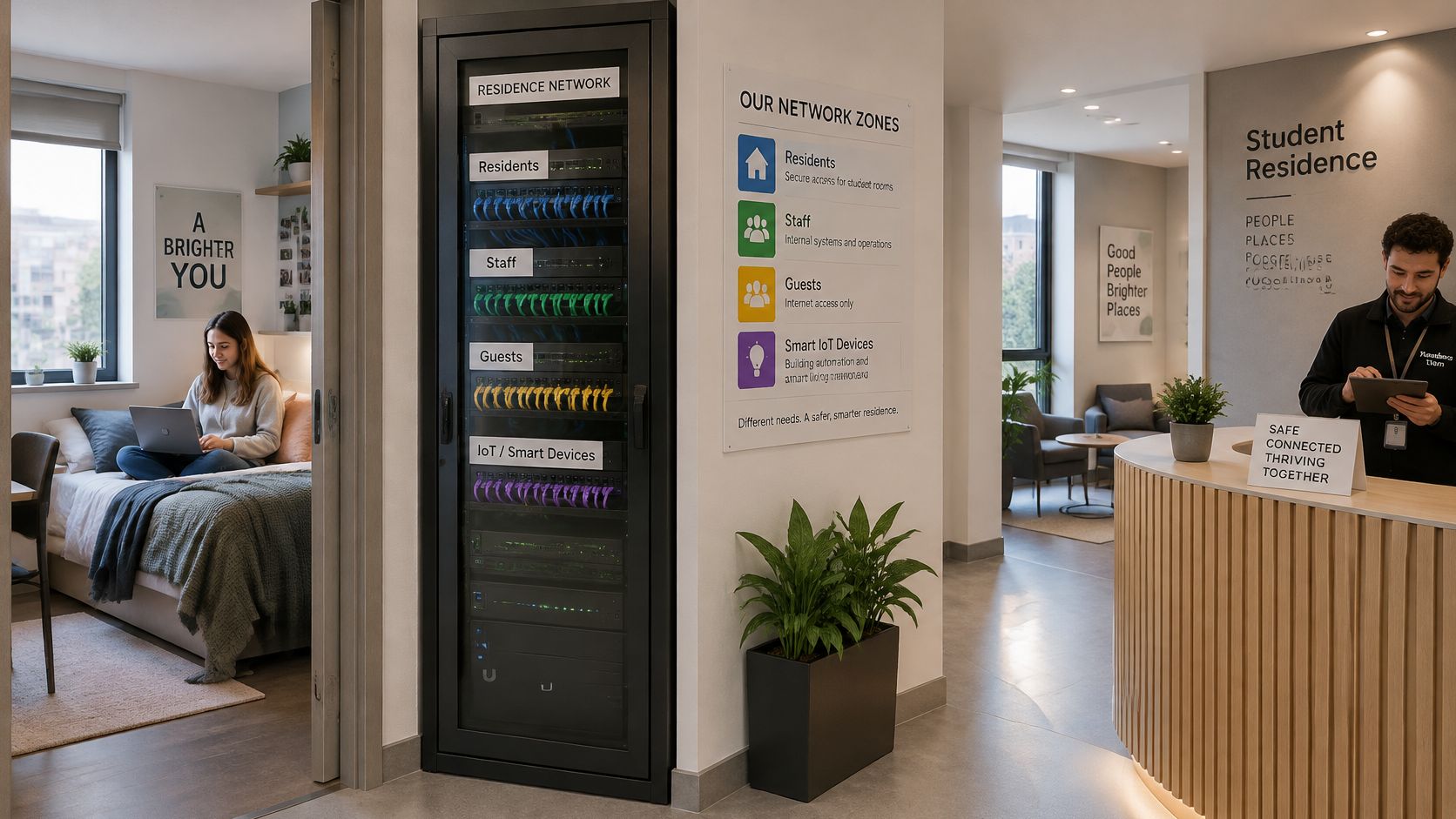
A practical design might separate resident, staff, guest and IoT access. Residents need a stable way to connect their personal devices and reach study and everyday services. Staff need access that reflects their work responsibilities. Guest access should be distinct from resident credentials, while IoT devices may need limited connectivity to their required services. A free-versus-paid tier or managed-device offer can change the service terms, but it shouldn't blur who owns the policy or handles incidents.
Record the purpose, authentication method, policy owner, support contact and traffic treatment for each SSID or VLAN. A BYOD policy should also be clear about what the organisation manages and what remains on a resident's device. Practical guidance on BYOD security for shared networks can help frame that boundary.
Test the boundary, not just the login
After creating or changing a network, test the full resident path. Confirm that the intended user can associate and authenticate, resolve names, reach required services and receive the expected experience when authentication or policy services are unavailable. Check that a resident rule hasn't inadvertently reached staff or guest access.
A separate SSID is only useful if its access, policy and support arrangements are distinct in practice.
Keep management access separate from everyday resident access, and limit who can change network-wide controls. If a setting change causes problems, the operator should know which network it affects, how to restore the previous behaviour and who communicates with residents. Those operational details matter as much as the segmentation diagram.
The video below offers additional context on network security and access controls.
Apply Safeguarding Policies Without Losing Resident Trust
A safeguarding policy should say what the operator intends to block, where the rule applies and how a resident can challenge a mistake. Some services may warrant category filtering or Safe Search; threat controls can target malicious domains. Time-based rules may be appropriate for a defined network or venue, but operators should explain the rationale and check that essential academic and personal use still works.
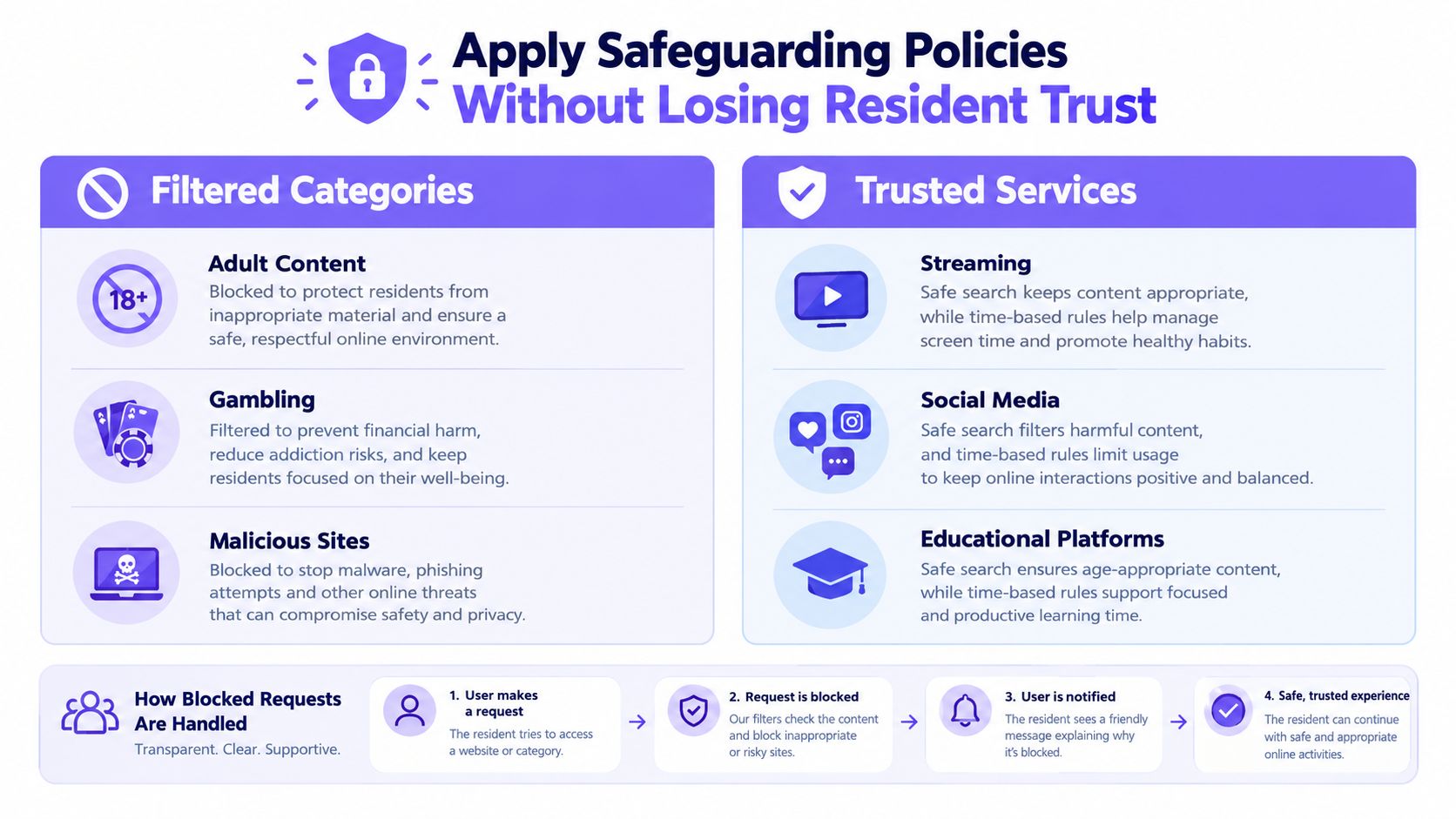
There's a material difference between blocking a malicious DNS lookup and keeping a complete record of someone's browsing. A proportionate design limits collection and access to what the service needs for security, troubleshooting and accountable policy operation. Resident notices should explain what is collected, why it's collected, who can access it and how long it's retained, using language people can understand.
Student expectations point to a need for both protection and transparency. A 2025 UK accommodation survey found demand for enhanced online security rose from 20% to 55%, while demand for greater transparency about data use rose from 12% to 40%; 59% described themselves as at least somewhat vigilant about personal-data protection. The figures show why safety controls and privacy explanations belong in the same operating policy. (2025 UK student accommodation survey)
Treat false positives as an operating issue
When a legitimate academic or personal service is blocked, give residents a clear block page and an accessible way to request review. Staff should be able to check the relevant policy and network context, assess the request and make a narrow correction where appropriate. Keep administrative access limited and record policy changes so a one-off exception does not become a blanket rule.
Purple Shield is one example of a DNS-layer service that can apply category-based filtering, threat defense, Safe Search and scheduled policies by network without requiring hardware or agents on resident devices. Whatever tool an operator selects, the key is to scope policies to the right resident, staff or guest network and make the outcome understandable. Guidance on Wi-Fi content filtering and policy choices can support that evaluation.
Safeguarding and privacy aren't competing add-ons. They need a shared governance model: clear rules, limited access, transparent notices, a route to appeal and regular review of false positives.
Turn Reports Into Actionable Operations
A report earns its keep when it settles an argument. A resident says the network blocked their exam portal at 11pm. Another says streaming died during a match in the common room. Was the first a filtering false positive and the second a capacity problem on one access point? A dashboard that separates those two cases quickly is doing its job. One that only counts traffic is not.
For a resident report that a service has stopped working, the operator can check the time, affected network and device context, then compare the event with the active policy. If a block fired, support can explain the reason, judge whether the rule was proportionate and offer a route to challenge it. If no policy event occurred, the investigation moves to name resolution, authentication, coverage or an upstream fault. That distinction matters, because it stops a safeguarding control being blamed for a local connectivity issue, and vice versa.
A DNS-layer service such as Purple Shield can surface blocked URLs and threat events per SSID, venue and schedule, which is what makes this kind of review possible without hardware or agents on resident devices.
Give reporting a review rhythm
Term-start checks confirm that policies, schedules, resident notices and support routes are ready. Routine reviews look for patterns that call for action: a rise in blocked threats, a rule catching legitimate services, or a property-specific cluster of complaints. After an incident, record what happened, what changed and whether the fix resolved the resident's issue.
Useful reporting proves how a policy behaved. It shouldn't become an excuse to collect more personal information than the operator needs.
Define who can view reports, who can alter rules and how long operational evidence is retained. If the team needs to demonstrate its security and governance practices to stakeholders or auditors, Cyber Essentials certification guidance can help structure that conversation. A report should end in a decision and a follow-up action. A record nobody reads is just storage.
Build a Launch and Troubleshooting Routine
Before move-in, check coverage in bedrooms and shared spaces, then test simultaneous devices under realistic load. Verify resident, staff, guest and IoT separation; authentication; name resolution; Safe Search behaviour; policy scope; block-page messaging; resident notices and support routes. Assign an owner for rollback before any change that could affect a live service.
When a resident reports a fault, use the same diagnostic order each time:
- Reproduce the problem. Confirm the location, device, service and time, and check whether other residents are affected.
- Classify it. Determine whether the likely cause is coverage, capacity, roaming, authentication, DNS, policy or an external service.
- Check scope. Compare affected locations and networks, and look for a relevant policy or configuration change.
- Make a controlled change. Apply the smallest reversible fix, record it and retest under representative conditions.
During term, test during occupied periods rather than relying on a quiet building. Keep location-level and percentile results, review false positives, and distinguish a blocked threat from a service outage before closing a ticket. A simple change log helps the next operator understand what changed and whether a rollback is needed.
Support leaders can also use a structured approach to KPIs for support teams, focusing on whether incidents are classified consistently, communicated clearly and followed through. Close the loop by reviewing resident satisfaction alongside evidence that policies behaved as intended. That's how student accommodation Wi-Fi improves without treating privacy as an afterthought.
Purple Shield provides protective DNS, content filtering, threat defense, per-network policy controls, reporting and branded block pages for Wi-Fi environments. If you're reviewing how to align resident connectivity with safeguarding and accountable operations, visit Purple Shield to assess whether it fits your network.