
What is a zero day threat? Definition, examples, Defenses
What is a zero day threat? Learn how zero-day attacks exploit unpatched flaws, why the exposure window matters, and how layered DNS defenses reduce risk.
Published 16 November 2026
You're running a guest WiFi network, answering support requests, or checking whether your organization's devices are up to date. Then a security alert arrives: attackers are exploiting a flaw, and the manufacturer hasn't released a patch. You can't update your way out of the problem yet, but leaving everything connected as usual doesn't feel safe either.
That's the practical challenge behind a zero-day threat. Understanding it starts with timing, then moves to what you can still prevent, observe, and contain while a fix is unavailable.
Table of Contents
- What a Zero-Day Threat Is and Is Not
- Zero-Day Vulnerability, Exploit and Malware Compared
- How a Zero-Day Attack Unfolds Step by Step
- Why the Exposure Window Matters More Than Severity
- Real Zero-Day Cases and the Actors Behind Them
- Layered Defenses That Shrink the Exposure Window
- Confirm Your Exposure Before Choosing Controls
What a Zero-Day Threat Is and Is Not
A zero-day threat is an attack that exploits a software or hardware weakness before the vendor has released a fix, giving defenders zero days of official remediation time. The term describes the exploitation window, not how old the software is or how skilled the attacker must be.
A locksmith discovers a hidden gap in a lock that the manufacturer has never seen. The lock appears to work normally, but someone can bypass it, and nobody has a replacement part until the manufacturer produces one.
Timing, not novelty, defines the term.
The important distinction is between a working product and a secure product. An application can pass its usual checks, accept legitimate users, and still contain a weakness that an attacker knows how to trigger.
A flaw may also exist across many installations of the same component. Organizations don't need to share passwords or communicate with one another to face the same underlying exposure. Running an affected version can be enough.
Three Common Misunderstandings
Zero-days are always completely new bugs. Google Project Zero's review of in-the-wild exploitation found that many observed zero-days were variants of previously reported vulnerabilities. An attacker may find another route through a weakness that developers thought they'd addressed. The absence of a fix for that specific route matters more than whether anyone has seen a related bug.
Patching immediately solves the problem. That advice assumes a patch exists. Before release, operators need temporary measures such as restricting access, disabling an affected feature, or isolating a vulnerable system. After release, they still need to deploy the fix and check that it worked.
Only well-resourced attackers make zero-days relevant. Developing an exploit and operating an exposed network are different problems. A hotel or school doesn't need to be an intelligence target to have vulnerable software, and its operator still needs a response when exploitation becomes known.
The pattern of a sound core surrounded by weaker supporting systems appears beyond conventional software too. The Coin Course's explanation of the limits of blockchain security for holders makes the parallel point: a technology can be solid while the tools people use to interact with it remain exposed.
So, what is a zero day threat in practical terms? It's a situation in which attackers can exploit a weakness before defenders have an available vendor fix, not automatically a never-seen bug or a nation-state campaign.
Zero-Day vulnerability, exploit and malware compared
Security alerts often use vulnerability, exploit, malware, and attack as though they mean the same thing. They describe different parts of the problem. Separating them helps you understand what an alert establishes.
Zero-day terms compared
| Term | What It Refers To | Practical Example |
|---|---|---|
| Zero-day vulnerability | An undisclosed or unpatched software or hardware flaw | Unknown memory flaw in a VPN appliance |
| Zero-day exploit | The technique or code that uses the flaw | Script that triggers the memory flaw remotely |
| Zero-day malware | Malicious code that may or may not depend on a zero-day | Dropper that installs a backdoor after a browser exploit |
| Zero-day attack | The full campaign from initial access to impact | Ransomware deployed after an exploit chain completes |
An unpatched flaw isn't necessarily a zero-day. Once a fix is publicly available, a device left without that update remains vulnerable, but its operator faces a different remediation problem.
Reading an Alert Accurately
Consider a hypothetical VPN appliance. The vulnerability is a memory-handling mistake inside its software. The exploit is the crafted request that turns that mistake into unauthorized access.
In a separate browser scenario, an attacker might use an exploit to launch a dropper. That dropper is malware, not the vulnerability itself. If the attacker then steals credentials and deploys ransomware, the attack includes that broader sequence.
These distinctions also explain why unknown doesn't mean invisible. Defenders might not recognize the crafted request, yet still notice an unexpected process, an unusual login, or a device contacting an unfamiliar destination.
The Verizon 2025 Data Breach Investigations Report executive summary found that vulnerability exploitation accounted for 20% of breaches. That measure covers vulnerability exploitation broadly, not zero-days alone, so it shouldn't be presented as a zero-day breach rate.
Detection principle: You don't always need to know which flaw an attacker used to recognize that a device is behaving dangerously.
Calling zero-days undetectable confuses failure to recognize the exploit with failure to observe the attack. Behavior is something defenders can watch, even before researchers give the underlying flaw a name.
How a zero-day attack Unfolds Step by Step
A researcher, attacker, or broker may discover a weakness before its vendor knows about it. Discovery alone doesn't mean an attack has happened: a researcher might report the flaw privately so the vendor can investigate.
CISA's vulnerability-reporting guide describes zero-day vulnerabilities as unknown to the vendor and common to affected copies of a component. That shared weakness explains how an attacker can reuse an exploit against otherwise unrelated organizations.
The lifecycle includes discovery, exploitation, detection, and eventual repair.
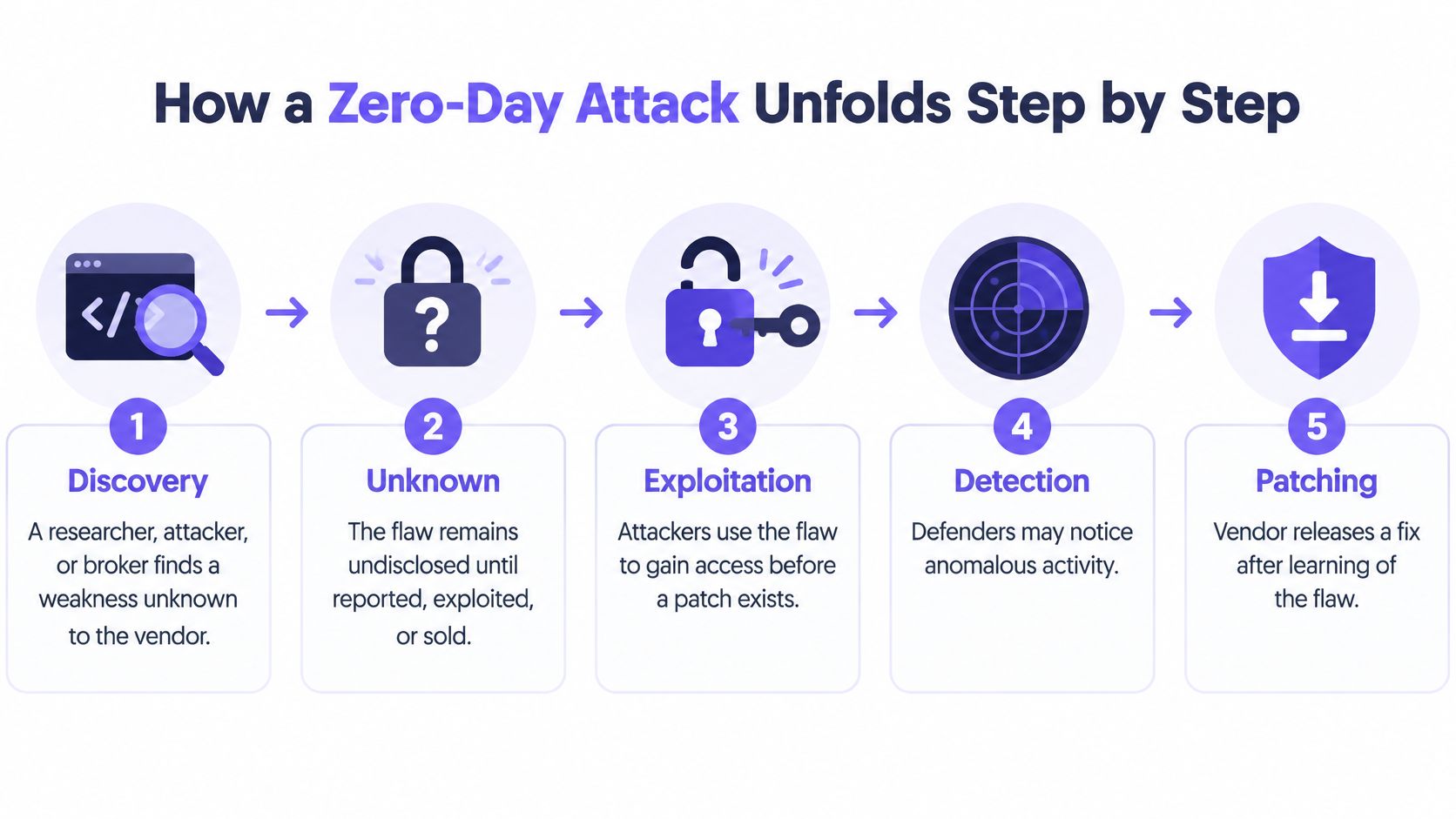
Where defenders can interrupt the attack
Discovery. Someone identifies an unsafe behavior, such as a service mishandling crafted input. Defenders usually can't act on a secret discovery, but they can reduce exposure beforehand by removing unnecessary services and keeping administration off public interfaces.
Exploit development. The attacker builds a reliable way to trigger the flaw against a particular product or version. When a vendor advisory becomes available, apply its workaround precisely, including any required restart or feature restriction.
Initial access. The exploit reaches a browser, attachment handler, VPN, or other exposed component. Restricting reachability can prevent delivery to a vulnerable service. From this point onward, outbound filtering may also interrupt attempts to retrieve tools or contact attacker infrastructure.
Privilege escalation. An attacker with limited access tries to obtain greater permissions. Least privilege restricts what the initial account or process can do, although it doesn't guarantee that a separate escalation flaw can't bypass those restrictions.
Lateral movement. The attacker attempts to reach other hosts, credentials, or shared services. Segmentation and explicit access rules can keep a compromised guest device from reaching staff systems or administrative interfaces.
Impact. The attacker steals information, conducts espionage, installs cryptomining software, or deploys ransomware. Responders should isolate affected systems, preserve evidence, and investigate the scope rather than treating a blocked connection as proof of cleanup.
Not every campaign follows this sequence exactly. Some attackers already have higher access after entry; others never need to move beyond the first device.
Understanding command-and-control communication helps explain an important interruption point: an attacker may need an outbound channel even after successfully exploiting the device.
Disclosure isn't remediation. Public knowledge can arrive before a patch does. A vendor fix ends the no-fix condition, but each organization's exposure continues until it applies an effective fix or otherwise removes the vulnerable path.
Why the exposure window matters more than severity
Google Project Zero's in-the-wild tracking reports a new exploit discovery about every 17 days on average and an average of about 15 days to patch a vulnerability already being exploited. These are different measures, not a countdown that predicts when your organization will be attacked.
A useful security dashboard should make elapsed exposure visible, not just display a severity label.
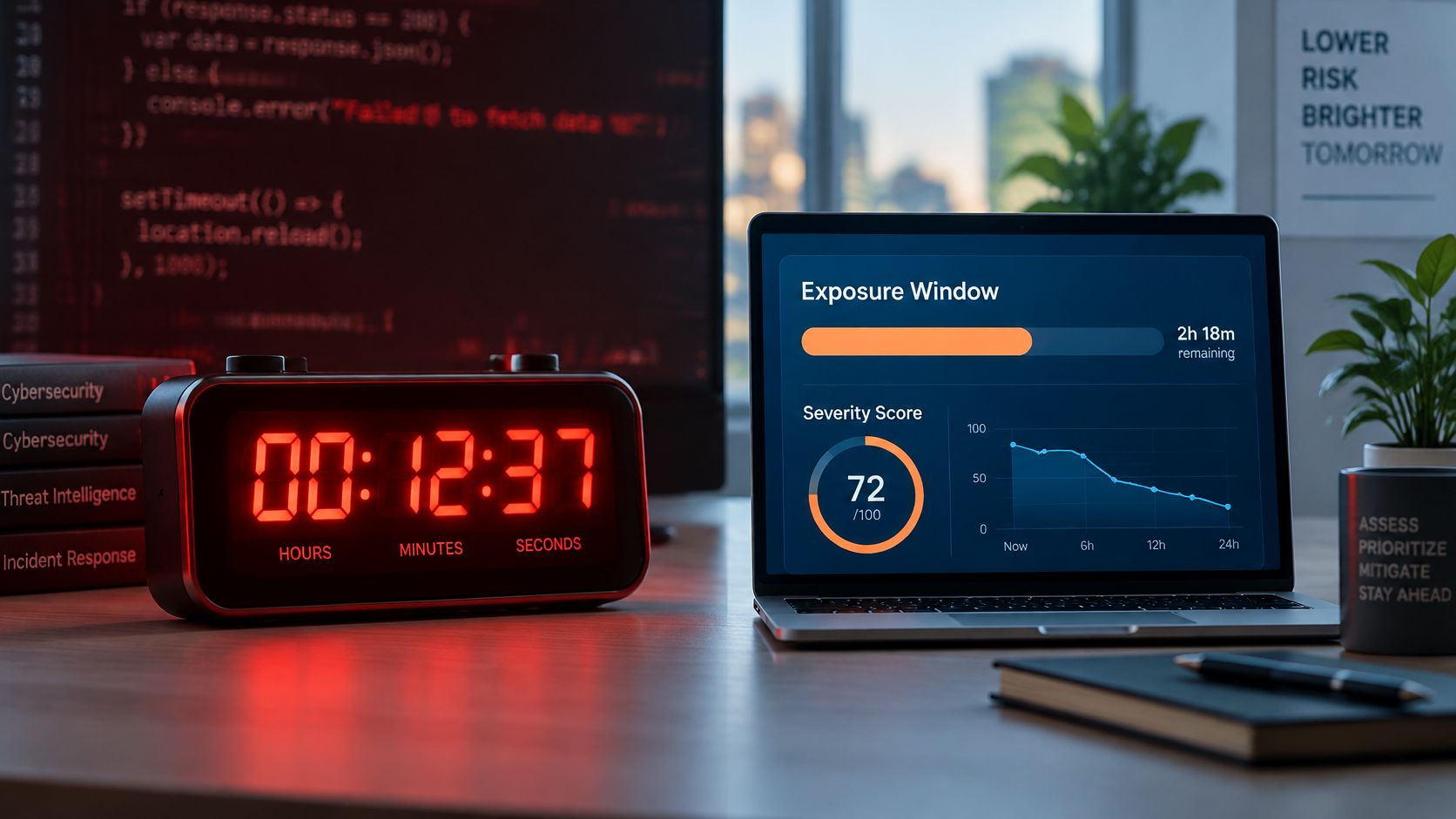
Zero-day exposure timings
| Measure | Reported Value | Source Context |
|---|---|---|
| New in-the-wild exploit discovered | About every 17 days on average | Google Project Zero tracking cited above |
| Time to patch an exploited vulnerability | About 15 days on average | Google Project Zero tracking cited above |
| Edge-device vulnerabilities fully remediated | About 54% within the year | Verizon reporting summarized in CISA's threat scenarios document |
| Median edge-device remediation time | 32 days | Same Verizon reporting summarized by CISA |
| In-the-wild zero-days that were memory corruption | 39 of 58 (67%) in 2021 | Project Zero records cited above |
What the Gap Means on Shared WiFi
Memory corruption occurs when software handles memory unsafely. Crafted input can alter data or execution flow, potentially allowing attacker-controlled code to run. For browsers, VPNs, and network-facing services, containment can therefore be urgent even before an operator understands the detailed exploit mechanics.
On guest WiFi, you usually can't inspect or patch a visitor's laptop. You can, however, preserve network evidence that connects a suspicious request to an SSID, venue, device session, timestamp, and requested domain, subject to your privacy and retention policies.
Keep those fields usable together. A blocked-domain total alone doesn't tell a responder which session needs attention or whether the same device keeps trying other destinations.
This video provides another format for exploring the security problem.
A strategy to block malware before database updates should focus on observable activity during that interval, not promise advance knowledge of every flaw. Severity still matters, but the operational question is how long a reachable weakness remains exposed and what an attacker can do during that time.
Real zero-day Cases and the Actors behind them
In 2010, Stuxnet used four zero-day vulnerabilities alongside the previously known MS08-067 weakness, chaining flaws together to reach industrial systems.
Notice the mix. Four flaws were unknown to defenders, but one was already public, and the attackers still relied on it because machines had not installed the fix. That is the exposure window in practice: a vulnerability stays useful to an attacker for as long as reachable systems remain unpatched, whether the flaw is secret or not. Closing a known weakness can therefore matter even when defenders cannot yet repair an unknown one.
From Exceptional campaigns to operational Planning
Stuxnet-level campaigns are rare. Exploited zero-days are not. Google reported 97 zero-day vulnerabilities exploited in the wild during 2023, compared with 62 in 2022, in its review of zero-day exploitation in 2023. These counts concern observed real-world exploitation, not merely bugs that researchers demonstrated in a laboratory.
Different tracking publications can use different scopes or revised records, so treat each series as a series rather than combining totals from separate reviews into a homemade trend.
Attribution also needs careful wording. Government-backed cyber-espionage groups accounted for 29% of attributed zero-day exploitations in 2024, while commercial spyware vendors accounted for 23.5%, according to Cybersecurity Dive's reporting on Google's analysis.
Those figures describe attributed exploitation, not the share of all organizations attacked. They do not establish that an ordinary venue is likely to face the same campaign as an intelligence target.
A headline explains who attracted attention. Your inventory explains whether your network contains the affected technology.
Consider a clinic using a vulnerable remote-access appliance. Its immediate decisions concern who can reach the appliance, whether a workaround applies, and how responders would identify misuse. The attacker's ultimate identity does not remove the need for those decisions, and the clock is already running while the clinic makes them.
A school, hotel, or library can use the same preparation method without assuming it faces the same adversary. Start with a concrete question: which services face the internet, and who owns the decision to restrict them when an unknown flaw becomes an active threat?
Layered Defenses that Shrink the exposure window
Defense layers and their limits
| Control | What It Stops | What It Cannot Stop |
|---|---|---|
| Vendor patch or mitigation | Exploitation through the addressed flaw once effectively applied | Attacks that happened before the fix or workaround |
| Disabling the exposed feature | Access through that feature when fully disabled | Flaws in other active services |
| Network segmentation | Unauthorized movement between properly separated systems | Initial compromise within a segment |
| Least privilege | Actions requiring permissions the compromised account lacks | Malicious activity within its existing permissions |
| Protective DNS | Lookups to destinations identified and blocked as malicious | The exploit itself executing on the device |
| Endpoint detection and logging | Supported detections can trigger containment; logs support investigation | Activity that produces no collected or recognizable telemetry |
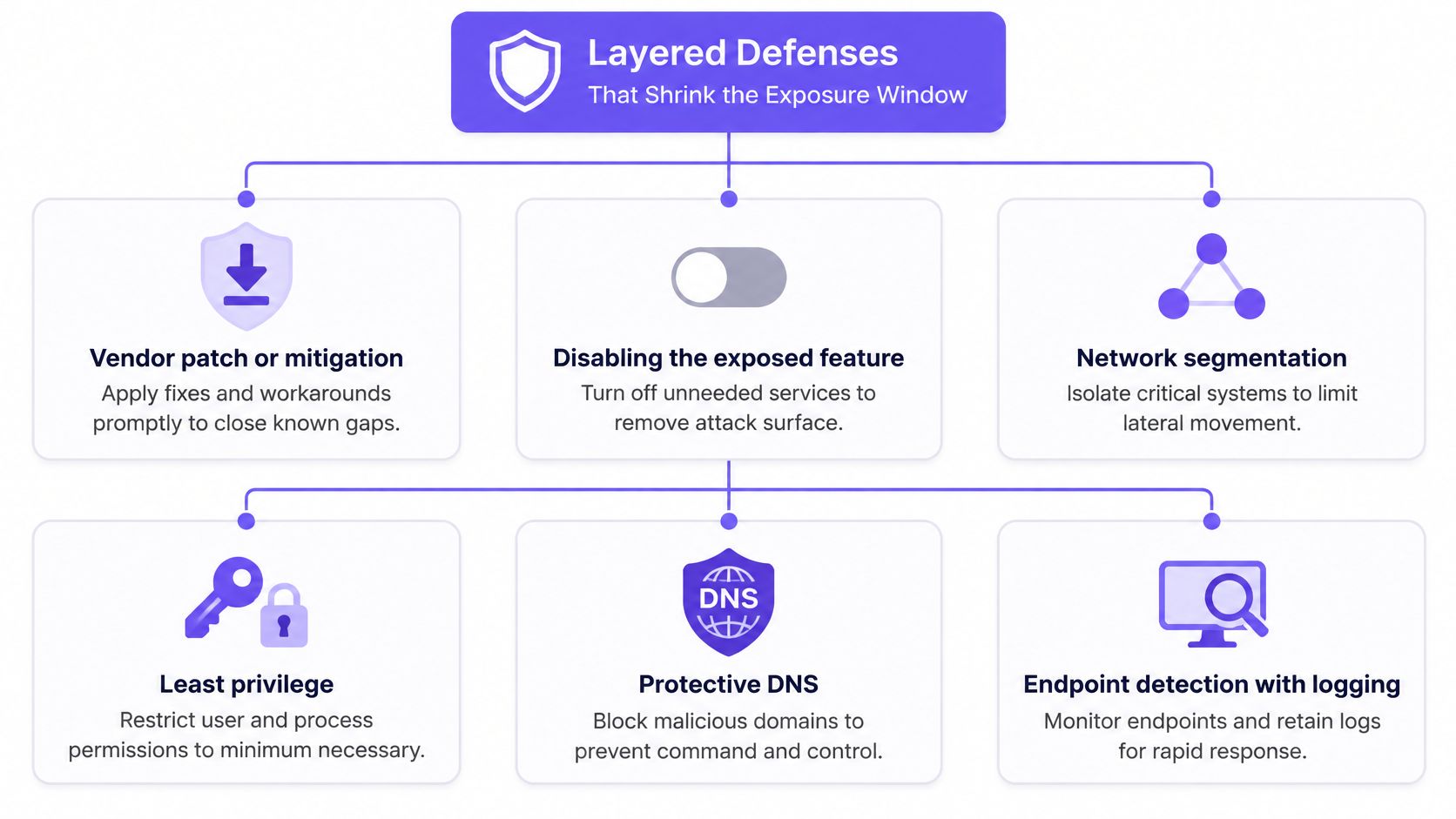
No single control covers the whole attack. A patch addresses a particular weakness. Segmentation restricts where an intruder can go, while monitoring helps responders recognize activity that preventive controls missed.
Interim controls matter when a fix doesn't exist, when deployment requires testing, or when the affected device belongs to somebody else. Their purpose is to reduce reachable attack paths and limit consequences, not certify that a vulnerable system is safe.
The defensive layers serve different purposes.
A Practical Patch-Window Plan
Apply vendor mitigations. Match the advisory to the exact product, version, and enabled features. Record what changed so another administrator can verify it.
Restrict exposed functions and administration. Disable the affected feature where practical. Limit management access to authorized administrative paths rather than leaving it reachable from guest networks or the public internet.
Isolate vulnerable infrastructure. Review actual traffic permissions, not just VLAN names. A separate segment provides little protection if broad access rules still allow connections into sensitive services.
Raise logging and inspect outbound activity. Assign someone to review alerts and define the action they should take. Collecting more events without a response owner doesn't provide containment.
Block malicious destinations at DNS resolution. Use maintained intelligence and investigate repeated blocked requests. A device repeatedly trying to reach attacker infrastructure may need isolation, not merely another block rule.
Patch, verify, and assess compromise. Confirm the installed version and the status of the vulnerable feature. If exploitation may already have occurred, follow the vendor's recovery guidance and your incident-response process.
Where Protective DNS Fits
Protective DNS evaluates a domain lookup before the device receives a usable answer for the requested destination. It can apply network-level protection to unmanaged bring-your-own-device traffic without an endpoint agent, provided those devices use the protected resolution path.
Its effectiveness depends on destination intelligence and enforcement. Direct-IP connections, bypassed resolvers, and malicious infrastructure not yet recognized can fall outside that protection. Evaluating threat intelligence feeds therefore means considering freshness, context, and how detections become enforceable policy.
DNS filtering can shorten an attacker's opportunity to communicate successfully; it doesn't shorten the vendor's patch-development time or repair the device. Keep the objectives distinct: prevent access where possible, contain compromise, detect suspicious behavior, and block attacker callbacks.
Confirm your exposure before Choosing controls
Before buying or enabling another control, establish what your network exposes.
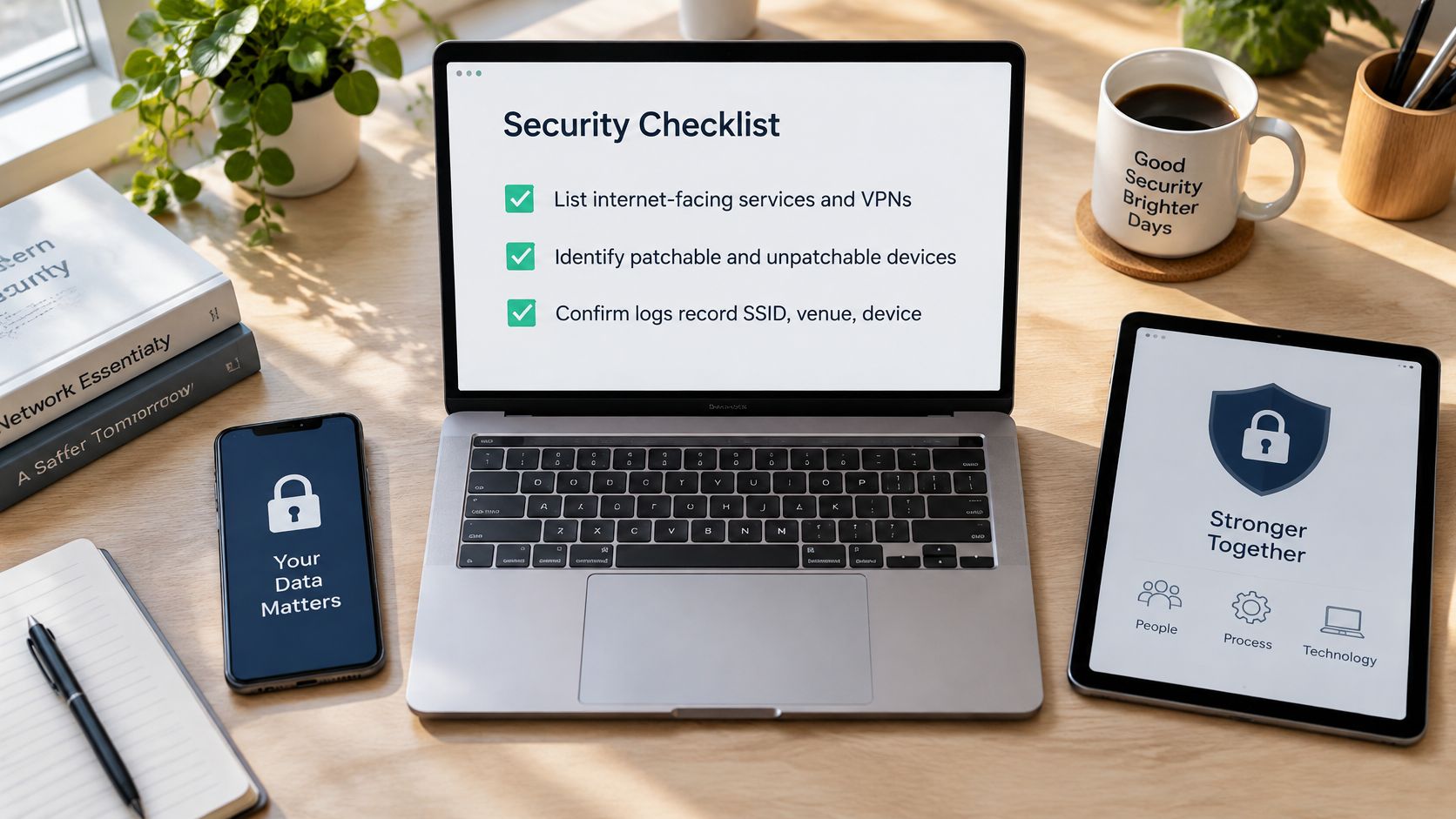
- List internet-facing services and VPNs. Include remote administration and appliances managed by outside suppliers. Give each service a named owner.
- Separate patchable from unmanaged devices. Distinguish organization-owned equipment from visitor laptops, personal phones, and contractor devices.
- Test your evidence. Confirm that logs let responders connect the SSID, venue, device session, timestamp, and requested domain.
- Check current vendor mitigations. Record which apply, who can authorize disruption, and how you'll verify the change.
- Choose DNS threat categories deliberately. Prioritize malicious and command-and-control destinations, then evaluate stricter categories against legitimate user needs.
Use the checklist with the person who manages your network, not just the person who purchases security services.
Match the control to network ownership
For a managed office fleet, endpoint controls and coordinated patch deployment can reach devices directly. Guest, public, school, hospital, and hospitality networks face a different constraint: the operator often controls connectivity but not the connected device.
Protective DNS fits that network-level role. Policies can reflect the SSID, VLAN, venue, and time of day, rather than assuming staff systems and visitor devices should receive identical treatment.
Purple Shield blocks command-and-control callbacks and known phishing and malware domains at the lookup, so the connection never starts. Our reports show blocked URLs, threat analysis, and usage at every venue and on every network, with the policy beside them; operators can review evidence and adjust policy from one dashboard. We can go live in minutes with no new hardware and no firewall change.
That coverage isn't a guarantee against a novel exploit running locally. Keep patch ownership, segmentation, and incident response in place, and verify how devices use your protected DNS service.
Run the exposure checklist first. Then choose controls according to what you own, what you can change, and which attacker actions you need to interrupt.
Purple Shield offers protective DNS and network-level policy management for guest and public WiFi, helping operators block malicious destinations while endpoint fixes are unavailable or outside their control. Visit Purple Shield to explore coverage for your venues and bring your exposure checklist to a discussion about deployment and reporting.