
What Is DNS Forwarding? How It Works and Why It Matters
What is DNS forwarding? Learn how forwarders differ from recursive resolvers, how caching and failover work, and where forwarding fits in modern networks.
Published 23 October 2026

DNS forwarding is the process in which a DNS resolver sends a client's query to another DNS server, the forwarder, instead of resolving the name directly through the DNS hierarchy. The local resolver can still answer from its cache and apply local policies, while the upstream resolver performs the full lookup when needed. But if that upstream server fails, which part of DNS is broken?
That distinction matters when you're configuring a network or trying to explain why a website won't load. A forwarding resolver doesn't merely pass packets along: it can answer familiar requests locally, direct selected queries to different servers, and shape which resolver sees a user's DNS traffic.
Table of Contents
- What DNS Forwarding Actually Means
- Following a Query from Client to Answer
- How Forwarding Differs from Recursion and Authoritative Service
- Conditional Forwarding, Split Horizon and Loop Prevention
- How Caching and TTL Shape Forwarding Performance
- Choosing Between Forwarding, Root-Hints Recursion and Encrypted DNS
- Putting Forwarding to Work on Your Network
What DNS Forwarding Actually Means
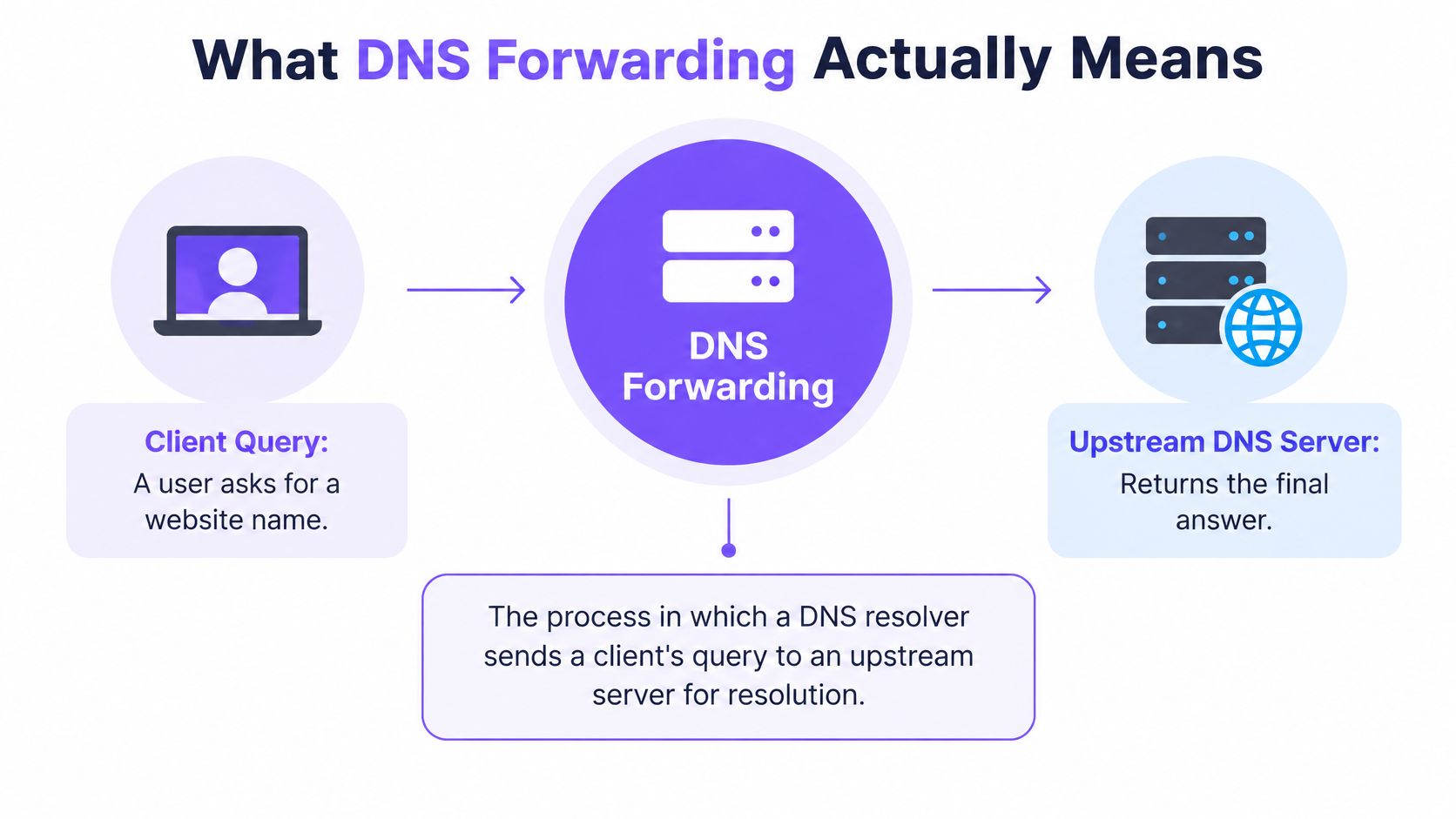
Think of the local resolver as a mailroom front desk. A client asks for a website by name, and the resolver checks whether it already knows the answer. If it has a valid answer in its cache, it returns it. If not, it sends the query to an upstream DNS server, the forwarder, which handles the lookup and returns a response.
That arrangement separates two jobs. The local resolver faces the network's clients and can apply local rules. The upstream resolver takes on the work of resolving names that the local server can't answer from its cache or local data. Forwarding is therefore an architectural function, not automatically a security product.
DNS emerged in November 1983, when RFC 882 and RFC 883 introduced a hierarchical naming system to replace the increasingly unmanageable HOSTS.TXT model. Before DNS, administrators relied on manually maintained name-to-address mappings. In November 1987, RFC 1034 and RFC 1035 replaced the original specifications and became foundational standards for modern DNS architecture, as the DNS history timeline records.
Where you'll encounter forwarding
Home routers, enterprise networks, public Wi-Fi, schools, and cloud environments can all use forwarding. An organization might use it to send general internet lookups to a managed recursive service while keeping local control over caching, logging, internal names, or blocking rules.
The useful mental model is simple: the local resolver is the controlled front desk; the upstream resolver is the specialist that does the full lookup. That model also makes it easier to locate a problem. A client might reach the front desk successfully even if the upstream resolver is unavailable or returning an error.
Following a Query from Client to Answer
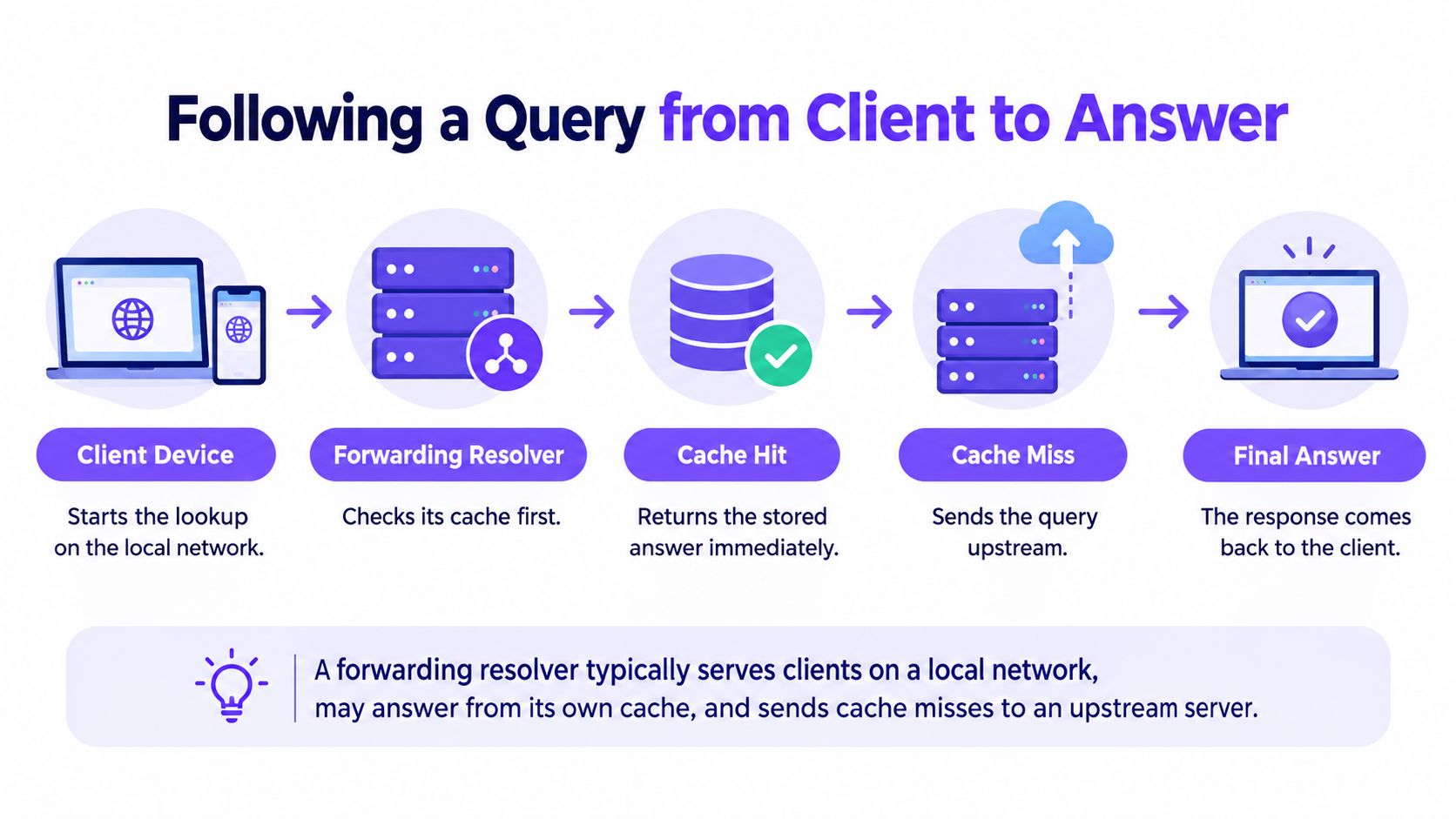
A typical lookup starts when a device asks its local resolver for a name. The resolver checks its cache first. If the stored answer is still valid, it can return it without contacting an upstream server. If there's no usable cached answer, the resolver forwards the query to an upstream recursive resolver.
In DNS terminology, forwarding involves a resolver sending a query with the recursion-desired (RD) bit set. That bit signals that the receiving resolver is being asked to resolve the query, rather than merely relaying a packet without that request. RFC 7719's glossary definition distinguishes forwarding from blind packet relaying.
On a cache miss, the upstream recursive resolver does the lookup work. It may use its own cache or query through the DNS hierarchy for the answer. The response then travels back through the forwarding resolver to the client.
The two possible paths
- Cache hit: The local resolver returns a valid cached answer. The upstream server isn't involved in that lookup.
- Cache miss: The local resolver sends the query upstream, receives the response, and returns it to the client.
The handoff also defines a useful split in responsibilities. The local resolver can apply network-specific controls, keep logs, use split-DNS rules, or enforce a DNSSEC validation policy. The upstream resolver performs the recursive lookup when the local resolver can't answer from its cache or local data.
Troubleshooting clue: If the local resolver answers clients but lookups fail when its cache doesn't contain the answer, check the forwarding path and upstream response before assuming the authoritative DNS service is at fault.
How Forwarding Differs from Recursion and Authoritative Service
DNS forwarding, recursion, proxying, and authoritative service describe different roles. A single system can take on more than one role, but the terms aren't interchangeable. In a typical forwarding setup, the local server serves clients and maintains a cache or policies; an upstream recursive resolver performs resolution for cache misses.
| Role | Who initiates | Performs full lookup | Holds authoritative data | Typical failure symptom |
|---|---|---|---|---|
| Forwarder | A local resolver sends it a query | Usually, when acting as an upstream recursive resolver | Not necessarily | Timeout or error from the upstream service |
| Recursive resolver | A client or another resolver requests resolution | Yes, by using cache or querying through the DNS hierarchy | Not necessarily | Resolution errors, timeouts, or failed lookups |
| Proxy | A client or service sends it traffic | Not inherently; proxying relays requests according to its design | No | The proxied request fails or can't reach its destination |
| Authoritative server | A resolver queries it for a domain it serves | No, it supplies data for its zone | Yes, for the zones it serves | Missing, incorrect, or unavailable records for those zones |
The table's key distinction is who does the full lookup. A forwarding resolver sends an unanswered query onward; a recursive resolver handles resolution, potentially by querying authoritative servers. An authoritative server supplies records for the domain it manages rather than searching the hierarchy on behalf of a client.
Why the distinction changes troubleshooting
A forwarding resolver can return an upstream timeout, SERVFAIL, or a cached answer that's no longer appropriate, even when the authoritative DNS infrastructure is working normally. Troubleshooting only the authoritative server in that situation can send you down the wrong path. Check which resolver received the request, whether it had a cache answer, and what happened at the next hop.
There's also a trust dependency. RFC 7719 discusses resolver terminology, including the distinction between forwarders and recursive resolvers. Research on cache-poisoning attacks distinguishes these roles because a forwarder depends on the integrity of the upstream resolver it uses. If content controls are part of the design, a network may also use DNS filtering to apply policy to queries before devices connect to destinations.
Conditional Forwarding, Split Horizon and Loop Prevention
Forwarding doesn't have to send every unanswered query to the same upstream server. With conditional forwarding, a resolver sends queries for selected domains to a designated server. For example, a network can direct requests for internal names to an internal DNS service and send other requests to a managed recursive resolver.
A related idea is split-horizon DNS. It lets a network return different answers for the same name depending on where the request comes from. Someone inside an organization might receive an internal answer, while an outside requester receives a different answer. The local resolver becomes a decision point for keeping internal names on the appropriate path.
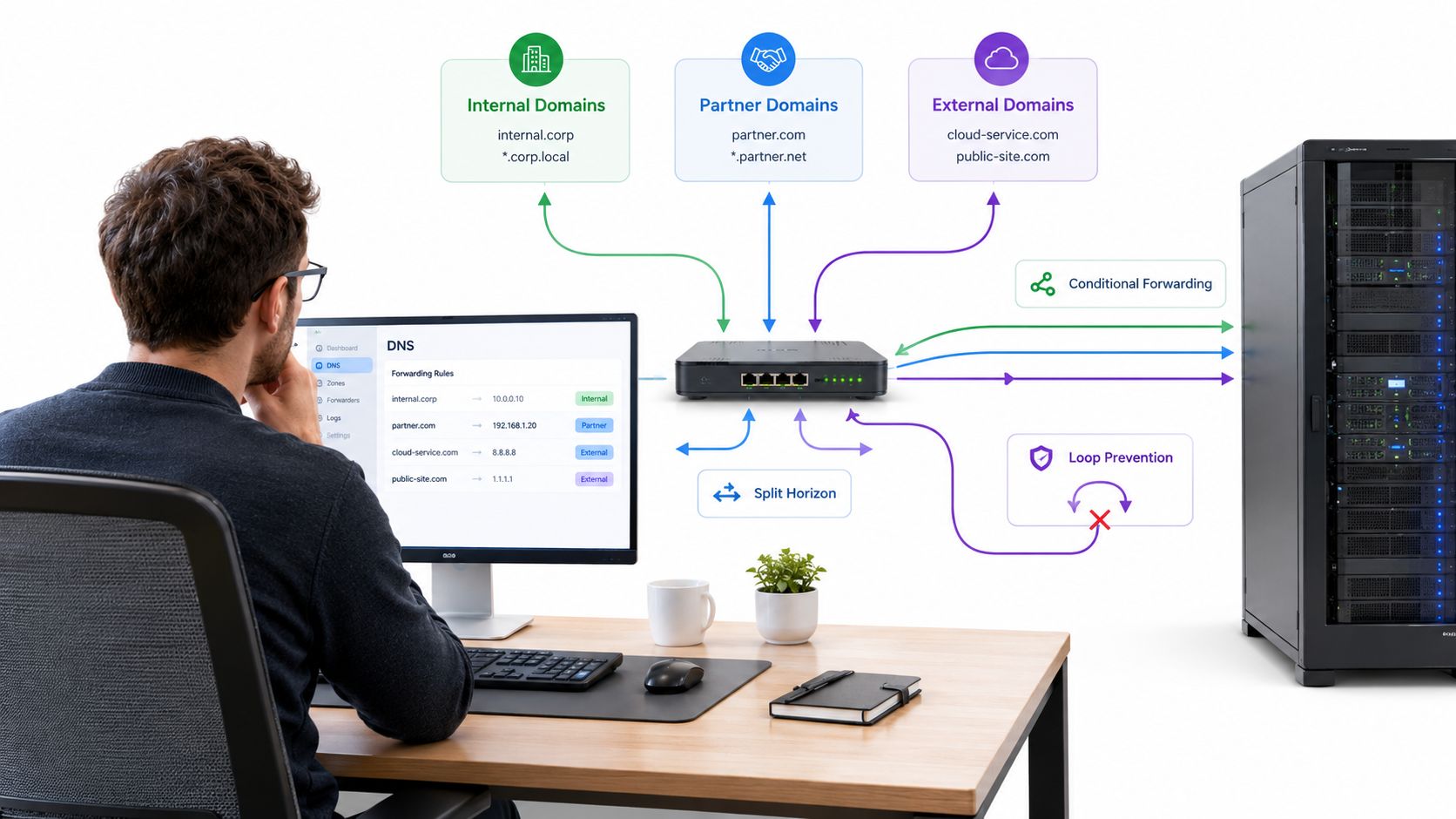
The configuration has to make clear which resolver owns each query path. A rule that sends an internal name to the wrong upstream server can produce an external answer, a failure to resolve, or a result that differs between parts of the network.
Preventing resolver loops
A forwarding loop occurs when one resolver sends a query to a second resolver that eventually sends it back. The query can circle between servers, causing repeated requests, timeouts, and resource exhaustion. The fix is to map the forwarding paths and make sure no resolver chain points back to an earlier server.
Some names need an explicit boundary, too. RFC 9539 points to namespaces such as home.arpa that must not be forwarded beyond their intended local scope. A resolver that works until a second forwarder is added may have acquired a loop; a local name that starts resolving publicly may need a more specific forwarding or local-zone rule.
The video below provides another visual introduction to DNS forwarding concepts.
How Caching and TTL Shape Forwarding Performance
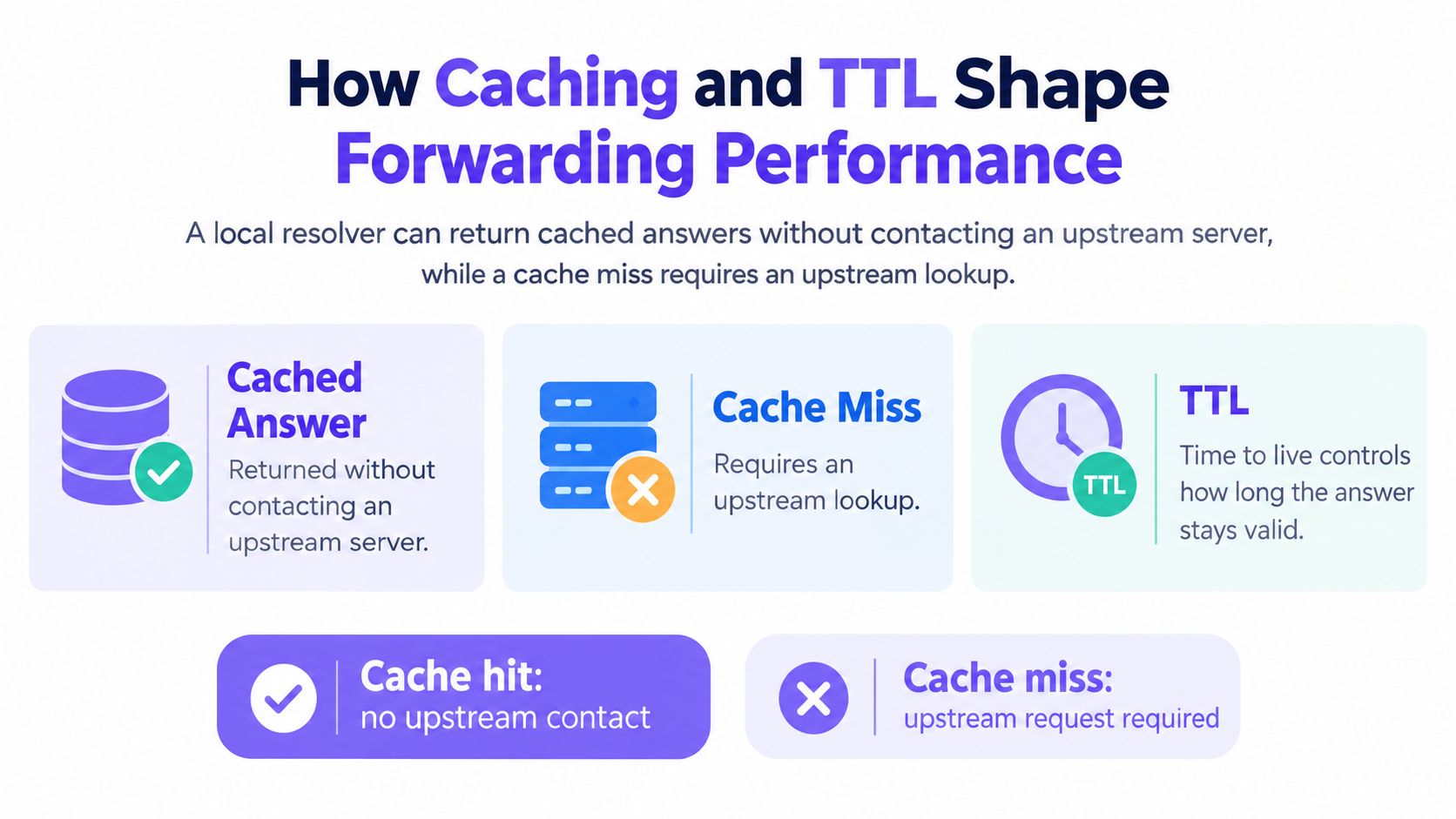
A forwarder's cache works like the memory of a helpful intermediary: once it has fetched an answer from upstream, it can answer the next identical question on its own. That single behavior explains most of what forwarding does to performance. Every cache hit removes a round trip to the upstream resolver. Every miss adds one before the actual lookup even begins.
Each record's time to live (TTL) sets the boundary on that memory. The authoritative server publishes the TTL, and any resolver along the path may reuse the cached answer only while it remains valid. Short TTLs keep answers fresh but send more queries upstream. Long TTLs cut upstream traffic but can leave clients holding stale addresses after an infrastructure change.
Caching also stacks along the path. A query can be served by the client's cache, the forwarder's cache, or the upstream resolver's cache, and each layer runs its own TTL countdown. When a user reports an outdated answer, the fix depends on which layer is holding it, so treat each cache as a separate suspect during troubleshooting rather than flushing whatever is closest.
Measure more than average latency
Average lookup time can hide problems that affect some users or some queries more than others. Track the cache-hit ratio, median and tail lookup latency, upstream timeout rate, and negative-cache behavior. Those measures help distinguish a slow upstream service from a forwarder that keeps missing cache opportunities or handles failed lookups poorly.
DNSSEC adds another wrinkle. A validating resolver fetches signatures and keys on top of the answer itself, so cache misses on signed names cost more than misses on unsigned ones. Cached validated answers skip that repeated work, which makes the hit ratio matter even more on validating paths.
No single figure predicts lookup time on a given network. The result depends on cache state at every layer, upstream responsiveness, validation work, transport setup, and retries after an unresponsive forwarder. A well-behaved forwarder also passes response codes, truncation behavior, DNSSEC records, and flags through unchanged, so clients see the answer the authoritative side sent.
Choosing Between Forwarding, Root-Hints Recursion and Encrypted DNS
Forwarding and root-hints recursion make different trade-offs. With forwarding, an organization selects upstream resolvers to handle unanswered queries. That can simplify local operations and centralize policy, but it makes the network dependent on the chosen upstream services. With root-hints recursion, a resolver performs the iterative lookup itself, which reduces dependence on a single upstream recursive service but puts more resolution responsibility on that resolver.
| Design choice | Where resolution happens | Main operational trade-off |
|---|---|---|
| Forwarding | At the selected upstream recursive resolver | Centralized administration, with an upstream dependency |
| Root-hints recursion | At the local recursive resolver, which queries through the hierarchy | More local control, with more responsibility for direct resolution |
| Client-directed encrypted DNS | At the resolver the client contacts over an encrypted connection | The local network may not see or control the domain query |
Encrypted DNS makes the choice less straightforward. DNS over TLS and DNS over QUIC can protect DNS traffic in transit, but the important question is where the encryption ends. If a client encrypts queries directly to an external resolver, a local forwarder may not see a usable domain query. If encryption terminates at an approved enterprise resolver, that resolver can still apply network policies and forward queries upstream.
Public Wi-Fi needs a deliberate policy
Public Wi-Fi operators also have to consider captive portals. Devices may need pre-authentication name resolution and connectivity checks before users can sign in. Encrypted DNS can complicate portal detection or delay it, so operators need to decide which resolvers are approved, how fallback should work, and whether any exceptions are necessary.
A protective DNS service can sit in the selected resolution path and evaluate lookups before connections begin. Purple Shield is designed for venue and guest Wi-Fi networks, with category-based content filtering, threat blocking at the DNS layer, and policies that can be managed by network. It can be deployed as a standalone service or integrated with Purple Access networks. For teams weighing DNS controls against broader web traffic controls, a secure web gateway overview describes a different layer of enforcement.
Putting Forwarding to Work on Your Network
Forwarding concentrates some DNS workload at the upstream services an organization selects. Measurements using DNS-OARC's Day in the Life datasets found that approximately 99% of recursive resolvers generated moderate query volumes, while about 1% behaved aggressively. That smaller group accounted for as much as 98% of observed DNS traffic in 2018 and 93% in 2019; researchers estimated it included roughly 8,300 resolvers in 2018 and more than 14,000 in 2019 (study of aggressive resolver behavior). A local resolver can send requests to upstream recursive services that cache and reuse answers, but that concentrates reliance on their availability and behavior.
Before deploying or changing forwarding, check that:
- Upstreams are independent: Configure at least two forwarders where the design permits it.
- Failures have a defined response: Set timeout and retry behavior, and know what clients receive if an upstream doesn't respond.
- Monitoring covers symptoms: Watch SERVFAIL responses, timeouts, and response latency.
- Privacy expectations are clear: Decide which upstream resolver can see forwarded queries.
If DNS filtering is part of your guest-network policy, compare it with your broader Wi-Fi content filtering approach. Then audit which resolver your network forwards to and confirm that its policy, availability, and privacy posture match what you intend.
Purple Shield checks DNS lookups before devices connect and offers content filtering and threat blocking for venue and guest Wi-Fi networks. If you're reviewing how forwarding can support those controls, visit Purple Shield to explore its deployment options.