
How to Set Up Network Segmentation for Guests and Staff
Step-by-step network segmentation for venues, offices, and schools: map SSIDs and VLANs, set firewall rules, and secure IoT and guest devices safely.
Published October 27, 2026
Say you run a 60-room hotel where front desk PCs, card terminals and guest WiFi share a flat subnet. Everything works, but an infected guest phone can attempt connections to the register because nothing separates them.
You need to break that reachability without breaking payments, printing or room TVs. Network segmentation succeeds when you know what each device needs, test the proposed restrictions and keep a rollback ready. A tidy diagram alone won't do that.
Table of Contents
- The Segment Map Most Venues and Offices Need
- How to Inventory Devices and Flows Before Cutover
- How to Build VLANs and SSIDs for Each Group
- How to Write Firewall Rules Between Segments
- Special Cases for IoT, Medical and Shared Networks
- Troubleshooting Breaks After a Segmentation Change
- Pick One Network to Segment This Week
The Segment Map Most Venues and Offices Need
Start with business functions, not switch ports. Reception laptops and guest cell phones need different access even when they connect through the same access point.
In 2025, 90% of organizations reported adopting some form of network segmentation, while 35% had implemented microsegmentation, according to Akamai's global survey of 1,200 security and technology leaders. Having segments isn't the same as controlling every connection within them.
NIST's SP 800-207, Zero Trust Architecture, rejects implicit trust based solely on network location. Landing on the staff VLAN isn't proof that a device should reach payroll, camera administration or every other staff laptop.
Give each group a clear boundary
Use this example numbering scheme as a starting configuration, not a universal standard.
Segment map for a venue, office or school
| Group | Typical SSID | VLAN | Trust level | Filtering |
|---|---|---|---|---|
| Staff laptops and registers | Staff-Corp | 10 | Trusted | Threat defense only |
| Back office and servers | Wired only | 20 | Trusted | Threat defense only |
| Printers and kiosks | Wired only | 25 | Restricted | Threat defense only |
| Guest WiFi | Guest | 30 | Untrusted | Category filter and Safe Search |
| Paid tier | Paid-WiFi | 50 | Untrusted | Category filter and bandwidth cap |
| IoT: cameras, sensors, TVs | IoT-PSK | 60 | Constrained | Threat defense and allow-listed cloud |
| Residents or students | Resident | 70 | Untrusted | Safeguarding set per VLAN |
| Management | Wired, jump host | 99 | Restricted | Admins only |
Trusted means managed staff and back-office equipment, not unrestricted access. Restricted covers appliances and administration interfaces that need narrowly defined connections. Constrained devices get only their required operational services. Untrusted users receive internet access without a route into business systems.
The paid tier remains untrusted. Buying faster access doesn't buy access to reception, and a bandwidth cap belongs on the gateway or controller, not in a DNS policy. For guest WiFi isolation, the boundary should remain intact regardless of the access package.
Don't create every row if your site doesn't need it. Conversely, POS registers and staff laptops may deserve separate segments when payment requirements or risk justify that split.
Design rule: Give every segment one named owner and one stated reason to exist. Delete segments that nobody can explain.
For a small venue, a starting design might use five to eight segments. Treat that as a planning range, not a target: meaningful boundaries matter more than the count.
How to Inventory Devices and Flows Before Cutover
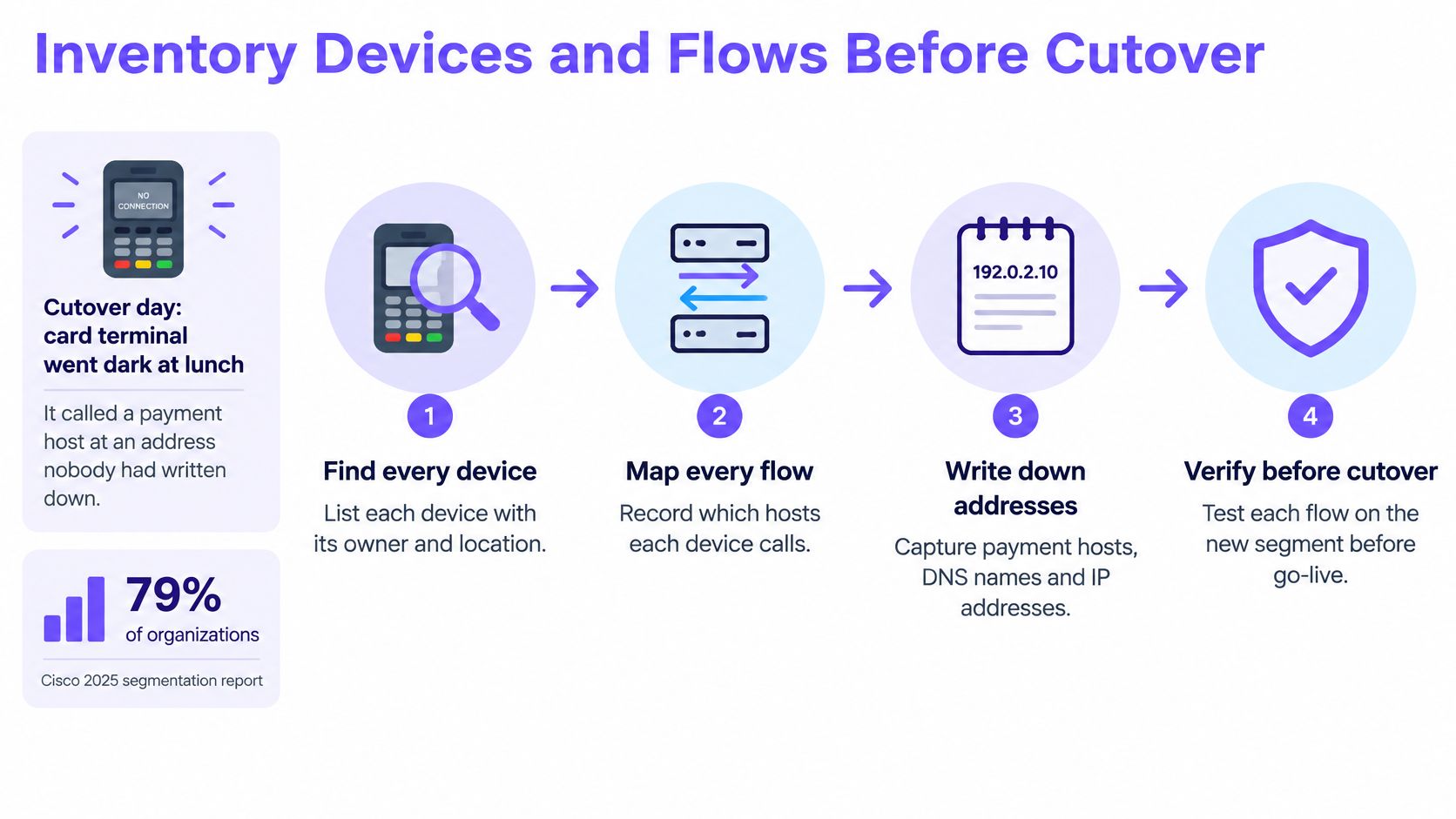
Say a card terminal goes dark at lunch on cutover day. Its vendor documented the main payment service, but nobody recorded the additional host it contacts during settlement.
That missing dependency is why inventory comes before enforcement. Cisco's 2025 segmentation report found that 79% of organizations considered segmentation a top priority, yet only 33% had fully implemented both macro- and micro-segmentation, with asset visibility, communication flows and policy maintenance among the barriers.
Build an inventory you can turn into rules
Find devices from overlapping records. Export DHCP leases and ARP tables throughout the discovery period; I'd budget two weeks initially, then extend it for infrequently used equipment. Add switch MAC tables, wireless associations and static-address records because DHCP alone misses fixed-address devices and equipment that hasn't powered on.
Assign a group and named owner. Record the MAC address, reported vendor, location, switch port or SSID, purpose and accountable person. Vendor identification is a clue, not proof, especially with randomized wireless MAC addresses; Reworx Recycling's asset inventory guide is useful for organizing the underlying asset register.
Capture actual communication. Use NetFlow, sFlow or firewall session logs to record sources, destinations, protocols and ports. Check where collectors sit, because traffic switched locally within a VLAN might never reach the firewall.
Describe required services. Write down payment processing, printing, time synchronization and other approved dependencies, including who confirmed each requirement. Don't reduce a device to an arbitrary service count: BYOD security planning also needs user identity and device-management status, not just addresses.
The workflow should connect device discovery to an actual connectivity test.
Observe before you enforce
Run proposed rules in monitor-only mode. After building the VLANs and draft policies, use policy simulation, shadow rules or logged would-be denies; I'd schedule two to four weeks where business cycles require it. Don't mistake ordinary allow logs for proof that the proposed deny policy has been evaluated.
Resolve ownerless devices. Put unidentified equipment through a controlled quarantine process with the operational team. Don't abruptly disconnect something that might be a fire panel, clinical device or building controller; identify its safety role and arrange a supervised migration.
My enforcement gate would be seven consecutive days without unexplained would-be denies, including representative business activity. An unexplained connection needs investigation, not an automatic allow.
How to Build VLANs and SSIDs for Each Group
Consistent numbering makes a rule readable long after cutover. When IoT always uses the same VLAN identifier across your sites, an engineer can interpret a deny log without hunting through old installation notes.
Keep the intended port assignments beside the physical cabling record.
Build the network without moving everyone at once
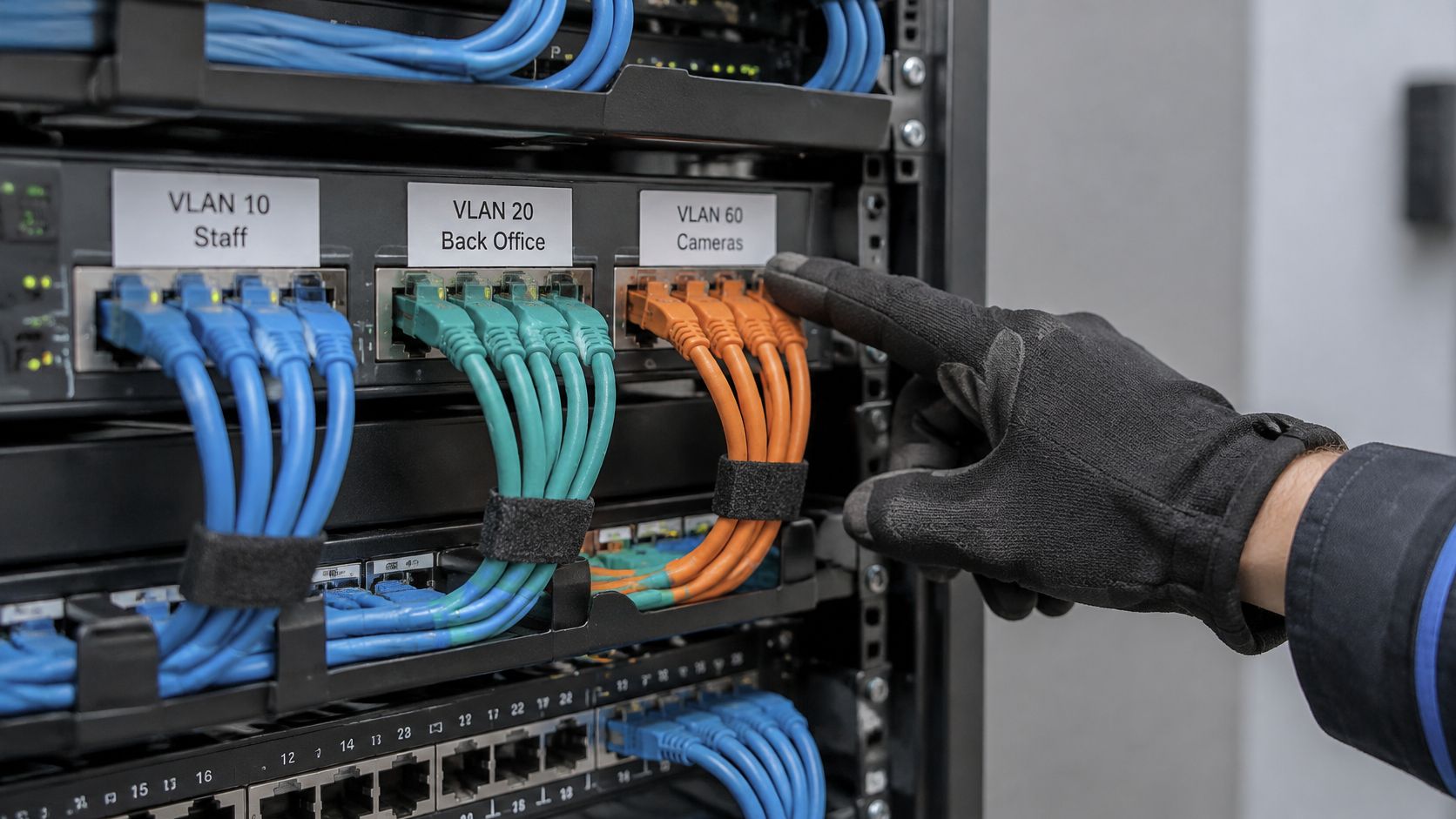
Reserve the VLAN blocks. For this example, use staff 10, back office 20, printers 25, guest 30, paid 50, IoT 60, residents 70 and management 99. Apply those identifiers consistently to switch configuration, firewall objects and documentation so similar names don't conceal different networks.
Create separate addressing and DHCP scopes. A /24 subnet per VLAN is a workable starting design for a modest site, but size guest scopes against expected concurrent devices and lease turnover. Reserve addresses for servers, printers and network video recorders, and confirm DHCP relay reaches the correct server without exposing unrelated services.
Map each example SSID to its intended VLAN. Configure that mapping on the wireless controller and verify it at the switch. Don't broadcast every SSID everywhere: advertise resident access in housing areas and leave it off reception access points where it serves no purpose.
Choose authentication for the device population. Use WPA2- or WPA3-Enterprise with EAP-TLS and MDM-delivered certificates for managed staff laptops. For compatible IoT, prefer individual device credentials; where that isn't supported, use a separate WPA2-PSK per device class and document rotation. Guest and paid networks can use captive portals, but a portal alone doesn't encrypt radio traffic.
Check the switching path
Limit each access-point trunk. Permit only the tagged VLANs that access point serves, with matching configuration at both ends. Explicitly configure the native VLAN rather than leaving an unexplained default; mismatches can put untagged traffic into the wrong network or make an access point unreachable.
Enable public client isolation. Apply it to guest, paid and other shared public SSIDs, then check whether the controller also prevents communication between clients on different access points. Wireless isolation doesn't automatically protect against wired peers or routed paths, so enforce those boundaries separately.
Test association and forwarding. Use a laptop and cell phone on each advertised SSID, checking the assigned subnet, gateway, resolver and authentication behavior. Confirm VLAN tags through controller diagnostics, switch counters or a packet capture rather than assuming a successful internet connection proves the mapping is correct.
Keep routing through the intended enforcement point. If a core switch routes between VLANs without the firewall or equivalent ACLs seeing the traffic, your firewall policy won't protect that path.
A successful test includes an expected failure: the guest device reaches the internet but cannot establish a connection to an internal service.
Save the working configuration before each migration batch. Preserve an independent management path so a failed trunk change doesn't remove your ability to repair it.
How to Write Firewall Rules Between Segments
A staff laptop needs a printer, a guest cell phone needs the internet, and a camera needs to reach its recorder. Write rules for those specific flows, then deny everything else between segments. On a first-match rulebase, a broad allow above a specific deny defeats the restriction, so check rule order as well as the rule list.
Stateful firewalls normally allow replies to an established connection. A separate reverse rule is unnecessary unless a device initiates a new callback connection.
Turn dependencies into narrow permissions
Allowed flows between segments
| Source | Destination | Decision | Notes |
|---|---|---|---|
| Staff (VLAN 10) | Internet | Allow | DNS filtering applied |
| Staff (VLAN 10) | Named printers (VLAN 25) | Allow | Named print ports only |
| Staff (VLAN 10) | IoT (VLAN 60) | Deny | Except NVR address to cameras |
| Guest (VLAN 30) | Internet | Allow | Category filtering and Safe Search |
| Guest (VLAN 30) | Staff (VLAN 10) | Deny | Client isolation plus stateful deny |
| Guest (VLAN 30) | Any internal VLAN | Deny | No cross-network access |
| Any | Any | Deny | Default rule, logged |
This is a policy summary, not a literal rule order. Put the specific NVR-to-camera exception above the IoT deny. If the NVR sits outside the staff segment, use its actual source segment.
Stage the default deny in monitor-only mode. Compare logged would-be blocks with the flow inventory before enforcing the rule. Rate-limit repetitive logs if needed, while retaining enough detail to identify a broken service.
Allow only named destinations and ports. Record the source, destination, protocol, port, owner and purpose for each rule. Printing may use TCP 631 or TCP 9100; allow only the protocol the printer requires, not access to the whole printer VLAN.
Constrain DNS egress. Allow TCP and UDP 53 only to the chosen resolvers. Where supported, control unauthorized encrypted DNS too. These rules reduce bypass routes, but cannot prevent every tunnel or direct-address connection.
Assign an owner and review date to each exception. Review rules regularly and flag those with no hits during a two-month observation window. Check for seasonal, emergency and recovery needs before removal, and give temporary exceptions an expiration date.
Add identity and filtering without confusing their roles
NIST SP 800-207, Zero Trust Architecture moves access decisions away from IP addresses, subnets and perimeters toward identities of users, devices and services. Where supported, use authenticated user and device identity, including certificates, rather than granting staff access solely through VLAN membership.
For an independent review of exception handling and enforcement paths, cybersecurity services from Wisenet Security offer specialist support.
DNS-layer filtering works behind the firewall: it applies content policy and blocks known command-and-control domains by network. It complements reachability rules, but does not replace them. Each network can have its own policy, with blocked URLs, threat analysis and usage visible alongside that policy in one dashboard.
Special Cases for IoT, Medical and Shared Networks
A VLAN per device category is a starting point, not complete containment. Cameras on the same subnet may still reach each other, and a shared TV network can expose casting targets to the wrong rooms.
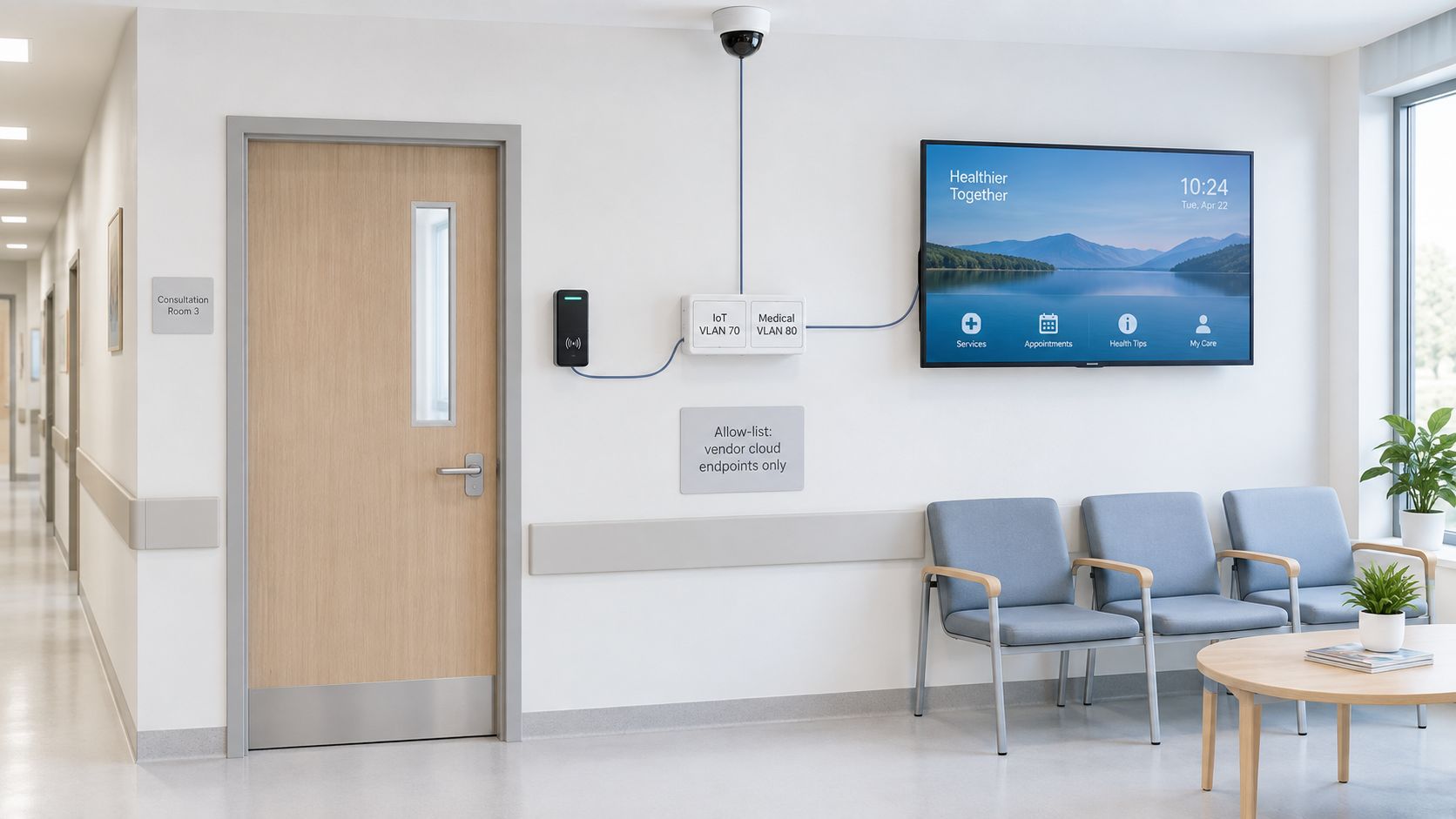
Clinical environments make those distinctions particularly important.
Constrain devices that can't run agents
Cameras, badge readers and TVs. Many can't accept endpoint security software. Use switch-port controls or private VLANs where available, restrict administration, and allow only required local services and vendor cloud destinations. For IoT and OT network containment, destination allow-lists need maintenance because vendors can change hosting infrastructure.
Medical equipment. Keep clinical devices off guest networks and validate communication with the clinical owner and vendor. Use a constrained clinical segment with narrowly approved application flows; route administrative access through a controlled jump host rather than forcing clinical application traffic through it.
Visibility remains a limiting factor: Akamai's 2025 segmentation impact study reported that organizations using microsegmentation contained ransomware 21.4% faster, while only 39% of surveyed organizations claimed strong visibility across segmented assets. Those findings support measuring actual communication before tightening permissions.
Preserve legitimate shared-network functions
Casting in a hotel room. Chromecast and AirPlay commonly use mDNS discovery, which isolation and subnet boundaries can interrupt. Use a casting broker that pairs the guest with the correct room TV; forwarding mDNS alone neither authorizes the user nor permits the media session safely.
Portals and payments. Permit the portal, chosen DNS service and required authentication or payment dependencies before login. Test redirects and certificate validation, not just the landing page, and verify that emergency calling and accessibility services remain usable.
Shared-network behavior needs testing from the user's side as well as the switch.
Personal devices and residents. Give BYOD its own SSID and policy rather than sharing corporate credentials. In schools and student housing, separate safeguarding groups where required, including younger residents and adults, without assuming a shared building means a shared access policy.
Troubleshooting Breaks After a Segmentation Change
Confirm the device's VLAN and assigned subnet first. Then reproduce the failure, read the deny log and inspect the matching rule, including its order.
An application error isn't proof of a firewall problem. A wrong DHCP scope, missing tag or unreachable resolver can produce the same complaint.
Diagnose the failed dependency
Symptoms after segmentation, likely causes and first checks
| Symptom | Likely cause | First check |
|---|---|---|
| Printer vanishes from staff laptops | mDNS not reaching the staff VLAN | Test direct printing, then inspect the scoped mDNS gateway |
| Guest cannot cast to a TV | Client isolation blocks peer traffic | Use a casting VLAN or allow mDNS to that TV only |
| Guest portal page will not load | Portal address blocked before login | Permit portal address and DNS ahead of the deny |
| Card terminal offline after cutover | Host port missing from the POS allow rule | Check vendor port list and read VLAN 10 deny logs |
| Camera stops recording | NVR-to-camera session blocked | Check source VLAN, camera destination and configured recording ports |
| Staff on VPN cannot reach file share | VPN address pool has no allow rule | Add the VPN pool to the staff allow rule |
| Guest devices cannot resolve names | DNS sent to a resolver outside the allow list | Permit DNS to the filtering resolver only |
Treat these as diagnostic starting points. A VPN pool should receive only the intended file-service access, and casting still needs approved session ports after discovery works.
Roll back the smallest affected boundary
Keep the previous configuration and a record of each change. Revert the affected VLAN, trunk or rule batch rather than reflexively restoring the whole site; wider rollback is reserved for a shared failure that genuinely requires it.
Our customers read blocked URLs, threat analysis and usage, and adjust policy from one dashboard. Compare that evidence with firewall logs so you can distinguish a content-policy block from a transport-level deny.
Rollback discipline: Restore a known configuration, not an improvised any-to-any allow.
The tempting fix is widening staff access to any destination until complaints stop. Find the missing endpoint or port instead, add the narrow exception and retest both the working service and the boundary it mustn't cross.
Pick One Network to Segment This Week
I'd start with guest WiFi. It usually carries less business-sensitive traffic than staff systems and has the clearest intended boundary: public users shouldn't reach internal resources.
Use this four-week schedule as a provisional rollout plan, not a deadline that overrides evidence.
- Week one: Inventory guest infrastructure, dependencies and owners. Prepare the test cases and rollback.
- Week two: Build the guest VLAN and SSID, then evaluate proposed restrictions in monitor-only mode.
- Week three: Enforce on that guest VLAN only when the acceptance gate is met. Test portals, payments and isolation.
- Week four: Review failures, close temporary exceptions and decide whether staff or IoT is ready for discovery.
At each weekly decision, carry unresolved items forward rather than advancing automatically. Apply the same clean-log acceptance gate during policy testing; if the observation window isn't complete, extend the schedule.
Purple Shield adds one DNS layer that filters content, stops threats and strips ads across devices and networks, with policies per SSID, VLAN and venue in one dashboard. Our onboarding gives each customer network its own policy for guests, staff, students, residents or paid tiers.
Segmentation is finished when every device has an owner and a stated reason to reach each segment.
Purple Shield provides network-specific DNS protection and content filtering behind your existing firewall, including for unmanaged guest and IoT devices. Visit Purple Shield to explore policies that fit your staged segmentation rollout.