
Reduce bandwidth usage on multi-site WiFi: Proven methods
Reduce bandwidth usage on shared WiFi with compression, caching, ad blocking, and QoS. Measure first, then apply the fixes that save the most data.
Published November 6, 2026
A busy hotel, campus or public venue can have plenty of monthly capacity and still struggle when guests arrive, open the same websites and start streaming at once. The fix isn't always a faster connection: first find out which traffic is avoidable, which payloads can be made smaller, and when demand is overwhelming the network. To reduce bandwidth usage without making WiFi frustrating, measure each change against both bytes saved and the experience people get.
Table of Contents
- Techniques Ranked by Savings and Effort
- How to Measure Where Your Bandwidth Goes
- How to Compress Web Traffic Without Wasting CPU
- Cutting Repeat Downloads and Third-Party Requests
- Scheduling Peak Demand Across Venue Networks
- Choose Your First Change and Confirm It
Techniques ranked by savings and effort
Start with the traffic your network can reduce at the lowest operational cost. This ranking is a practical priority list, not a promise that every technique will deliver the same savings at every site.
| Technique | Measured savings | Effort | Start here when |
|---|---|---|---|
| HTTP response compression | 59–82% of compressible response data in an MIT trace | Low | Text-heavy pages dominate guest and public SSIDs |
| Compressing individual requests | 26–34% of request bytes in an MIT trace | Medium | Apps and portals send many small requests |
| Caching repeated static objects | 16.2–29% of external traffic in a CDN benchmark | Medium | The same assets load for many guests |
| Effective web caching | 17% lower traffic volume in a smartphone study | Medium | Guest traffic includes repeat visits |
| Ad and tracker blocking | About 225 MB per day for a typical user in a 2025 analysis of 119 websites | Low | Third-party requests recur on guest and public SSIDs |
| Peak shaping and QoS | No reliable percentage reported | Medium to high | Live events create short periods of congestion |
| All techniques layered | Down to 74.5% of original volume across all measured traffic in a smartphone study | High | Multi-site properties need a coordinated stack |
The measurements have different scopes. Response compression applies to the compressible portion of data, while caching savings depend on how often content repeats and whether it can safely be stored. The ad-blocking result is from a typical user's browsing, not a forecast for every venue. The 2025 analysis of advertising and tracking traffic gives operators a reason to count third-party requests as demand, rather than focusing only on large downloads.
Caching, compression and delta encoding tackle different waste: unchanged content doesn't need to be fetched again, statistical redundancy can be compressed, and delta encoding can send only what changed. A University of Minnesota cell phone traffic study found that combining caching, file compression and delta encoding brought all measured traffic down to 74.5% of its original volume. That result is a case for layering, not a guaranteed target for your network. The study's results on combined traffic reduction show why one control rarely replaces the others.
For a multi-site operator, prioritize techniques using local evidence: measure the largest source of avoidable bytes, then choose the matching control. You can also review DNS filtering for multi-site networks as you plan how to manage unwanted destinations across locations. For a separate view of storefront performance and its contributing factors, explore storefront performance.
How to measure where your bandwidth goes
A useful baseline should show where bytes go, when congestion occurs and which people or services are affected. Without it, a large video stream on one SSID can look like a property-wide capacity problem, and a policy change can appear successful because fewer people used the network that day.
Pull total bytes per SSID and site. Capture a normal weekday and a known peak event, using the same reporting window for both. Keep guest, staff, payment and other network segments separate so one busy group doesn't obscure what's happening elsewhere.
Rank destinations by bytes, not request count. List the top domains by data volume. Request counts still matter, but a frequently contacted domain may carry little data, while a single video service can dominate total usage.
Group traffic by content type. Separate HTML, CSS, JavaScript, images and video from already-compressed files such as ZIP archives and MP4 video. This reveals which traffic is a candidate for compression and which needs another approach.
Count repeat requests for the same object within an hour. Repeated static assets suggest a caching opportunity, especially when many guests visit the same sites. Distinguish repeated requests that can be served from a cache from requests for personalized or changing content.
Mark third-party share. Identify requests to domains beyond the site a guest chose to visit, including advertising, tracking and embedded services. This helps estimate how much traffic comes from page dependencies rather than the core content.
Record peak throughput and latency on each SSID. Compare those measures with total bytes and retries to distinguish a volume problem from contention or weak radio conditions. A single high-traffic application on one network shouldn't trigger a broad restriction across every guest.
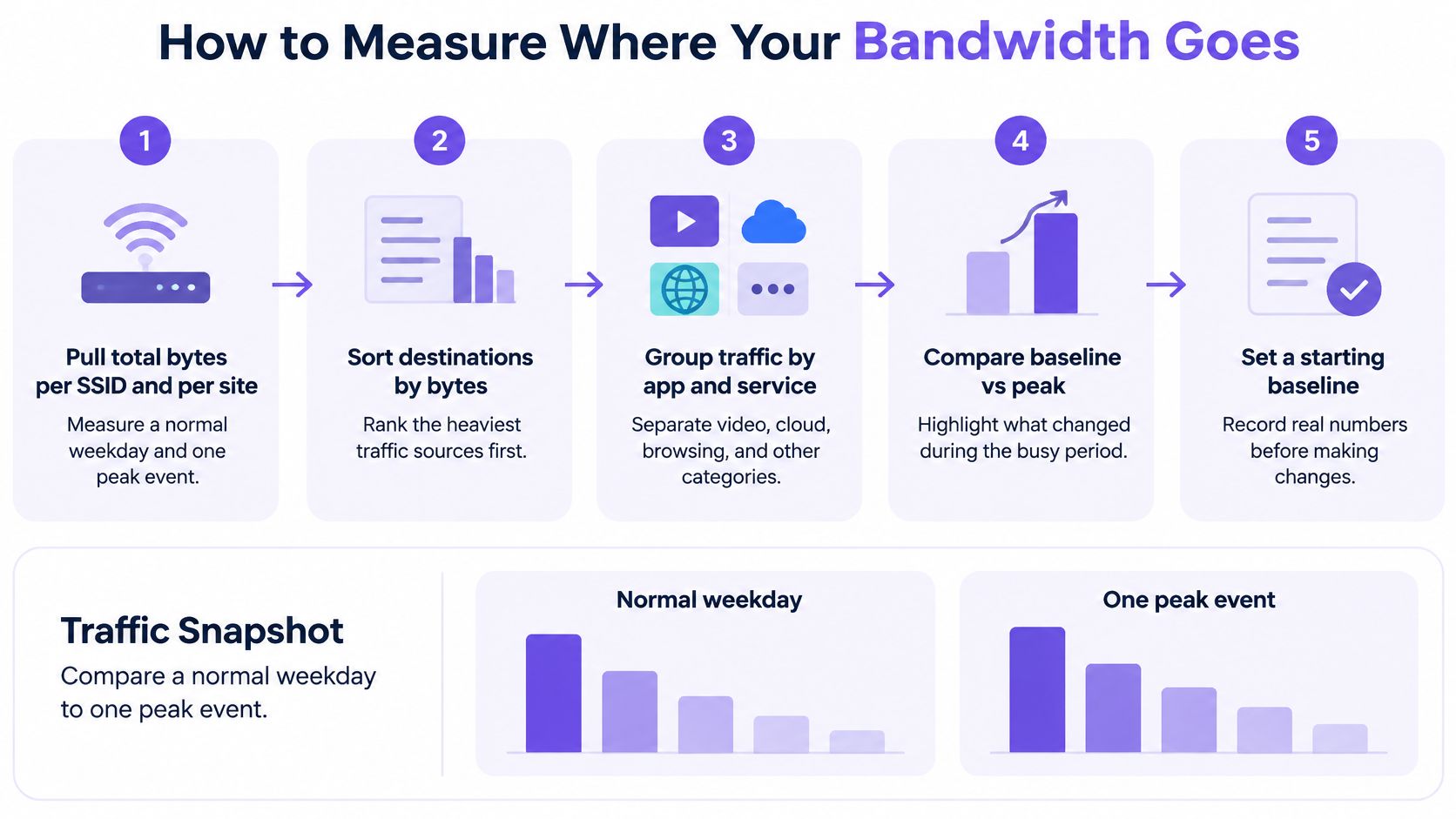
Keep the baseline simple enough that every site can maintain it. A reusable record should include total bytes, top domains and peak throughput per site, with the SSID and observation period clearly identified. Add latency and breakage reports when you compare changes, so a drop in traffic doesn't get mistaken for an improvement if guests can no longer reach what they need.
How to compress web traffic without wasting CPU
Compression savings depend on what portion of traffic is compressible and how compression is applied. A World Wide Web Consortium evaluation of HTTP/1.1 found that transport compression reduced transmitted packets by about 16% and shortened retrieval time by about 12% for first-time page requests; the combination of HTTP/1.1 techniques produced bandwidth savings ranging from 2% to 40%. Those figures are a useful reminder to expect a range, not a fixed reduction for every network. The W3C HTTP/1.1 evaluation also illustrates why results depend on the techniques used together.
Use this rollout sequence:
Enable Brotli or gzip for text-based responses. Start with HTML, CSS, JavaScript, JSON and plain text. These formats often contain repeated patterns that compress well, unlike already-compressed media.
Test streaming compression for longer or aggregated transfers. MIT traces found that streaming compression could improve savings over per-response compression. In one trace, it reduced the compressible portion by 80% and lowered total transmitted bytes by 35%. Results depend on the traffic mix, so measure the outcome on your own SSID.
Bypass formats that are already compressed. JPEG, PNG, MP4, ZIP and encrypted payloads are poor candidates for a second compression pass. Reprocessing them can consume CPU without meaningfully shrinking the transfer.
Set a minimum response size by testing. Tiny responses may gain little once framing and metadata are counted. Compare a few thresholds rather than assuming one cutoff will suit every application.
Measure bytes, CPU and latency together. Keep the change only if the reduction in transferred bytes justifies the extra processing and user-visible latency remains acceptable. HTTPS content that the network cannot inspect cannot be compressed by an intermediary, so DNS-layer controls for unwanted destinations can complement compression without replacing it.
Try the policy on one SSID for a week, record the same measurements before and after, and check for application errors before expanding it. If site maintenance is part of your performance workflow, explore the updated trial site lifespan as a separate example of a web operations change to evaluate and manage.
Cutting repeat downloads and third-party requests
Before adding link capacity, check whether guests keep downloading the same objects or loading third-party services that add little value to the visit. A benchmark covering 7.7 billion HTTP requests and 290 TB of traffic found that collaborative caching could reduce external traffic by 16.2% to 29%. Its idealized infinite-cache scenario could serve 31% of IXP traffic locally, a theoretical ceiling rather than an expected result for an individual venue. The CDN and caching benchmark supports testing repeat requests before committing to more capacity.
Cache what can safely be reused
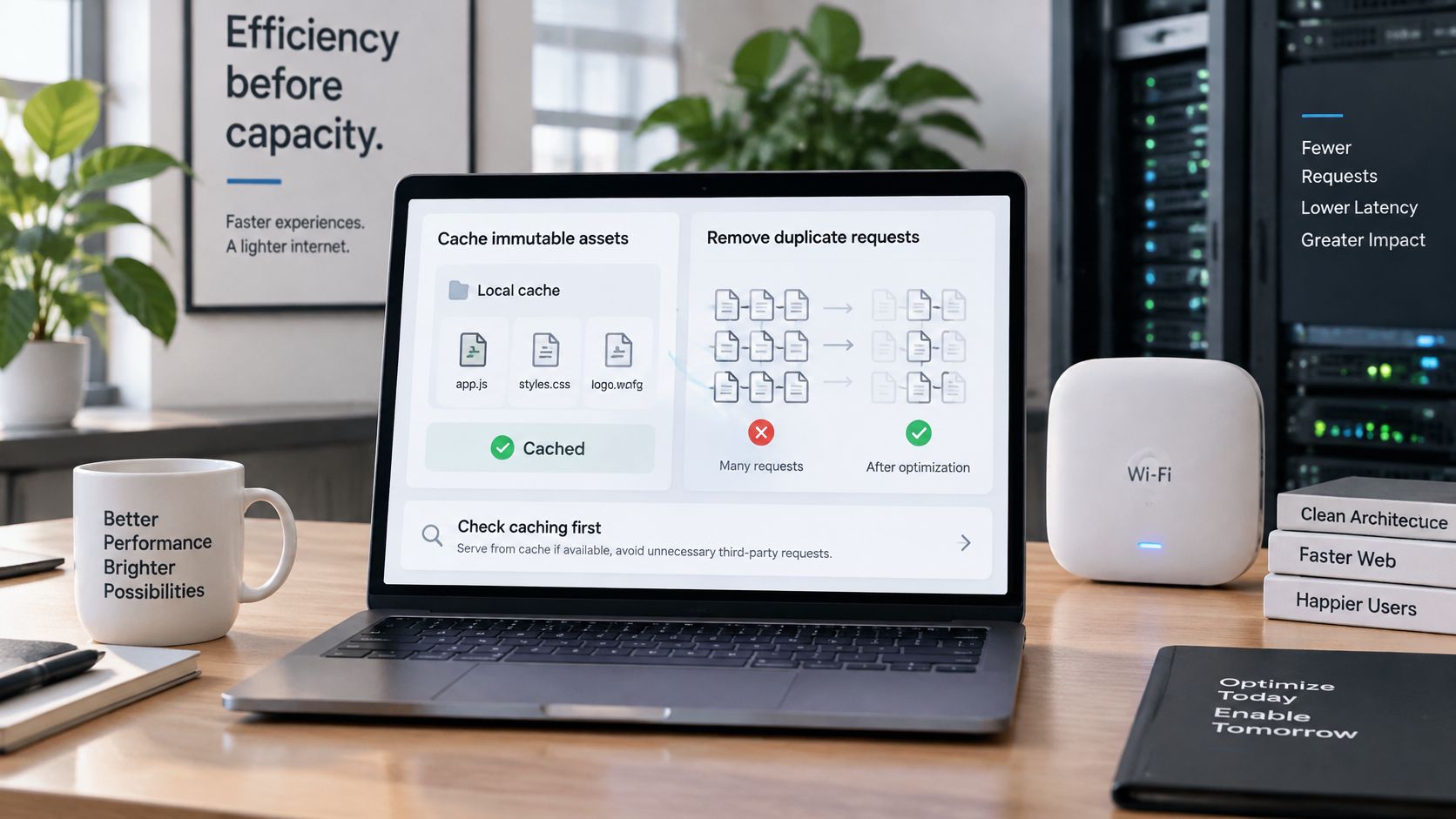
Give immutable assets long freshness lifetimes. Images, fonts and versioned scripts can usually be cached for longer when a filename changes whenever the underlying file changes. That lets returning visitors reuse unchanged content instead of fetching it again.
Revalidate dynamic objects. Use ETags or Last-Modified headers so a server can confirm that a cached response is still current. This avoids blindly serving stale content while reducing unnecessary transfers when an object hasn't changed.
Measure both hit ratios. A cache-hit ratio counts successful requests, while a byte-hit ratio shows how much data those hits saved. Many small cached files can produce a good request count without making much difference to total bandwidth.
Test during busy periods. Repeat traffic matters most when many guests compete for capacity. Compare bytes delivered from the cache and bytes fetched externally during a peak window, not just an all-day average.
Remove requests that aren't needed
Use DNS-level filtering on guest and public SSIDs to block unwanted advertising, tracking and other unnecessary destinations before those domains load. Keep staff and paid networks on policies suited to their different needs. The 2025 analysis of 119 websites identified 276 unique trackers from 233 companies and requests to 829 tracking domains, underscoring why operators should measure request overhead as well as large payloads. Some publishers rely on advertising revenue, and aggressive blocking can interfere with page functions. Guidance on DNS filtering for network ad blocking can help operators think through how to apply and monitor those policies. For an example of video content presented as a browsing destination, browse the GA YouTube gallery.
Keep an allowlist for booking, payment and login domains, and use category exceptions when a site needs a third-party script to work. Track blocked requests, estimated bytes avoided, page-load effects and false positives separately. Don't cache personalized or authorization-bearing responses, which can expose one guest's information to another. Set an invalidation plan before enabling long-lived caching, and judge a filter by its breakage list as well as its reduction in traffic.
Scheduling peak demand across venue networks
Monthly usage is a poor guide to what guests experience in a crowded venue. A short, sharp spike can congest a shared link even when total consumption across the month looks reasonable. Network-traffic reporting identifies video as the largest application category and notes that live-streamed sports can create peaks three to four times normal usage. The reporting on live-event demand and public-area congestion also describes a 2025 study of congested public areas where conventional offloading throughput fell to 6.2 Mbps under high load, while a context-aware approach reached 10.1 Mbps.
Use a schedule that protects important services without applying a blanket limit all day:
List predictable event windows. Mark game days, screenings, conferences and school assemblies, including setup and closing periods when staff may also need reliable access. Note which locations and SSIDs are likely to be affected.
Apply temporary guest-network limits. During an event, consider stricter controls on streaming or large downloads on the guest SSID. Keep the rule tied to the busy window and revisit it when the event ends, rather than leaving the restriction permanently in place.
Separate operational traffic. Put staff, point-of-sale and payment activity on networks with their own priority. A guest streaming spike shouldn't prevent a payment terminal from completing a transaction.
Watch the live traffic mix. Real-time visibility should show which applications or user groups are driving a spike. If video dominates, shape that traffic rather than limiting browsing or essential services for everyone.
Protect service, not just capacity. A policy that saves bytes but leaves guests unable to complete a booking or payment has failed its operational test.
Compare throughput, latency, retries and blocked or deferred traffic during the same event window. These measures show whether the network stayed usable, not just whether it carried less data. Aggressive controls can push guests toward already-congested cellular networks, so keep limits proportionate and check reports from guests and staff. For broader context on protecting shared guest access, see guidance on WiFi guest network security.

Choose your first change and confirm it
Choose the change that matches the largest outlier in your baseline. If text and scripts dominate, test compression. If the same static files recur, try caching. If third-party domains account for avoidable activity, trial DNS-level filtering. If usage surges around events, shape demand at those times rather than restricting every guest throughout the day.
Pick one SSID or one site as the pilot. Choose a location with reliable reporting and a clear problem to address. Keep the scope small enough that staff can identify breakage and relate it to the change.
Apply one change and record the comparison. Use the same baseline fields before and after, including total bytes, top domains and peak throughput. Hold other network policies steady during the test so the result is easier to interpret.
Review three measures after two weeks. Compare bytes per guest session, peak-hour throughput and breakage reports from guests or staff. These show whether the policy reduced demand, helped during congestion and still allowed people to use essential services.
Roll out only when service holds up. Expand to similar sites when guest latency remains acceptable and breakage stays low. Sites with different audiences or applications may need a different policy, so don't treat one pilot as proof that every location will respond the same way.
Let local results decide whether to expand filtering. If third-party requests are the outlier, trial a DNS-level filter on one SSID and track blocked requests, estimated bytes avoided and reported site problems separately. Keep a short, reviewed exception list for services that guests need.
A successful pilot doesn't just show fewer bytes. It shows that guests can still browse, pay, book and use the services they came for, while staff can operate reliably during busy periods. The aim is to serve guests well at the lowest sustainable bandwidth cost, not to minimize bytes at any price.
Purple Shield provides protective DNS, content filtering, threat defense and DNS-layer ad blocking for guest and public WiFi, with policies that can be applied by SSID, venue and schedule. If you want to test how filtering and reporting could fit your network, visit Purple Shield.