
What is secure DNS? a guide to encryption and filtering
What is secure DNS? Learn how DNSSEC, DoH, and DoT protect name lookups, how resolver filtering works, and what trade-offs network operators should weigh.
Published November 10, 2026
Does encrypting a DNS lookup mean the network has done its job?
On guest WiFi, that assumption usually fails. A cell phone in a bar, a student laptop, or a visitor tablet can tuck the lookup inside ordinary web traffic and send it to a resolver the venue never approved. Your filter never sees the name. It cannot refuse a phishing site, an adult category, or a malware host.
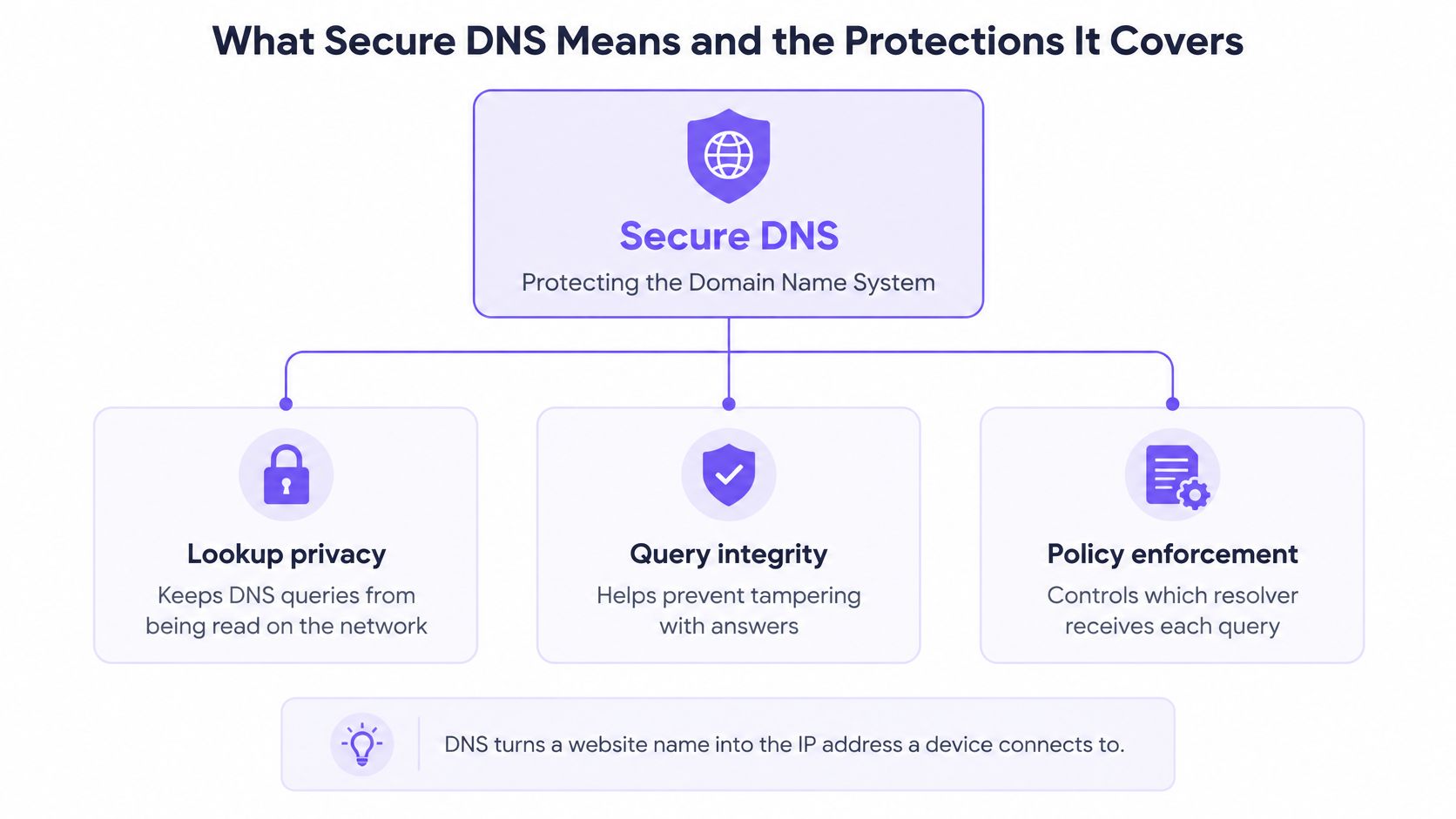
What is secure DNS is three separate jobs that protect the Domain Name System from interception, manipulation and abuse.
Authenticity comes from DNSSEC: signatures that let a resolver reject a forged answer. Confidentiality comes from encrypted transport, DNS over HTTPS (DoH) or DNS over TLS (DoT), so people sharing the same air cannot read which name was asked. Policy is the resolver's decision to answer a risky domain or to refuse it.
Skip any one of those jobs and the network stays exposed. Validation of signed answers is still patchy worldwide and across the European Union, so a signed answer is not what most lookups get. Encryption can undercut the filtering duty as well. Once the query leaves for a resolver you do not control, the policy never runs, and the connection is free to start.
Table of Contents
- What Secure DNS Means and the Protections It Covers
- How DNSSEC and Encrypted DNS Solve Different Problems
- How a Protected Lookup Travels From Device to Answer
- Venues, Schools and Hospitals
- Where Secure DNS Falls Short and How Networks Respond
- Decide Which Resolver Your Network Should Trust
What secure DNS means and the Protections it Covers
Which part of a lookup is protected? A network can encrypt the question, sign the answer, or refuse the name. Those are separate duties, and doing one does not cover the other two.
Secure DNS is an umbrella term for protecting the Domain Name System, the service that turns a name such as a bank's website into the IP address a device connects to, against interception, manipulation and abuse. DNS works like a phone book. One control checks that the printed number is genuine. Another stops a stranger on the same WiFi reading which name you looked up. A third refuses to hand out numbers your policy does not allow.
DNSSEC adds cryptographic signatures to DNS data. A validating resolver can spot a forged record that would send a device to an impostor address. Anyone watching the path can still see the name that was asked for, because signatures do not encrypt the query.
DNS over HTTPS (DoH) puts each query and response inside an HTTPS exchange. The IETF history of RFC 8484 records that DoH became a Standards Track specification on 10/19/2018, using the same TLS-protected transport and default web port, 443, as ordinary encrypted web traffic. The RFC sets HTTP/2 as the minimum recommended HTTP version and notes that mixing DoH with other HTTPS traffic makes DNS analysis and interference harder. The protocol does not decide whether a domain is malicious or inappropriate. It protects the transport between a client and a resolver.
That mix is how encrypted DNS can undercut a filtering duty. The lookup looks like ordinary web traffic, and the device can send it to a resolver the network never chose. Policy on the resolver you operate never receives the name, so it cannot refuse the domain before a connection starts.
DNS over TLS (DoT) wraps the same kind of query in TLS, typically on port 853, so it does not blend into web traffic the way DoH does. DNS over QUIC (DoQ) carries queries over QUIC, also on port 853. Both hide the lookup from observers on the path. Neither one applies your content policy.
Protective DNS filtering is the policy layer. The resolver compares the requested name with categories and threat intelligence, then blocks, redirects, or sinkholes a match before the device is given an address. Choosing the words you block is its own job. A practical starting list of website filtering keywords for fraud prevention helps operators name the fraud, phishing and scam terms they want refused.
| Protection | Question it answers | Hides queries from observers | Blocks risky domains |
|---|---|---|---|
| DNSSEC | Is this DNS answer authentic? | No | No |
| DNS over HTTPS (DoH) | Is the query path private? | Yes, inside HTTPS on port 443 | No |
| DNS over TLS (DoT) | Is the query path private? | Yes, inside TLS on port 853 | No |
| DNS over QUIC (DoQ) | Is the query path private? | Yes, inside QUIC on port 853 | No |
| Protective DNS filtering | Should this domain be allowed? | Not by itself | Yes, by policy and threat intelligence |
Ask any setup three questions. Is the answer authentic? Can someone on the network see the query? Does the resolver check the domain before the connection starts?
A network can pass one of those tests and fail the other two. Encrypted transport cuts eavesdropping and tampering on the path. Only a resolver you control can also refuse selected domains before the client begins a connection.
How DNSSEC and encrypted DNS Solve different Problems
Say a guest joins cafe WiFi and opens what looks like their bank. The page loads. The address bar looks right. Nothing on the laptop tells them the name was answered with an impostor IP. That failure is an authenticity problem, and encryption of the query doesn't fix it.
DNSSEC addresses authenticity rather than confidentiality. It adds cryptographic signatures so a validating resolver can detect forged or altered answers, including ones that redirect a user to the wrong server. Its security property is authenticated integrity. It does not encrypt queries, so an observer on that café network still sees which domains are requested.
Adoption of the check itself is uneven. A European Commission Joint Research Centre analysis for the third quarter of 2025 reported an average DNSSEC validation rate of 35.4% worldwide, compared with 49.4% across the European Union, a 14-percentage-point difference. The same report said the global rate had increased by approximately 1 percentage point since the first quarter of 2025. These figures describe observed validation, not whether a domain has published signatures. A user benefits only when the resolver validates the chain and rejects an invalid response.
Five failures, five different stops
| Scenario | What goes wrong without it | Protection that addresses it |
|---|---|---|
| Forged answer points a device to an impostor IP | Device connects to the wrong server without knowing | DNSSEC validation at a validating resolver |
| Observer on shared WiFi reads queried domains | Browsing history is visible in plaintext DNS | DoH, DoT or DoQ |
| Answer altered in transit | Records changed on the path go unnoticed | DNSSEC signature check plus encrypted transport |
| Resolver cache poisoned with bad records | Bad records reach many clients at once | DNSSEC validation |
| Query is encrypted but the domain is malicious | Device still reaches a phishing or malware site | Protective filtering at the resolver |
Walk the café again. A forged bank address is a DNSSEC failure. A neighbor reading every name the guest looks up is a confidentiality failure, which DoH, DoT or DoQ close. A record flipped on the path needs both a signature check and a protected transport. A poisoned cache hands the bad record to every later guest, which validation is built to refuse. And a perfectly private query for a phishing host still needs the resolver to say no.
Operators who treat encryption as the whole of secure DNS leave the last row open. DNS over HTTPS hides the lookup. It doesn't grade the destination. The EU and global gap makes the same point for signatures. Relying on DNSSEC alone doesn't give uniform protection across domains and regions. A workable design uses validation for authenticity, encrypted transport so the path can't be read, and policy filtering for malware, phishing, adult content, gambling and other categories you define.
How a protected lookup Travels from device to answer
One lookup, followed from the tap to the page, shows where each control sits. Before a device opens a site or app, it asks DNS where to find it, and the resolver answers using the policy for the network that device is on.
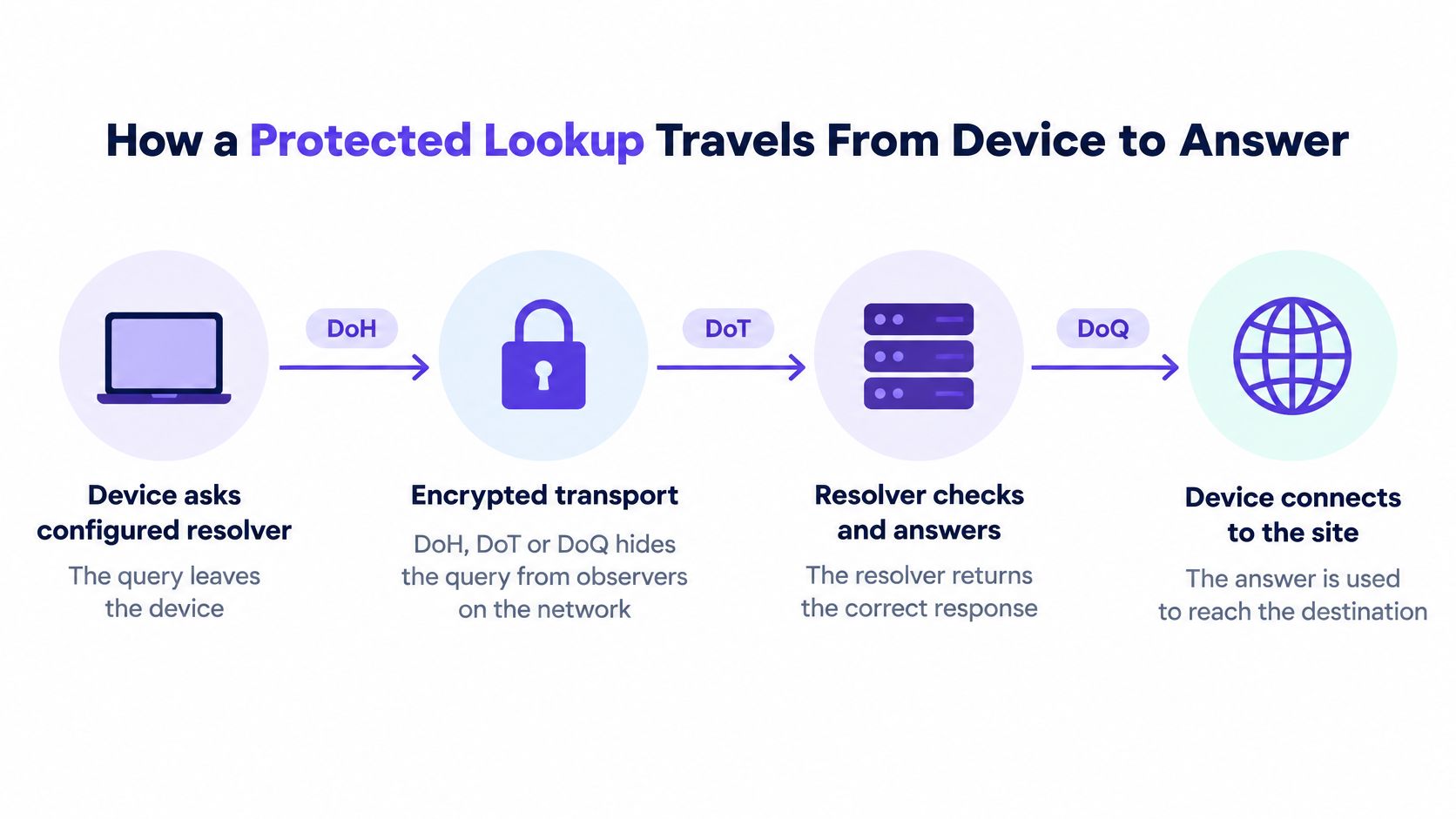
The device asks its configured resolver. The query leaves over DoH, DoT or DoQ. People on the same WiFi see an encrypted session, not the name inside it. If the device is still using plaintext DNS, this first step is already leaking the lookup, whatever you do later.
The resolver checks the signatures. It validates the DNSSEC chain on the answer and throws away anything that fails. A guest never sees that rejection. They don't get the impostor address. Validation has to happen here, on a resolver you trust, because the client often won't do it.
Policy for that network is applied. Categories, Safe Search and schedules follow the SSID or VLAN the device joined, not a setting buried in the cell phone. Staff WiFi and guest WiFi can disagree on gambling or adult content even when they share a building. The resolver is the place that disagreement is enforced.
Threat intelligence gets a vote. The name is compared with indicators for phishing, malware and command-and-control infrastructure. A match is blocked or sinkholed. The device is not given the destination IP, so the browser never opens the session. This is the strongest point you have, because a refused name means the connection never starts.
An allowed name returns its address. The browser connects. Filtering didn't slow a permitted site. It only withheld answers your policy refuses. Reporting should show that refusal later, with the network and the time, so an operations manager can explain a block without guessing.
Where the chain breaks
Steps 2 to 4 never run if the device uses a different resolver without anyone noticing. A browser with its own DoH setting, or an app with a hard-coded resolver, walks around the whole path. The network still carries the traffic. It just doesn't get to judge the name.
Open the device's DNS or Private DNS setting and confirm the resolver matches the one you approved. If it doesn't, the policy you wrote isn't the policy that device is using.
A recursive DNS resolver is the component doing that work on the device's behalf. If you can't see which one answered, you can't claim the lookup was protected.
Venues, Schools, and Hospitals
A bar or hotel guest network fills up with cell phones and laptops nobody on staff can touch. You can't install an agent, and you shouldn't ask a guest to change a setting they'll undo at the next venue. A central resolver policy still applies, because every device that uses your WiFi asks your DNS before it opens anything.
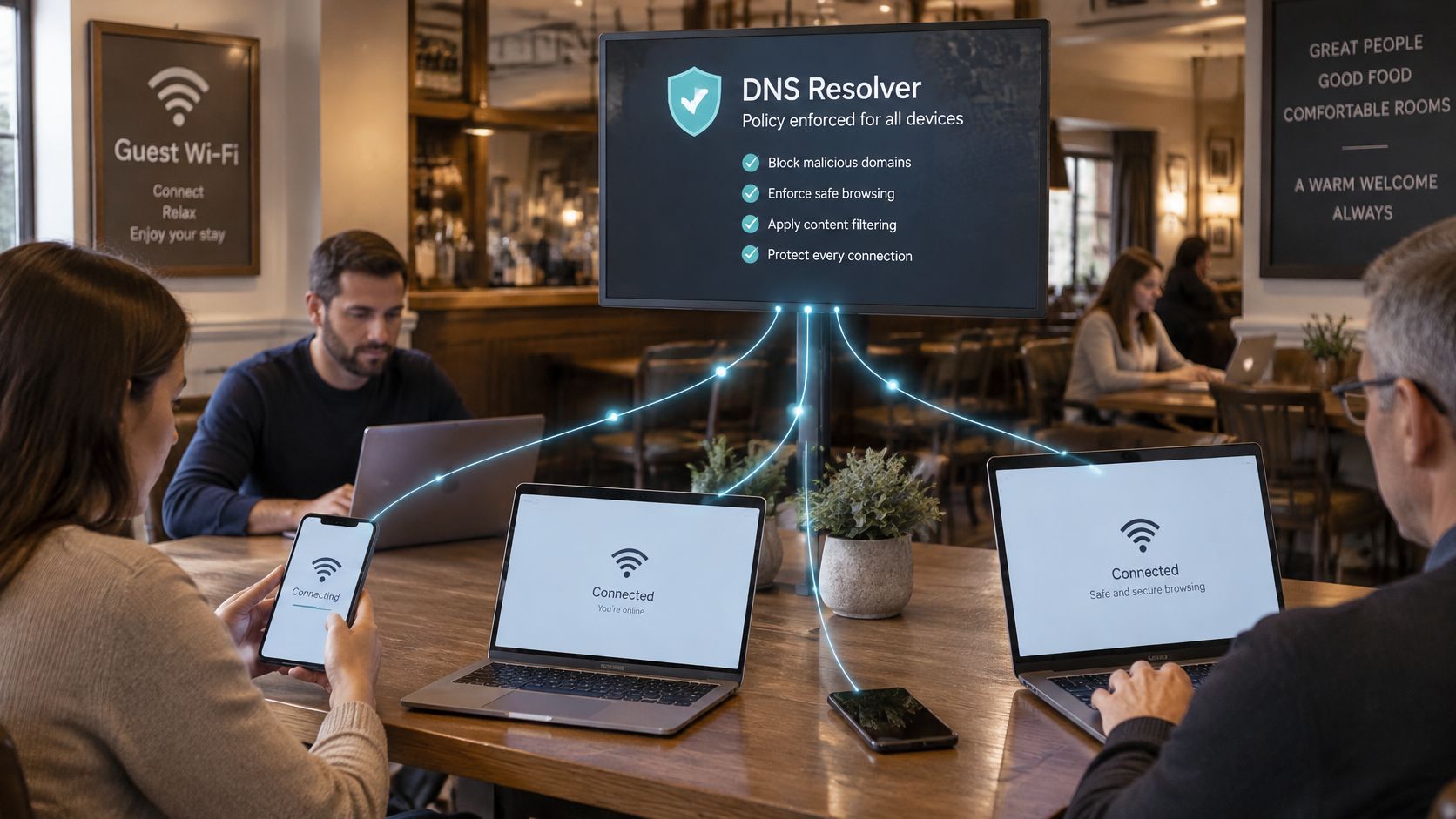
The same idea scales to places with a duty of care, just with different stakes.
Schools split staff and students onto separate networks. Student WiFi can refuse adult content and gambling, and it can force Safe Search on Google, Bing and YouTube, while staff keep a wider set of categories for lesson planning. The split is a policy on the resolver, not software on each laptop in a cart.
Hospitals usually want the public waiting-room WiFi tighter than the clinical network. Visitors shouldn't reach the same destinations as a workstation on a ward VLAN. Keeping those policies apart avoids one flat rule that is either too loose for the public side or too strict for clinical systems.
CISA's protective DNS FAQ describes this model as operating upstream from the network. It can show which domains are being resolved without forcing a redesign of internal DNS. On shared WiFi that means one policy across unmanaged cell phones, laptops and IoT devices, with separate controls per network or user group.
A blocked hostname is denied at resolution time. Many attacks then fail before the endpoint receives an IP address or starts an HTTPS session. That's why the layer suits devices nobody manages. The resolver can block, redirect or sinkhole names tied to phishing, malware, ransomware, spyware or command-and-control infrastructure.
Filtering isn't a substitute for endpoint, email, web or firewall controls. Attackers use hard-coded IP addresses, encrypted tunnels, newly registered domains, or their own DNS-over-HTTPS path. Deployment still has to enforce approved resolvers, watch resolver traffic, keep failover reliable, and pair domain blocking with endpoint and network telemetry.
Operators keep asking which devices the policy will reach. List every group on each SSID. Mark which ones accept the central resolver and which ones can leave it. The misses are the subject of the next decision, not a reason to skip the layer.
This short walkthrough shows that lookup-time block on a shared network.
Where secure DNS Falls short and how networks Respond
Encryption protects privacy. It can also let a device reach a resolver the network never approved. That's the gap most "turn on secure DNS" advice skips.
DoH rides over HTTPS, commonly on port 443, so it resembles ordinary web traffic. A rule that only watches the old DNS port never sees it. CISA's encrypted DNS implementation guidance says organizations must account for endpoints that use unauthorized encrypted-DNS providers, on purpose or by accident. Not every query origin can send encrypted DNS today, and forwarding support differs by vendor. Blocking every encrypted lookup isn't the fix. That cuts privacy and can break legitimate security tools.
On a shared network the managed resolver may refuse a domain, while the same handset tries direct DoH, a hard-coded resolver, or an app with its own DNS path. Guest and BYOD environments make this worse, because you can't put an agent on every device.
Bypasses and what actually stops them
| Bypass route | Why a simple block fails | Control that counters it |
|---|---|---|
| Hard-coded resolver IP | Skips the managed resolver entirely | Block outbound DNS to unapproved resolvers |
| Direct DoH on port 443 | Looks like ordinary web traffic, so port rules miss it | Restrict unauthorized DoH endpoints and allow-list approved resolvers |
| Rotating DoH resolvers | Defeats static IP blocklists | Behavioral detection and traffic-path visibility |
| Newly registered domain | Not yet on any blocklist | Threat feeds combined with age-based rules |
| Application uses its own DNS path | Bypasses the device's configured resolver | Endpoint controls and monitoring of resolver traffic |
Recent research describes attackers rotating among multiple DoH resolvers specifically to slip past a static IP blocklist. A single list of bad domains, or a single port rule, doesn't cover that. Allow-listing the resolvers you trust, watching the path the query takes, and using behavior rather than one address have to work together.
The practical question is how a network keeps encrypted-DNS privacy while every lookup still faces the safety and threat policy. Privacy and policy coexist only when approved resolvers are the ones allowed to answer, and everything else is visible enough to challenge. The limits of domain lists alone are set out in this guide to DNS filtering limits. Treat encryption as one layer, not a waiver of the filter.
Decide which resolver your network should trust
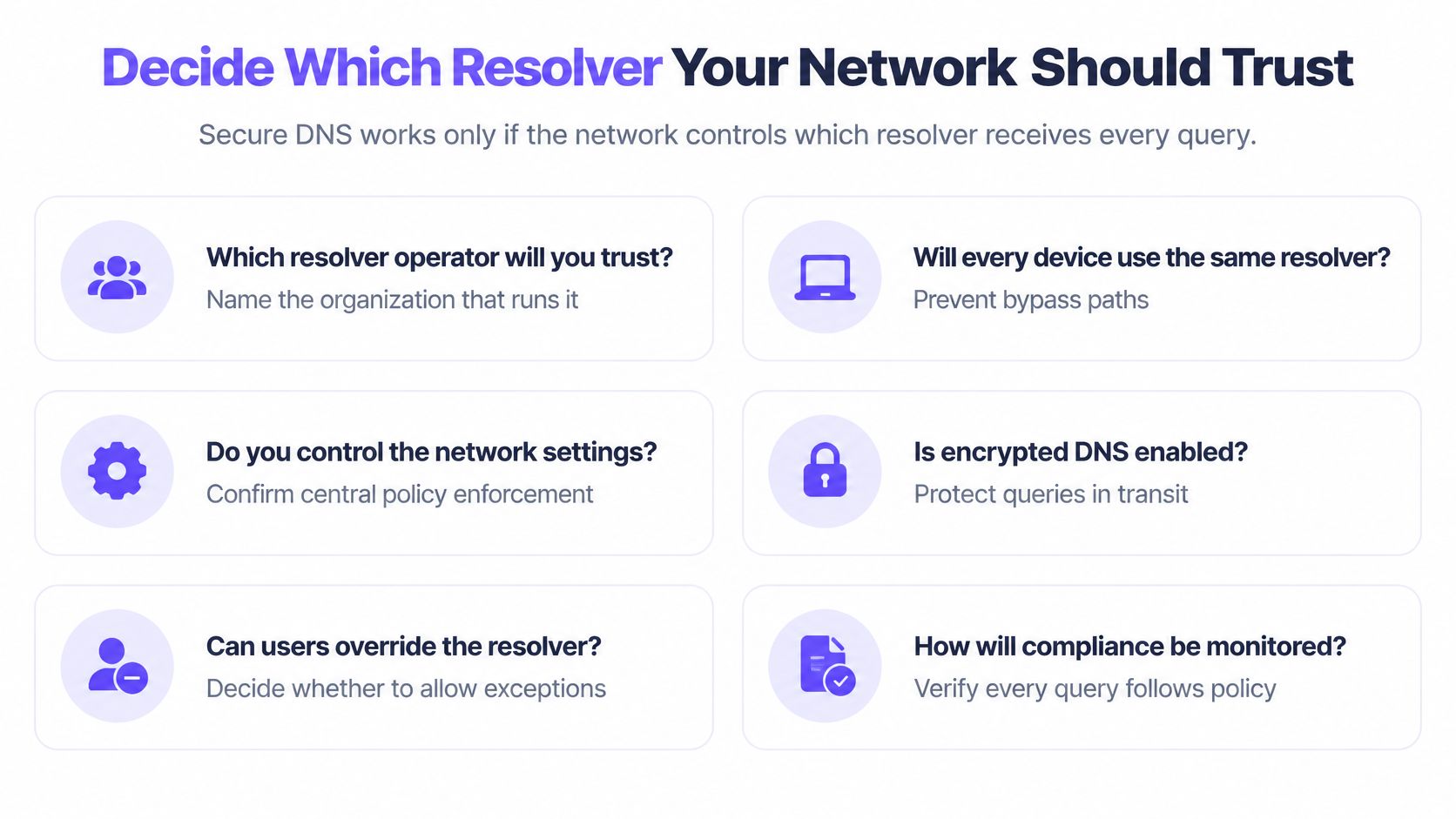
Secure DNS works only if you control which resolver receives every query. Pick that operator before you argue about protocols.
RFC 8484 is explicit that DoH transport security doesn't itself provide DNSSEC response integrity. Validate locally, or use a resolver that validates and exposes the authenticated-data result. DNSSEC answers "is this data authentic?" DoH or DoT answers "can someone on the path observe or alter the exchange?" For public or guest WiFi the practical shape is an authorized recursive resolver with encrypted upstream transport, DNSSEC validation, logging and policy at the resolver.
NIST SP 800-81r3 also warns that encrypted DNS adds processing overhead on name servers, so capacity has to be planned rather than assumed.
Work through these checks and write the answers down.
- Who runs it, and where does it sit? Name the operator and the hosting. A resolver you can't identify isn't one you can hold to a policy.
- Which policy applies to each SSID, VLAN or venue, and who may change it? Guest WiFi and clinical WiFi shouldn't inherit each other's categories by accident.
- Can a device switch to a public resolver you didn't approve? If the edge doesn't stop that, the policy is optional.
- Does the resolver support encrypted forwarding, and is there capacity for the extra load? Turn on privacy only after the servers can carry it.
- Will logs show what was blocked, on which network, and when? An auditor or a principal will ask. "We filter" isn't an answer.
- What happens if the resolver is unreachable? Decide failover before the outage, including whether you fail closed.
A Shield expert shows how the network handles VPNs and encrypted DNS before a customer trials Shield. Setup starts by pointing that network's DNS at Shield, as a per-network setting or a DHCP change on the controller.
Once those six answers are settled, the change is small. Point each network's DNS at the approved resolver. Then test a sample of devices the same way you'd check a single lookup, and confirm the resolver address matches. During a 30-day free trial, that DNS change is how the network runs the service at no charge, so the test is the rollout, not a separate project.
Purple Shield is protective DNS for venue, guest and public WiFi. It checks each lookup against your categories and threat policy before a connection starts, with nothing installed on the phone or laptop. See how that resolver fits your SSIDs at Purple Shield.