
DNS sinkhole Explained: How it Stops malicious callbacks
A DNS sinkhole redirects malware lookups to a decoy, stopping callbacks and revealing infected devices. Learn how it works and where to deploy it.
Published 2 November 2026
A guest connects a laptop to your café's WiFi, opens a browser, and gets on with their day. In the background, malware on that laptop tries to contact its controller. You can't install security software on every visitor's device, but you can control how your network answers that device's requests for internet destinations.
A DNS sinkhole gives you a way to interrupt that callback and record evidence worth investigating. The useful question isn't just what it blocks. It's whether you can identify the affected device, prove your policy applies, and restore legitimate access when a rule gets something wrong.
Table of Contents
- What a DNS Sinkhole Is in Plain Terms
- How a Sinkhole Answers a Malicious Lookup
- The Conficker Outbreak That Made Sinkholes Standard
- Turning Sinkhole Hits Into Infected Device Leads
- Deployment Models for Shared and Guest Networks
- False Positives and How to Recover Fast
- Decide Whether a Sinkhole Fits Your Network
What a DNS Sinkhole Is in Plain Terms
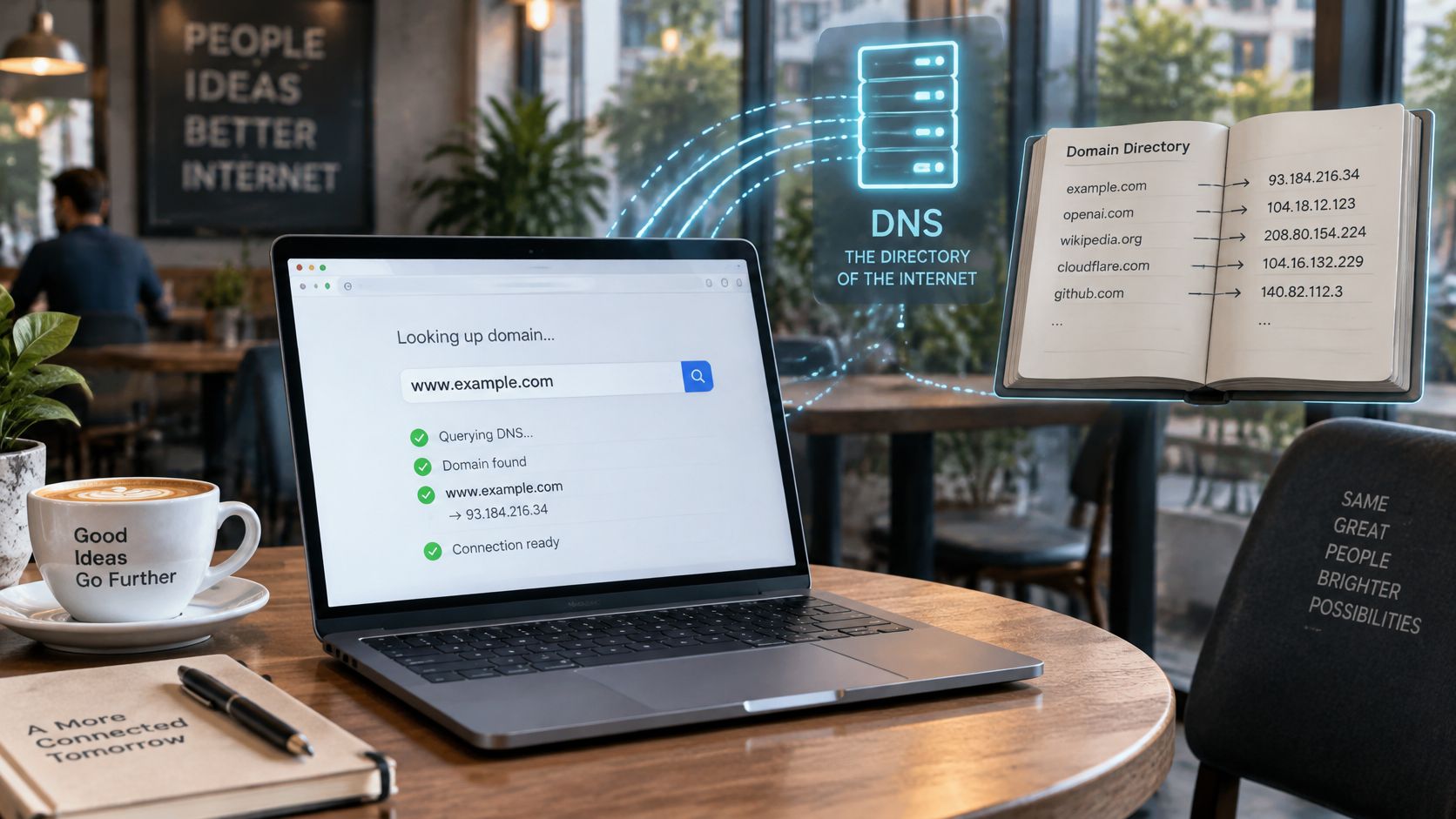
The infected laptop needs to find its controller before it can ask for instructions. If the malware uses a domain name, the laptop first asks a DNS resolver to translate that name into an IP address.
Think of DNS as a phone directory. The domain is the name you look up, and the IP address is the number you need to call. A protective resolver checks whether it should provide that number.
A DNS sinkhole replaces the answer for a known-bad domain with a controlled destination, or blocks the answer, so the device can't use that lookup to reach the attacker.
Strictly speaking, sinkholing means redirecting traffic to a controlled endpoint. Administrators also use the term more broadly for DNS policies that suppress malicious lookups without providing a destination.
The directory analogy helps separate the name lookup from the connection that follows.
DNS blocking isn't IP blocking
A DNS sinkhole acts on the requested name before the device uses the answer to contact that destination. An ordinary firewall rule evaluates packets, often using their destination IP address, and can reject the initial connection attempt. A firewall doesn't have to wait for an established connection.
That distinction matters when legitimate and malicious services share hosting infrastructure. Blocking an entire IP address can affect unrelated services, whereas a DNS policy can target a particular hostname. Neither approach replaces the other.
On shared WiFi, the resolver is useful because the operator doesn't need administrative access to the laptop. However, stopping a callback doesn't remove the infection. It gives the operator a containment opportunity and, with suitable logging, a lead for investigation.
How a Sinkhole Answers a Malicious Lookup
A DNS lookup is a request for information, not a connection to the requested website. The resolver's answer determines what the device can try next.
The basic path separates the device, policy check, and controlled destination.
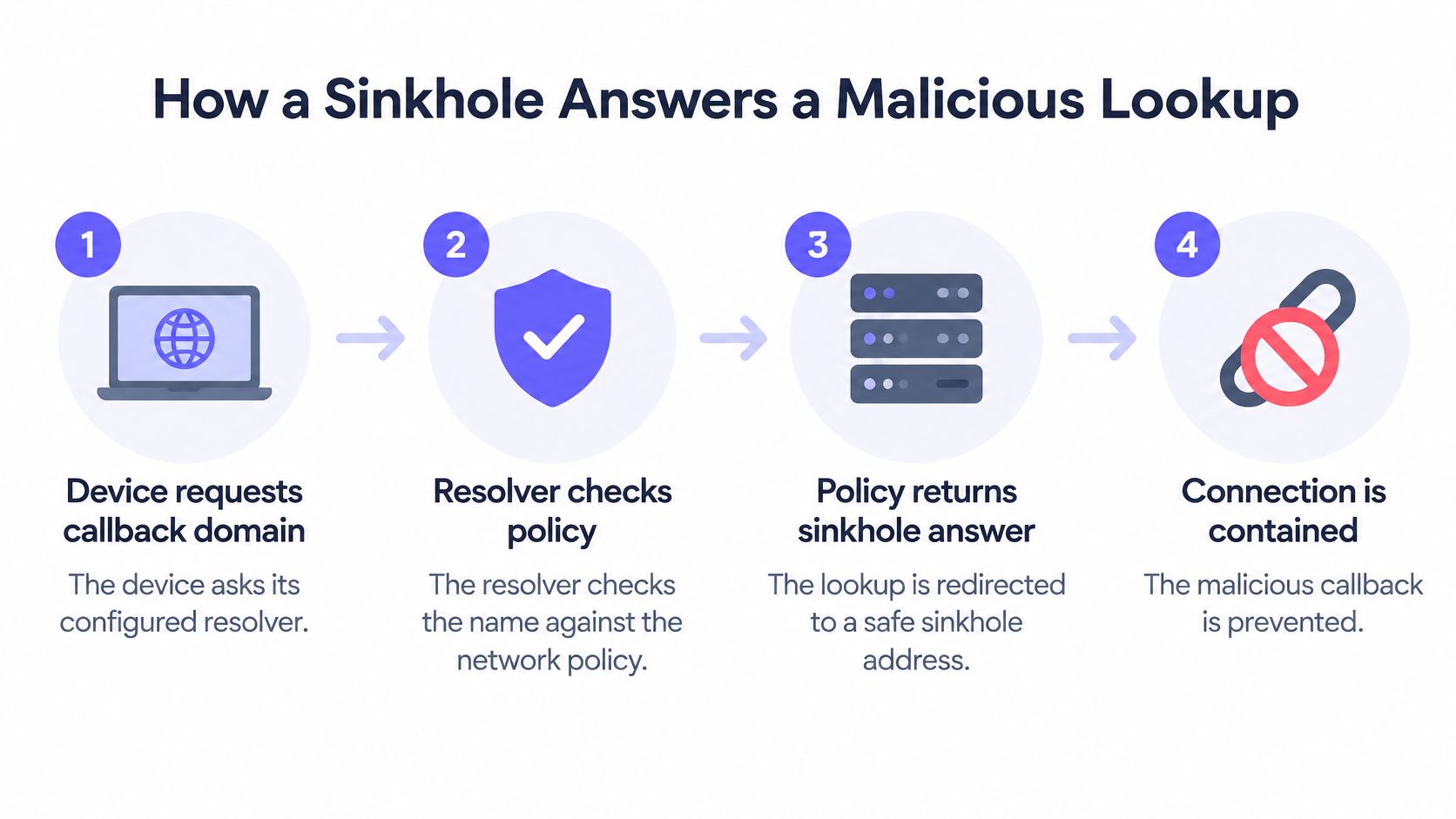
- The device requests its callback domain. It sends a query to its configured resolver.
- The resolver identifies which policy applies to the originating network, such as a guest SSID or staff VLAN.
- The name is checked against threat intelligence and local rules, including command-and-control, phishing, and malware categories.
- On a blocking match, the resolver supplies a controlled address, returns a no-such-name response, or refuses or suppresses the answer.
- The device either attempts a connection to the decoy or fails to obtain a usable destination. Permitted names resolve normally.
Before a device opens a site or app, it asks DNS where to find it, and Shield answers using the policy for that network. If a domain is blocked, the connection to that destination never starts and the device sees the customer's branded block page instead. That user-facing experience shouldn't be confused with malware retrying a failed callback.
Choose the response for the evidence you need
Sinkhole response choices and what each reveals
| Response | What the device experiences | What defenders learn | Main trade-off |
|---|---|---|---|
| No-such-name (NXDOMAIN) | Lookup fails and the connection never starts | That a lookup was attempted and blocked | Stops the callback but provides no subsequent connection behavior |
| Sinkhole address | Lookup returns the address of a controlled server | Source IP, callback timing, retry pattern and observable protocol | Needs a monitored endpoint and careful log storage |
| Refused or suppressed answer | Resolver declines the query or leaves it unanswered | Little beyond the attempt itself, unless resolver logging is enabled | Fast to apply, but some clients retry aggressively |
NXDOMAIN doesn't erase source or timestamp information. A resolver can log both. What it can't collect from that failed lookup is the connection the malware would have made afterward.
A peer-reviewed sinkhole packet-capture evaluation reported a fivefold improvement in malicious-packet capture with an advanced collection design compared with a conventional implementation. That's evidence about collection architecture, not a promise that every sinkhole will deliver the same improvement.
This video offers another way to follow the mechanism.
The response you choose determines which subsequent behavior you can observe. Keep collectors isolated, and don't assume redirection will produce a clean warning page for every encrypted application.
The Conficker Outbreak That Made Sinkholes Standard
Conficker showed how defenders could turn malware's search for instructions into a source of intelligence. Rather than inspect every infected computer, researchers intercepted destinations the worm was programmed to contact.
CAIDA's Conficker archive describes the outbreak first detected in November 2008, with early variants generating approximately 250 pseudorandom domain names per day. The worm contacted generated names over HTTP to obtain instructions or additional malware.
Researchers and network operators registered selected domains before criminals could use them, then pointed those names at controlled servers. Infected computers consequently called infrastructure operated by defenders.
The lookup became a measurement point
Those callbacks helped responders identify infected systems, estimate the worm's spread, and track cleanup progress without communicating directly with the criminal command network. A successful interception therefore did more than deny an update. It recorded a computer still attempting to obtain one.
- For containment, responders prevented selected names from leading to attacker-controlled infrastructure.
- For investigation, callback logs identified systems that needed attention.
- For remediation tracking, continuing callbacks indicated that cleanup remained incomplete.
Conficker's later variants expanded the pool of generated names and added peer-to-peer updating. Responders had to coordinate registration and blocking rather than rely on a small, static list.
The historical deployment also differed from an organization's local filtering policy. Researchers changed the destinations of domains they controlled, affecting infected computers that resolved those names through ordinary DNS. A venue operator generally applies policy at its own recursive resolver instead.
Coverage was the constraint in both cases. Defenders could intercept callbacks to names under their control, but that didn't mean every possible update route had disappeared. Conficker established sinkholing as both a containment technique and a measurement tool, not a substitute for repairing infected computers.
Turning Sinkhole Hits Into Infected Device Leads
A client that repeatedly queries a blocked command-and-control (C2) domain deserves attention. The pattern can provide a useful lead even when you don't have an endpoint agent, payload inspection, or detailed firewall records.
The dependency is important: the University of Arizona botnet-defense paper explains that effective DNS redirection requires identifying the botnet's C2 infrastructure and cooperation from the DNS operator the bot uses. A hit shows that a particular request encountered your policy, not that you've discovered every communication path.
Keep enough context to find the client
Record these fields together rather than scattering them across disconnected dashboards:
- Timestamp: Correlate the event with network leases and authentication records.
- SSID or VLAN: Identify the network and policy boundary involved.
- Client identifier: Preserve a usable device reference, not just the venue's public address.
- Queried domain: Retain the exact hostname that triggered the rule.
- Policy category: Distinguish a threat classification from a content restriction.
- Response action: Record whether the resolver redirected, refused, or returned NXDOMAIN.
A public source IP may represent many guests behind the same gateway. To identify an individual device, correlate endpoint observations with resolver and network records. Don't label the entire venue infected because a collector sees its shared address.
Investigation rule: Treat a sinkhole hit as a lead with supporting context, not an automatic verdict against the device owner.
Validate the signal and maintain coverage
Compare repeated hits with normal behavior on that network and check the classification against refreshed threat intelligence feeds. Generated domains, rapidly changing hosting, hard-coded addresses, and fallback channels can leave gaps. A lack of hits isn't proof that a device is clean.
Domain status also needs ongoing review. A 2019 academic study of malicious-domain takedowns found that over 14% of domains taken down during the preceding ten months had subsequently returned to the commercial domain market.
Review rule provenance, ownership, and classification on a schedule. If you operate registered sinkhole domains yourself, protect their DNS configuration and renewals. Restrict access to client-level logs and set retention periods consistent with local law and your investigation needs.
Deployment Models for Shared and Guest Networks
A sinkhole protects the DNS path you control. A guest's browser or application may select an external encrypted resolver instead, leaving your local policy with nothing to evaluate.
A technical analysis of encrypted DNS explains why external DNS-over-HTTPS can bypass conventional DNS monitoring. The deployment decision is therefore about resolver enforcement and client behavior, not merely the quality of a blocklist.
Sinkhole deployment models for shared networks
| Model | Where the control sits | Best fit | Main limit |
|---|---|---|---|
| Network resolver on guest WiFi | Resolver handed to every client by the network | Hotels, pubs, public WiFi | Clients with their own hard-coded or encrypted resolver can bypass it |
| Firewall DNS inspection | Inside an existing firewall or gateway | Offices with an established firewall estate | Conventional DNS inspection misses outside DoH carried as HTTPS |
| Managed browser or device policy | Browser or OS sets the resolver and disables alternate DoH | Managed corporate or school devices | Does not reach unmanaged personal devices |
| Cloud protective DNS | Provider-hosted resolver that the network DNS points to | Multi-site venues and estates | Relies on provider uptime and access to telemetry |
Encryption and enforcement are separate choices
Encrypted DNS improves confidentiality between the client and resolver. It doesn't necessarily weaken filtering: an approved protective resolver can accept encrypted queries and still apply policy. The visibility problem arises when the client chooses an outside resolver that doesn't enforce your rules.
For managed devices, browser and operating-system policies can specify the approved service. On guest networks, you need a documented position on alternative encrypted DNS, user privacy, and permitted exceptions. Blocking all encrypted web traffic to stop DoH isn't a workable general strategy.
Place the control at a boundary you can test
Distribute the approved resolver through the network configuration. Restrict direct outbound conventional DNS to approved resolvers, covering both transport protocols and both IP families. Transparent redirection can catch conventional DNS sent elsewhere, but it doesn't transparently solve arbitrary encrypted DNS.
Use network segmentation to separate staff, guest, and specialist-device policies. A restrictive guest rule shouldn't interrupt clinical equipment or staff applications.
- Test ordinary resolution: Confirm allowed applications still work.
- Test bypass paths: Check browser-selected resolvers and other permitted tunnels.
- Test attribution: Confirm a controlled policy match appears against the correct network and client.
A network-level DNS change can apply filtering across participating devices without installing software on each one. Prove coverage with tests, rather than assuming that distributing a resolver address forces every application to use it.
False Positives and How to Recover Fast
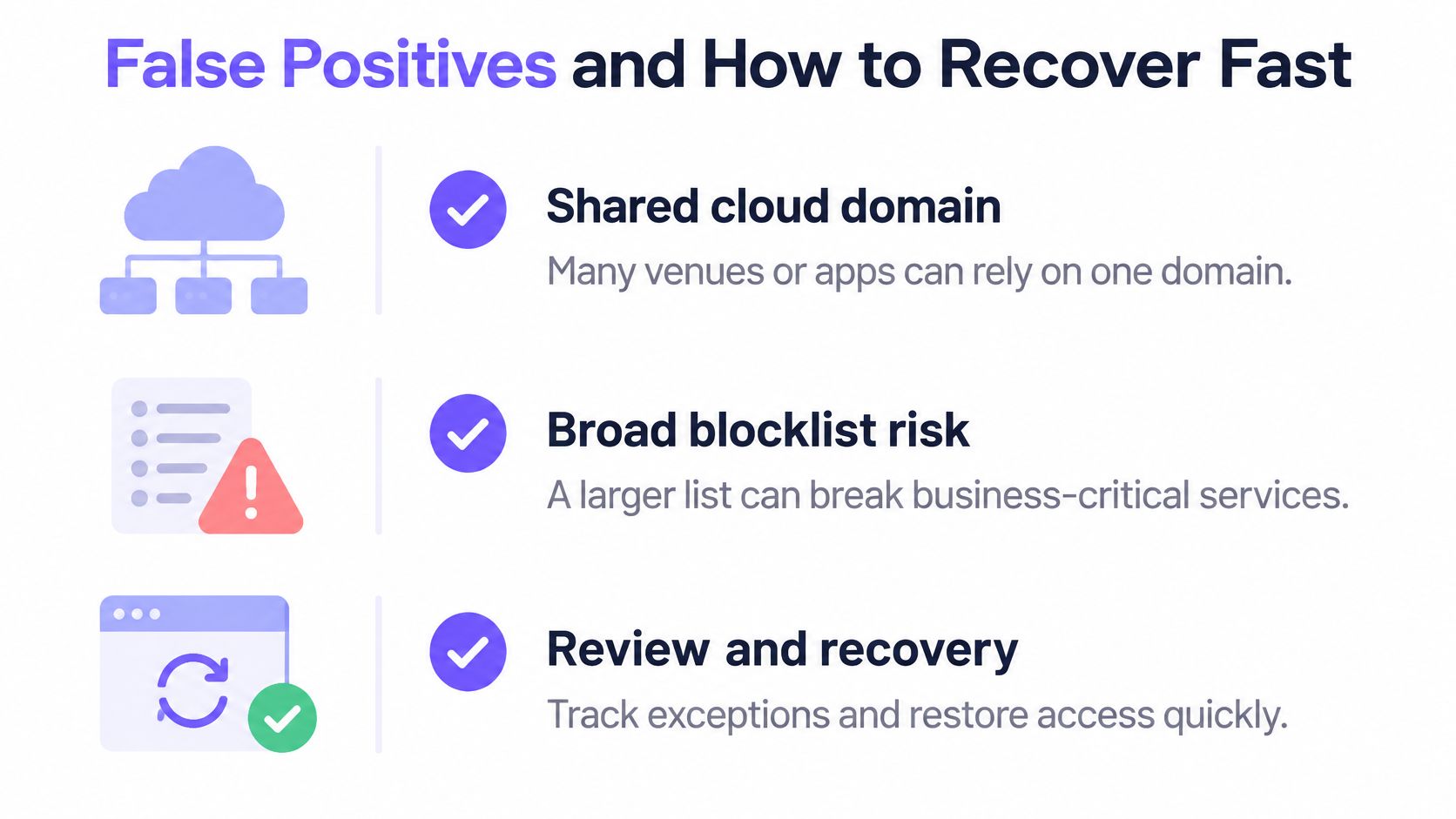
A longer blocklist isn't automatically safer. A broad rule against shared cloud infrastructure can interrupt supplier portals, payment workflows, or learning applications without improving protection against the intended threat.
A 2025 sinkholing implementation study reported false positives that required manual allowlist management and trained staff. Operational ownership belongs in the deployment plan, not just in the incident queue.
The recovery process should account for shared services and narrowly scoped exceptions.
Restore access without removing the protection
Start new policies in log-only mode for an agreed observation period. Capture the client, category, and matching rule so later decisions have an evidence trail.
Sinkhole symptoms, likely causes and first actions
| Symptom | Likely cause | First action |
|---|---|---|
| Staff device cannot reach a supplier site | Shared cloud domain blocked by category | Check the logged category, then allowlist the exact host, not the whole domain |
| One guest device triggers sinkhole hits every minute | Infected device or aggressive app retrying | Identify and contain the client, then arrange device inspection |
| Spike in blocked queries after a policy change | Broad blocklist entry or wildcard rule | Roll back the last change and review its SSID or VLAN scope |
| Apps work but one SSID shows no blocks | Clients may use encrypted DNS outside the resolver | Run a controlled policy test and inspect resolver configuration and outbound DNS paths |
An empty report alone doesn't establish bypass. The network may have produced no matching requests.
Measure prevented harmful connections, false-positive rate, appeal-resolution time, and exceptions per venue. Blocked-query volume alone can rise because an application retries repeatedly.
Before enabling a rule, confirm:
- Classification: The domain's threat category is supported.
- Shared use: Business applications don't rely on the same host or parent domain.
- Rollback: The previous policy and restoration procedure are recorded.
- Scope: The intended SSID or VLAN is explicit.
- Ownership: A named person handles exception requests and reviews their expiry.
Decide Whether a Sinkhole Fits Your Network
For a small office with managed endpoints, start with DNS logging and endpoint policy. You may already have the device controls needed to investigate suspicious requests directly, so avoid adding a collector you can't maintain.
For guest, public, or student networks, prioritize boundary enforcement and client attribution. Unmanaged devices make resolver-level controls useful, but an operator still needs a safe way to investigate or contain a device without accusing its owner prematurely.
Match the operating model to the estate
A multi-site organization benefits from centrally managed resolver policy, network-specific exceptions, and consolidated reporting. Compare services on the evidence they expose and the controls you can test, not just their category counts.
Choose a sinkhole when you can own the full process: policy, coverage, investigation, exceptions, and recovery.
Begin with a limited deployment:
- Map the resolver path. Identify which resolver each network uses and where alternative DNS or tunnels could escape policy.
- Run a documented log-only observation period. Record matching requests with their client, category, and network, then review legitimate application dependencies.
- Enable high-confidence blocks first. Start with confirmed C2 and malware destinations, retain a written rollback plan, and assign an exception owner.
Keep endpoint remediation separate from network containment. A blocked callback is a successful intervention, but the device still needs investigation. Your deployment is ready when staff can demonstrate both a controlled block and a safe restoration of legitimate access.
Purple Shield offers protective DNS with network-specific policies and reporting, so you can evaluate malicious-domain blocking alongside the evidence needed to manage it. Visit Purple Shield to arrange a 30-day free trial, point your network's DNS at Shield, and test filtering on your live network without new hardware or device agents.